SQL Sales Analysis and ERD Explanation
Introduction to SQL
What is SQL?
Structured Query Language, or SQL (often pronounced "sequel"), is the standard language for communicating with databases. Think of a database as a massive, highly organized digital filing cabinet. SQL is the language you use to ask that filing cabinet to store, find, change, or remove specific files.
SQL, or Structured Query Language, is designed to "talk" to databases.
It’s the backbone of countless applications, from websites and mobile apps to corporate networks. Anytime you see a system that needs to manage large amounts of structured data—like customer records, product inventories, or sales transactions—SQL is likely working behind the scenes.
A Quick History
SQL's story begins in the early 1970s at IBM. Researchers Donald Chamberlin and Raymond Boyce developed it after learning about the relational model for databases, a new way of thinking about how to organize data logically. Their goal was to create a simple, English-like language that anyone could use to retrieve information.
Originally called SEQUEL (Structured English Query Language), the name was later shortened to SQL. By the 1980s, it had become the standard language for relational databases, adopted by major standards bodies like ANSI and ISO. This standardization means that while different database systems might have minor variations, the core SQL commands work almost everywhere.
Databases and Tables
SQL is designed for relational databases. A relational database organizes data into tables, which are similar to spreadsheets. Each table stores a specific type of information.
For example, a business might have one table for its customers, another for its products, and a third for sales orders. This separation keeps the data tidy and efficient to manage.
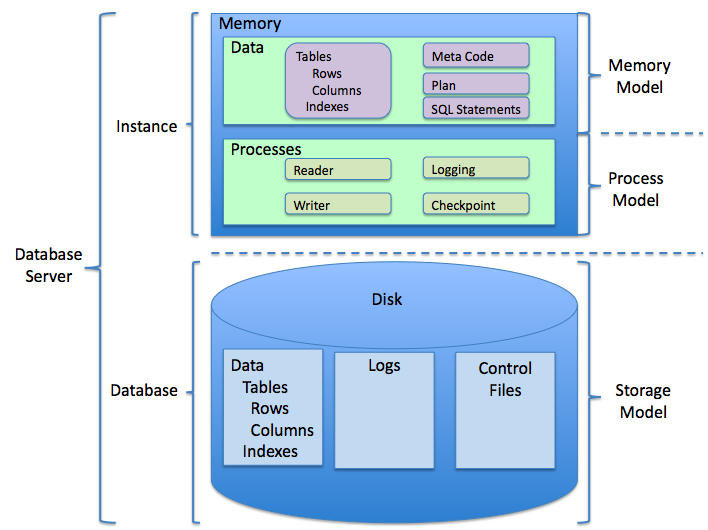
A table is made up of columns and rows.
- Columns define the categories of information in the table (like
FirstName,LastName, andEmail). - Rows represent the individual records. Each row contains the data for one specific entry (like a single customer).
| CustomerID | FirstName | LastName | |
|---|---|---|---|
| 1 | Maria | Anders | maria.a@email.com |
| 2 | Ana | Trujillo | ana.t@email.com |
| 3 | Antonio | Moreno | antonio.m@email.com |
This structure makes it easy to find specific information by querying the columns and rows.
The Basic Commands
You can perform four main actions on data using SQL. These are often remembered by the acronym CRUD: Create, Read, Update, and Delete. In SQL, these actions correspond to INSERT, SELECT, UPDATE, and DELETE.
SELECT retrieves data from a database.
This is the most common command. It's how you ask the database for information. You specify which columns you want to see and from which table.
SELECT FirstName, LastName
FROM Customers;
This query would return just the first and last names of all customers in the Customers table.
INSERT adds new data into a database.
When you need to add a new record, like a new customer who just signed up, you use INSERT.
INSERT INTO Customers (FirstName, LastName, Email)
VALUES ('Hiroko', 'Tanaka', 'hiroko.t@email.com');
This adds a new row to the Customers table for Hiroko Tanaka.
UPDATE modifies existing data in a database.
If a customer changes their email address, you can change it in the database using UPDATE. It's crucial to include a WHERE clause to specify which record to update. Without it, you would update every single row in the table!
UPDATE Customers
SET Email = 'maria.anders@newemail.com'
WHERE CustomerID = 1;
This changes the email only for the customer with an ID of 1.
DELETE removes data from a database.
To remove a record, you use DELETE. Just like with UPDATE, the WHERE clause is essential to ensure you only remove the specific row you intend to.
DELETE FROM Customers
WHERE CustomerID = 3;
This query permanently removes the customer with an ID of 3 from the table. These four commands are the foundation of working with data in SQL. Now it's time to test your knowledge.
What is the primary function of Structured Query Language (SQL)?
In a database table, what do columns define?