SQL Mastery: From Zero to Pro
Introduction to Databases
The Digital Filing Cabinet
At its heart, a database is just an organized collection of information. Think of it like a massive, super-efficient digital filing cabinet. Instead of paper folders, you have structured data that can be accessed, managed, and updated in an instant. This simple idea powers everything from your social media feed to your online banking.
Database systems are the backbone of modern computing, enabling efficient storage, retrieval, and manipulation of data.
Without databases, finding a specific piece of information would be like searching for a single sentence in a library with no card catalog and no sections. Databases provide the structure and tools needed to make vast amounts of data useful.
Building Blocks of Data
The most common type of database is a relational database. It organizes data into a collection of tables, which look a lot like spreadsheets. These tables can be linked, or related, to each other based on shared data. This structure is simple but incredibly powerful.
Let's break down the key terms using the example above:
- Table: An entire collection of related data. In our example, the
Studentstable holds information about all students. - Record (or Row): A single entry in a table. Each row represents one student, containing all the information about them (their ID, first name, and last name).
- Field (or Column): A single piece of information within a record. The
FirstNamecolumn, for instance, is a field that stores just the first name for every student.
Think of it this way: a table is the spreadsheet, a row is a single line in that spreadsheet, and a column is one of the headers at the top.
Types of Databases
While relational databases are extremely common, they aren't the only option. The other main category is non-relational databases, often called NoSQL databases.
| Feature | Relational (SQL) | Non-Relational (NoSQL) |
|---|---|---|
| Structure | Strict tables, rows, columns | Flexible (documents, graphs, etc.) |
| Schema | Pre-defined and fixed | Dynamic, can change easily |
| Best For | Structured data, consistency | Large-scale, unstructured data |
| Example | Customer order history | Social media posts, IoT sensor data |
Relational databases are like building with LEGOs—everything has a predictable shape and fits together in a specific way. Non-relational databases are more like clay, offering flexibility to store data in various shapes and sizes. For learning how to manage structured data, relational databases are the perfect place to start.
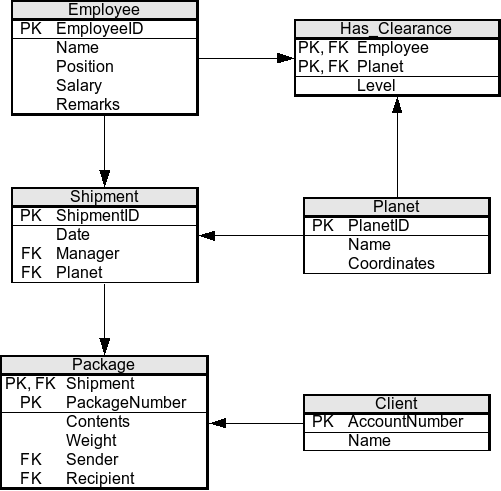
The software used to manage these relational databases is called a Relational Database Management System (RDBMS). An RDBMS is the program that lets you create, update, and interact with the database. Think of the database as the filing cabinet and the RDBMS as the librarian who knows how to organize and retrieve everything inside. Popular examples include MySQL, PostgreSQL, and SQL Server.
With these core concepts in mind, you're ready to start exploring how to actually communicate with a database to get the information you need.
Let's check your understanding of these foundational ideas.
What is the most fundamental definition of a database?
In a relational database table about employees, what would a single row most likely represent?