SQL for Business Analysis
Database Basics
Beyond the Spreadsheet
Think of a database as a massive, super-organized digital filing cabinet. While a spreadsheet is like a single sheet of paper, a database is the whole cabinet, designed to store and connect huge amounts of information efficiently. It’s a structured system built for data.
Specifically, we'll be talking about relational databases. The “relational” part just means the data in different tables can be linked together. Imagine having one table for customer names and another for their orders. A relational database lets you easily connect a customer to all the orders they've placed. This interconnected structure is what makes them so powerful.
The Building Blocks
Every relational database is built from a few simple parts: tables, rows, and columns.
- Tables: A table holds a collection of related data, like a list of all your customers or products.
- Columns: A column is a specific piece of information within a table, like a customer's first name or email address.
- Rows: A row is a single, complete record in a table. For a customer table, one row would represent one customer, containing all their information across the different columns.
| CustomerID | FirstName | LastName | |
|---|---|---|---|
| 101 | Anya | Sharma | anya.s@email.com |
| 102 | Ben | Carter | b.carter@email.com |
| 103 | Chloe | Rodriguez | chloe.rodriguez@email.com |
In the table above, CustomerID, FirstName, LastName, and Email are the columns. Each person's entry is a row.
Notice the CustomerID column. Each customer has a unique number that no one else has. This is called a primary key. It's a special, unique identifier for each row, ensuring you can always find the exact record you're looking for without any mix-ups. Think of it like a social security number for your data. This concept is central to how a (RDBMS) works.
Talking to Your Database
So how do you ask this filing cabinet for information? You can't just open a file like you would in Excel. You need a special language. That language is (Structured Query Language).
SQL is the universal way to communicate with relational databases. You use it to write simple commands, called queries, to perform tasks like:
- Retrieving specific data (e.g., "Show me all customers from California")
- Adding new information
- Updating existing records
For a whose job is to uncover trends and insights, SQL is an essential tool. It lets you pull the exact data you need from massive datasets to answer important business questions.
Why Not Just Use Excel?
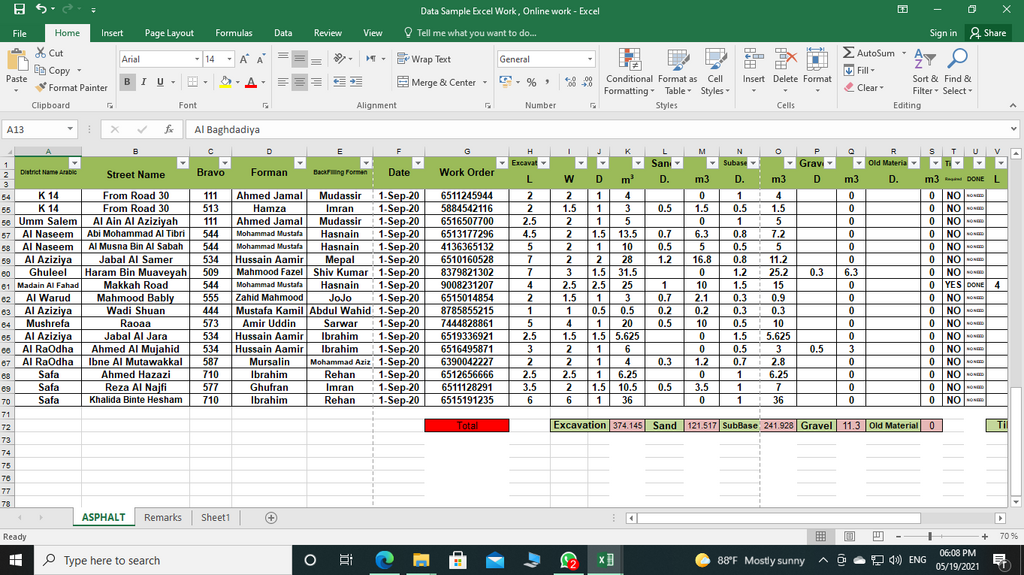
Excel is a fantastic tool, but it has its limits. When you're dealing with serious data analysis, a database with SQL is almost always the better choice. Here's why:
Scale: A spreadsheet can slow down or crash with a few hundred thousand rows. A database can handle millions or even billions of rows without breaking a sweat.
Data Integrity: In Excel, it's easy to accidentally type a word into a column meant for numbers. A database enforces rules on each column, so the data stays clean and reliable. You can't put an email address where a date should be.
Concurrency: Databases are designed for multiple people to access and query data at the same time safely. With an Excel file, you often run into issues with version control and people overwriting each other's work.
Relationships: While you can use formulas like VLOOKUP in Excel to connect data, it's slow and clunky. Relational databases are built from the ground up to manage these connections efficiently.
Let's review the key terms we've learned.
Ready to check your understanding?
What is the best analogy for a relational database, according to the provided text?
What is the primary purpose of a primary key in a database table?
Now you know what a relational database is and why it's the foundation of modern data analysis. Next, we'll start writing our very first SQL queries.