Spintronics Versus Traditional Computing
Introduction to Computing
The Language of Computers
At their core, computers speak a very simple language. It doesn't have an alphabet or complex grammar. Instead, it has only two characters: 0 and 1. This system is called binary, and every single piece of information a computer handles, from a simple text message to a complex video game, is broken down into long strings of these two digits.
Think of a light switch. It can only be in one of two states: on or off. We can decide that "on" represents 1 and "off" represents 0. A computer is essentially a massive collection of billions of microscopic switches called transistors. Each one can be on or off, representing a 1 or a 0. A single one of these digits is called a bit, which is short for binary digit.
Everything a computer does is based on manipulating two states: on (1) and off (0).
A single bit isn't very useful on its own, just like a single letter of the alphabet doesn't convey much meaning. To represent more complex information, computers group bits together. A group of eight bits is called a byte. With eight bits, you can create 256 different combinations of 1s and 0s ($2^8 = 256$). This is enough to assign a unique pattern to every letter of the alphabet (both uppercase and lowercase), every number from 0 to 9, and all the common symbols.
| Character | ASCII Binary |
|---|---|
| A | 01000001 |
| B | 01000010 |
| C | 01000011 |
| a | 01100001 |
| 1 | 00110001 |
Processing the Data
Knowing the language is one thing, but you need someone to do the talking. In a computer, that's the Central Processing Unit, or CPU. The CPU is often called the "brain" of the computer because it's where all the thinking happens. It reads and executes instructions, performs calculations, and makes decisions, all using the binary language of 1s and 0s.
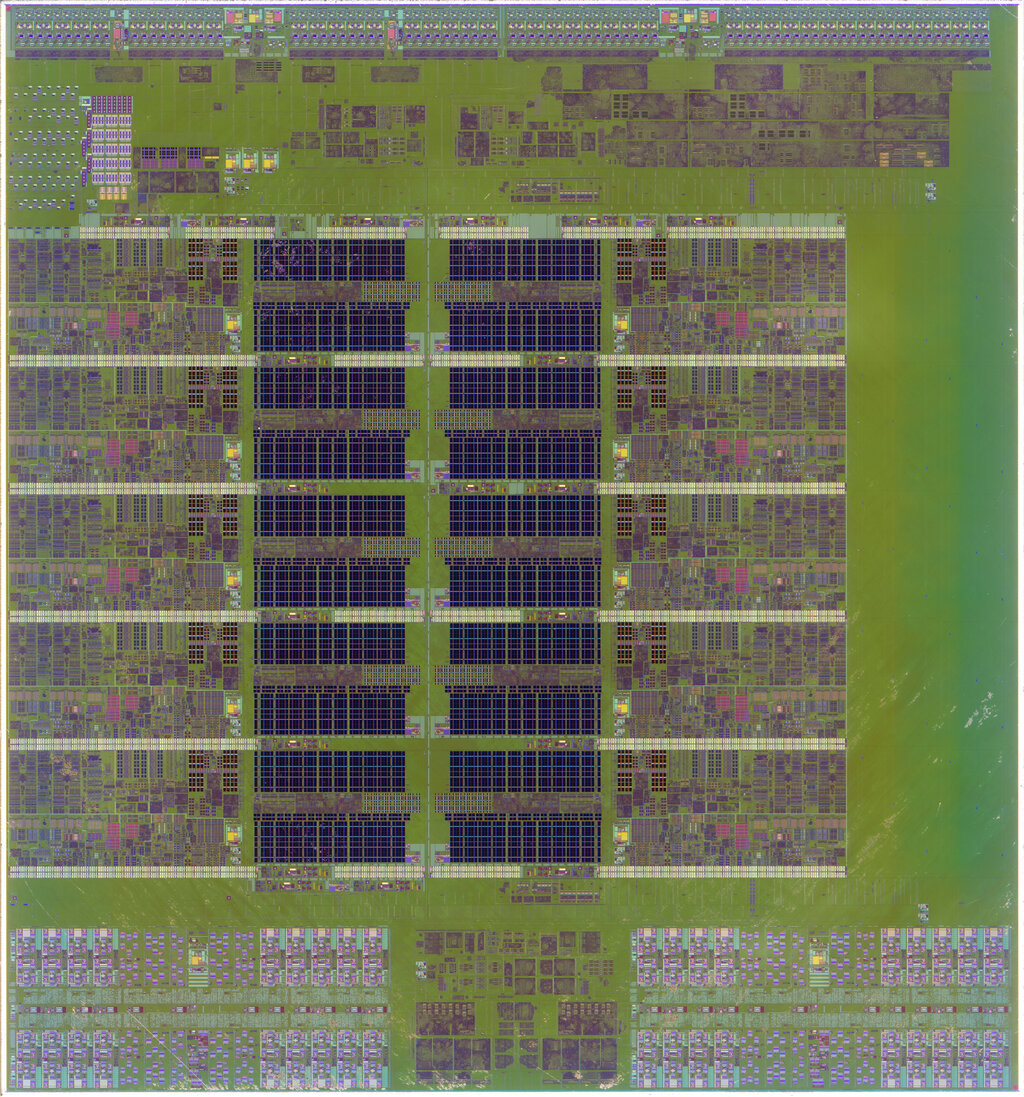
The CPU has two main parts that work together. The Arithmetic Logic Unit (ALU) is the mathematician. It handles all the arithmetic (addition, subtraction) and logic (like comparing if one number is greater than another). The Control Unit (CU) is the traffic cop. It doesn't do any calculations itself; instead, it directs the flow of data, fetching instructions from memory and telling the ALU and other components what to do next.
Together, these components execute the fetch-decode-execute cycle. The Control Unit fetches an instruction from memory, decodes what the instruction means, and then tells the ALU to execute the required operation. This cycle happens billions of times every second in a modern processor.
Remembering the Bits
A computer also needs a way to store all those 1s and 0s. This is handled by memory and storage, which come in two main flavors: short-term and long-term.
volatile
adjective
Requiring power to maintain the stored information. When power is turned off, the contents are lost.
Random Access Memory (RAM) is the computer's short-term memory. You can think of it like a workbench. It's where the computer keeps the data and instructions it's actively working on because it's extremely fast to read from and write to. However, RAM is volatile. When you turn the computer off, everything on the workbench is cleared away.
For long-term safekeeping, computers use storage devices like hard disk drives (HDDs) or solid-state drives (SSDs). This is like a filing cabinet. It's slower to access than RAM, but it's non-volatile, meaning it holds onto your files, applications, and operating system even when the power is off.
Both types of memory store information as bits. In RAM and SSDs, this is done by storing an electrical charge in millions of tiny transistors. In older HDDs, bits were stored as tiny magnetic areas on a spinning platter, with the direction of the magnetism representing a 1 or a 0.
What is the fundamental unit of data in a computer, representing a single 0 or 1?
Which component of the CPU is responsible for directing the flow of data and telling other parts of the computer what to do?
These three concepts—representing data with binary, processing it with a CPU, and storing it in memory—are the foundation of how nearly every traditional computer operates.