Software Fundamentals
Introduction to Software
The Ghost in the Machine
A computer without software is just a collection of plastic and metal—a box that hums. It has all the potential to do amazing things, but it doesn't know how. It needs instructions. That's where software comes in.
software
noun
A set of instructions, data, or programs used to operate computers and execute specific tasks.
Think of a kitchen full of the latest appliances: a powerful oven, a sharp set of knives, a high-tech mixer. All of that is hardware. You can touch it, see it, and plug it in. But without a recipe, the kitchen is just a room full of equipment. The recipe provides the step-by-step instructions that turn raw ingredients into a meal. In this analogy, the recipe is the software. It's the intangible set of directions that tells the hardware what to do, how to do it, and when.
Hardware is the physical body of the computer, while software is its mind and soul.
Hardware vs. Software
The distinction is simple: if you can physically touch it, it's hardware. If you can't, it's software. Your monitor, mouse, and processor are all hardware. The web browser you're using to read this, your operating system, and the apps on your phone are all software.
hardware
noun
The physical components of a computer system, such as the central processing unit (CPU), memory, storage, and input/output devices.
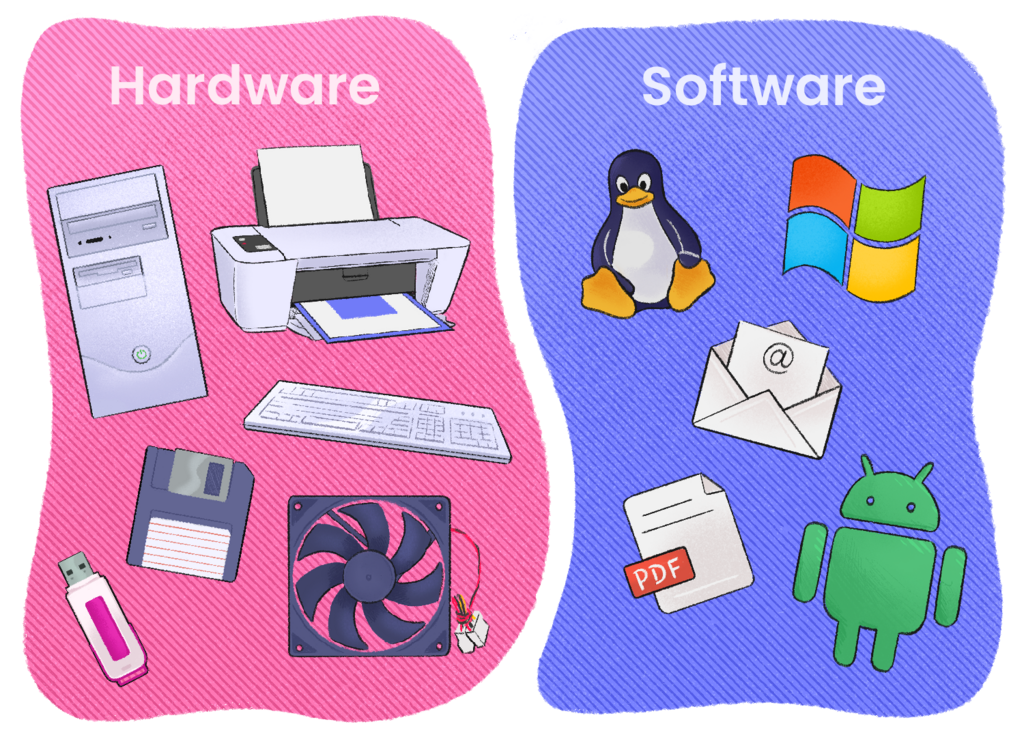
Hardware provides the raw power, but software harnesses that power. A powerful graphics card (hardware) can render stunning visuals, but only when a video game (software) tells it what images to create. A smartphone's camera (hardware) can capture light, but it's the camera app (software) that processes that light into a photo, lets you apply filters, and saves the file.
| Characteristic | Hardware | Software |
|---|---|---|
| Nature | Physical, tangible | Logical, intangible |
| Function | Performs the actual computation | Tells the hardware how to compute |
| Example | CPU, keyboard, monitor | Web browser, operating system, video game |
The Bridge Between Worlds
Software is the essential bridge that allows us to interact with hardware. When you type on your keyboard, software interprets those keystrokes and displays letters on the screen. When you click a mouse, software determines what you clicked on and executes the appropriate command. Without it, the hardware would be unresponsive and useless to us.
This relationship is fundamental to everything we do with computers. From sending an email to playing a complex game, it's a constant, seamless dance between you, the software, and the hardware. Software translates your intentions into actions the physical machine can perform.
Software, the intangible counterpart to hardware, is the lifeblood of any computer system.
Now let's review these core ideas.
Ready to check your understanding?
Which of the following is the best way to distinguish between hardware and software?
Based on the analogy of a kitchen, if the physical oven is the hardware, what is the software?
Understanding this core distinction is the first step in learning how computers work. With a grasp of how software gives life to hardware, we can begin to explore the different kinds of software and how they are created.