Smartphone Cinematography Mastery
Understanding Smartphone Cameras
The Tiny Tech in Your Pocket
Your smartphone camera is a small marvel of engineering. To get the most out of it, you need to understand two key parts that work together: the sensor and the lens. Think of the sensor as the camera's retina and the lens as the eye's cornea. One gathers the light, and the other focuses it to create a clear image.
The sensor is a grid of millions of tiny light-sensitive squares called pixels. When you take a photo or record a video, the lens focuses light onto this sensor, which captures the scene. The most important thing to know about sensors is their size. A larger sensor can capture more light, which leads to better image quality, especially in darker environments. It's like trying to catch rain in a bucket; a wider bucket will collect more water in the same amount of time. Smartphone sensors are incredibly small compared to those in professional cameras, which is their biggest limitation.
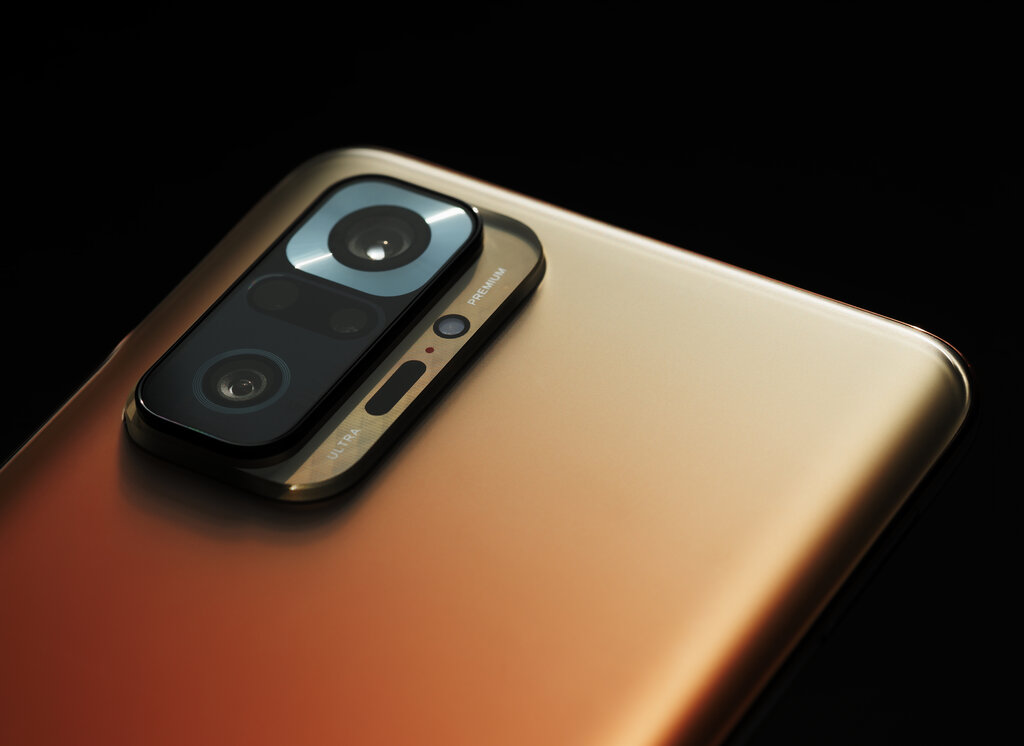
Most modern phones come with a few different lenses. You'll typically find a standard "wide" lens, an "ultrawide" for fitting more into the frame, and sometimes a "telephoto" for zooming in on distant subjects. The main wide lens usually has the largest and best-quality sensor, so for the highest quality video, stick with that one whenever possible.
Controlling the Light
Getting a great shot is all about controlling how much light reaches the sensor. This is called exposure. Too much light and your video is washed out, or "overexposed." Too little, and it's dark and grainy, or "underexposed." You can control exposure by manually adjusting three core settings: ISO, shutter speed, and aperture. Together, they form what's known as the exposure triangle.
ISO digitally brightens your image. A low ISO (like 100) is best for bright, sunny days and produces a clean, sharp image. A high ISO (like 3200) makes the sensor more sensitive to light, which is useful in dark situations. The tradeoff? High ISO settings introduce digital noise, which looks like graininess or speckles in your video.
Shutter Speed is how long the sensor is exposed to light for each frame. For video, a good rule of thumb is to set your shutter speed to double your frame rate. So if you're shooting at 24 frames per second (fps), a shutter speed of 1/48 or 1/50 of a second will produce natural-looking motion blur. A much faster shutter speed (like 1/1000) will freeze motion, making things look crisp but sometimes choppy. A slower shutter speed lets in more light but creates more motion blur, which can look streaky and unnatural for video.
Aperture is the opening in the lens that lets light pass through to the sensor. It's measured in f-stops (like f/1.8 or f/2.4). A smaller f-stop number means a wider opening, which lets in more light. It also creates a shallow depth of field, where your subject is sharp and the background is blurry. Most smartphone cameras have a fixed aperture, meaning you can't change it. This is a key difference from DSLR or mirrorless cameras.
Since your phone's aperture is likely fixed, you'll balance your exposure primarily by adjusting ISO and shutter speed.
Resolution and Frame Rate
Before you hit record, you need to decide on your video's resolution and frame rate. These settings impact both the quality and the feel of your final video.
Resolution
noun
The number of pixels that make up the image, determining its level of detail.
You'll likely see options like 1080p (Full HD) and 4K (Ultra HD). 4K video contains four times as many pixels as 1080p, making it incredibly sharp and detailed. While 4K takes up much more storage space, it gives you more flexibility in editing. You can crop in on a 4K shot without losing much quality. For most online content, 1080p is perfectly fine, but shooting in 4K is a good way to future-proof your footage.
Even a smartphone can capture stunning photos and videos if you pay attention to lighting, angles, and composition.
Frame rate, measured in frames per second (fps), is the speed at which individual images are captured and played back. Different frame rates create different feelings:
- 24 fps: This is the standard for movies. It creates a subtle motion blur that we associate with a cinematic look.
- 30 fps: This is common for live TV, news broadcasts, and many online videos. It looks slightly smoother and more "real" than 24 fps.
- 60 fps: This captures twice as many frames, resulting in very smooth motion. It's great for shooting fast action, like sports, or for creating smooth slow-motion effects when played back at a slower speed.
Choosing the right settings depends on your goal. For a short film, 24 fps is ideal. For a general YouTube video, 30 fps works well. If you plan to use slow motion, shoot in 60 fps or higher.
What is the primary advantage of a larger camera sensor in a smartphone?
Which component of the exposure triangle is usually fixed on a smartphone camera, meaning you cannot manually change it?
With these fundamentals of sensors, lenses, exposure, and settings, you're ready to take more control over your smartphone camera and start capturing higher-quality video.