Small Business Workflow Optimization
Workflow Mapping Techniques
From Tasks to Maps
To improve a business process, you first have to see it. Thinking about individual tasks isn't enough; you need a bird's-eye view. This is where workflow mapping comes in. It's the act of creating a visual diagram of how work actually gets done, from start to finish. This map becomes a single source of truth, moving the process out of people's heads and onto a shared canvas.
By providing a clear visual representation of how tasks flow through the system, process mapping software enables businesses to identify bottlenecks, redundancies, and opportunities for optimization.
Think of it as the diagnostic phase. Before you can prescribe a solution, you need to understand the current condition. A good map shows not just the steps but the connections between them, especially the hand-offs where responsibility moves from one person or team to another. For this, you can use simple flowcharts or a more standardized system like .
Charting a Lead's Lifecycle
Let's map a common process: handling a new sales lead. The goal is to visually track the journey from initial contact to the final outcome. Start by identifying the trigger event. In this case, it's a potential customer filling out a form on your website.
Each box represents a step, and the arrows show the flow. The diamond represents a decision point, a critical juncture where the path can split. This is a simplified view, but it already reveals key information. We can clearly see two important hand-offs: first from the website's automation to the sales rep, and second from the rep back to an automated nurturing system if the demo is scheduled. These are the moments where miscommunication or delays often occur. Is the notification to the sales rep instant? Is the lead's information transferred correctly? Mapping makes these questions visible.
As-Is vs. To-Be
The first map you create is the "As-Is" state. It's a snapshot of your current reality, warts and all. The purpose isn't to design the perfect system right away, but to honestly document what happens today. You might discover that leads are manually assigned once a day, causing delays, or that there's no formal process for following up after a demo.
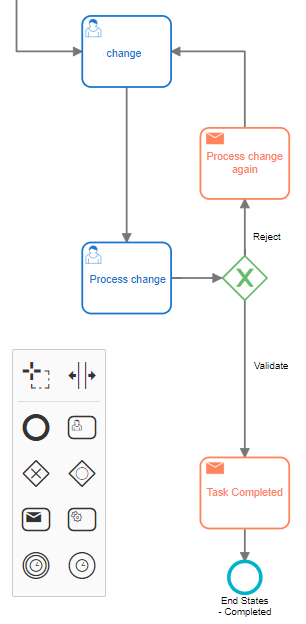
Once you have the As-Is map, you can design the "To-Be" state. This is your ideal future workflow. It’s your chance to fix the problems you've identified. You're not just moving boxes around; you're fundamentally rethinking how the work should flow to be more efficient and effective. This comparative approach provides a clear roadmap for change.
| Process Step | As-Is State | To-Be State |
|---|---|---|
| Lead Assignment | Manager manually assigns leads via email each morning. | System auto-assigns leads to the next available rep in real-time. |
| Initial Contact | Reps are expected to call within 24 hours. | Reps are required to call within 1 hour, supported by an automated SMS. |
| Follow-up | Ad-hoc emails sent by individual reps. | Standardized 5-step email sequence is triggered after the first contact. |
| Status Tracking | Reps update a shared spreadsheet when they have time. | Lead status is updated automatically in the CRM at each step. |
Defining Process Boundaries
A common mistake is trying to map everything at once. This leads to overly complex diagrams that are difficult to analyze. Instead, you must define clear process boundaries—a distinct start and end point for the workflow you're examining. For our lead management example, the start is "Lead Submits Form" and the end could be "Deal Closed" or "Lead Marked Unqualified."
Everything that happens before or after falls outside the scope of this specific map. Defining these boundaries keeps the effort focused. It's like framing a picture: you're choosing what to include in the view to make the subject clear and impactful. Without a frame, your analysis can sprawl endlessly, a problem known as scope creep.
With a clear map of where you are and where you want to go, you have a powerful tool. It transforms abstract goals into a concrete plan, highlighting the exact changes needed to make your business run more smoothly.
Ready to check your understanding?
What is the primary purpose of creating an "As-Is" workflow map?
When mapping a process, defining a clear start and end point is crucial for avoiding a problem known as _______.