Simple Token and NFT Contracts in Remix
Setting Up Remix
Your Online Solidity Lab
The easiest way to start writing smart contracts is with the Remix IDE. Think of it as an online code editor and testing lab built specifically for Solidity, the language of Ethereum smart contracts. You don't need to install any software. Everything runs right in your web browser.
Remix is a browser-based Integrated Development Environment (IDE) that lets you write, test, and deploy Solidity smart contracts without needing to install anything.
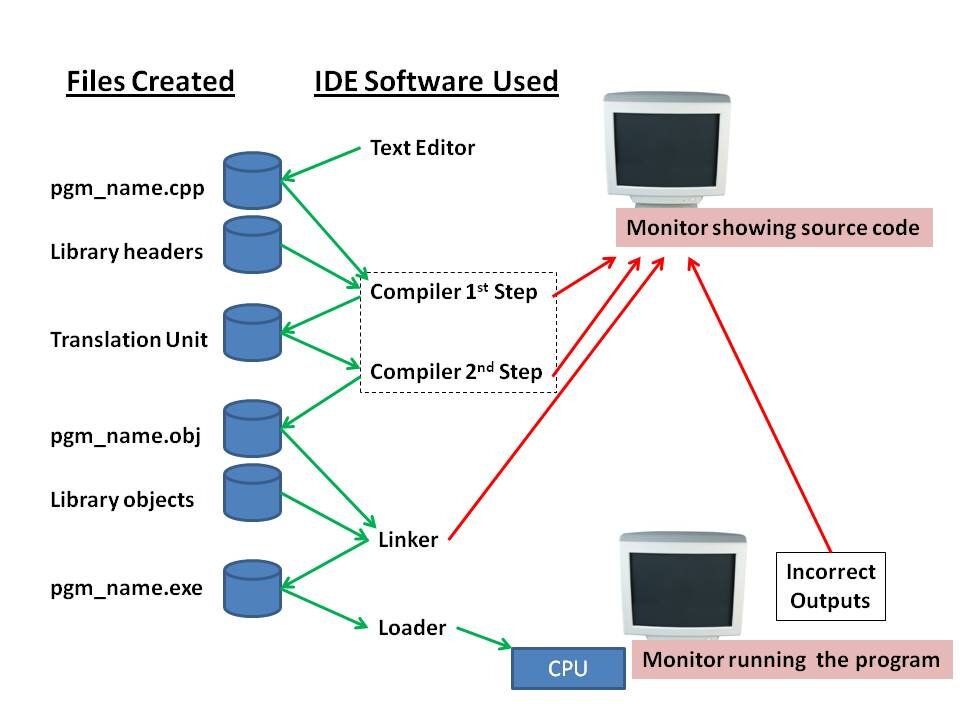
An IDE, or Integrated Development Environment, bundles the tools a developer needs into one application. It typically includes a text editor for writing code, tools for building or compiling that code, and a debugger to help find and fix errors. Remix provides all of this for Solidity development.
Exploring the Interface
First, open a new browser tab and navigate to remix.ethereum.org. You'll land on the main screen, which might look busy at first. Let's break down the key areas.
On the far left is the Icon Panel. This is your main navigation. The most important icons for now are the File explorers (a file icon), the Solidity compiler (a Solidity logo), and the Deploy & Run Transactions tab (an Ethereum logo).
To the right of the Icon Panel is the Side Panel. Its content changes depending on which icon you've selected. By default, it shows the File Explorer. You'll see a contracts folder with some example Solidity files. Let's create our own.
In the File Explorer, find the icon for creating a new file. It looks like a page with a plus sign. Click it and name your file MyFirstContract.sol. The .sol extension is important; it tells Remix this is a Solidity file.
Once created, the file will open in the central part of the screen, which is the Main Panel or Editor. This is where you'll write your code.
// SPDX-License-Identifier: MIT
pragma solidity ^0.8.20;

contract MyFirstContract {
    // Your code will go here
}
Go ahead and copy that boilerplate code into your new file. The first line is a license identifier, which is a standard practice. The second line, called a pragma directive, tells the compiler which version of Solidity to use. The contract block is where the logic of your smart contract will live.
Compiling Your Code
Writing code is just the first step. For the Ethereum Virtual Machine (EVM) to understand it, your human-readable Solidity code must be compiled into low-level bytecode. Remix makes this simple.
Click the Solidity compiler icon in the Icon Panel. This opens the compiler tools in the Side Panel.
A key setting here is the Compiler Version. It must match the version you specified in your
pragmadirective. In our case,^0.8.20means any version from0.8.20up to, but not including,0.9.0. Remix is usually smart enough to select a compatible version for you.
With MyFirstContract.sol open in the editor, click the blue Compile MyFirstContract.sol button. If everything is correct, a green check mark will appear over the compiler icon. This confirms your code is valid and has been successfully compiled. You are now ready for the next steps of adding logic and deploying your contract.
What is the primary purpose of the Remix IDE?
In the Remix IDE, which panel's content changes depending on the icon you select from the Icon Panel?