Siemens PLC Programming Essentials
PLC Basics
What is a PLC?
A Programmable Logic Controller, or PLC, is a ruggedized industrial computer used to automate specific processes. Think of it as the brain behind the machinery in factories, power plants, and assembly lines. Before PLCs, automating a factory floor involved a massive, complex web of relays, timers, and mechanical controllers. A small change in the process could mean days of rewiring by hand.
PLCs changed all that. Instead of physical wiring, they run on a program. Need to change how a machine operates? Just update the code. This makes them incredibly flexible and powerful for controlling everything from simple lighting systems to entire manufacturing processes.
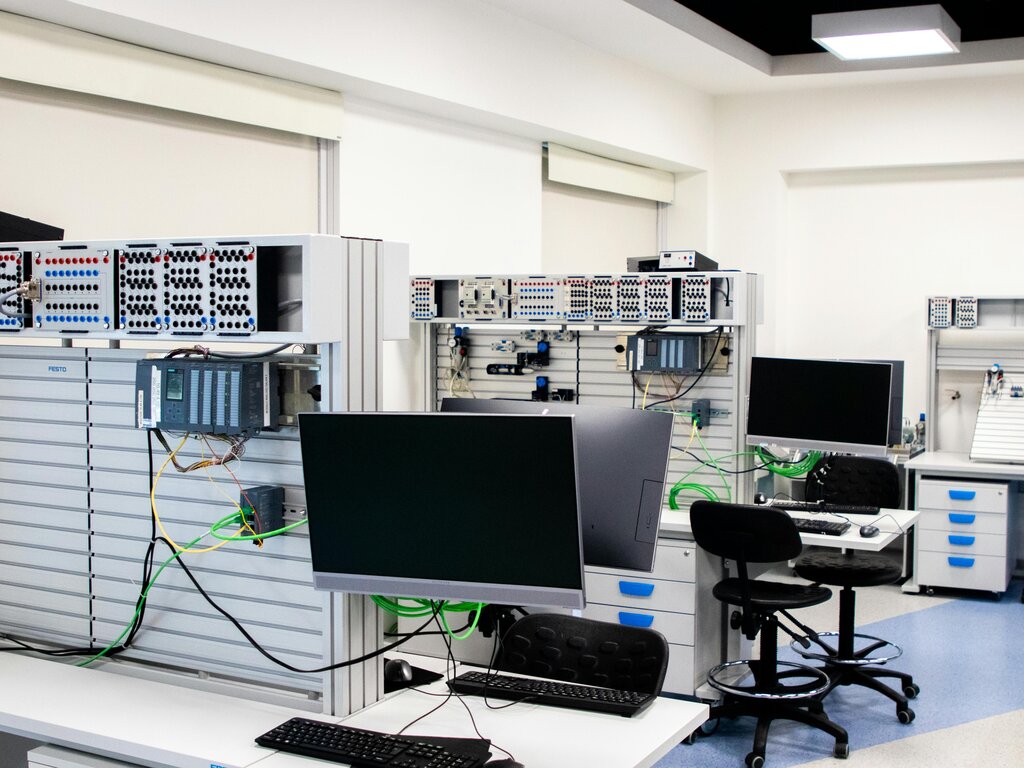
Inside the Box
While they come in many shapes and sizes, all PLCs share a few fundamental components that work together to get the job done.
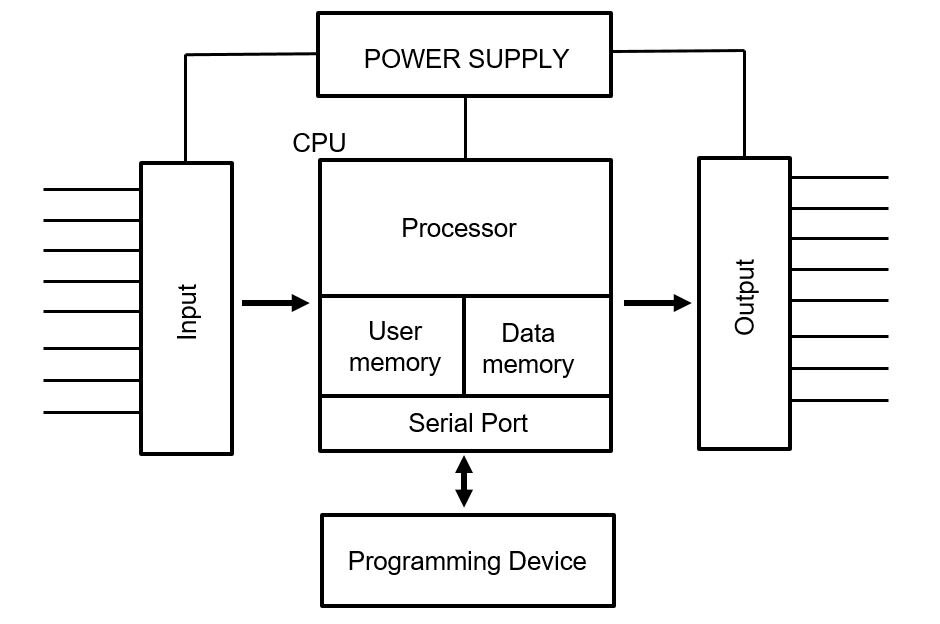
Central Processing Unit (CPU): This is the PLC's brain. The CPU executes the control program, performs logical operations, and makes all the decisions. It's where the user-created instructions are stored and processed.
Input/Output (I/O) Modules: These are the PLC's senses and hands.
- Input modules connect to sensors, switches, and buttons out in the real world. They take physical signals—like a button being pressed or a temperature rising—and convert them into data the CPU can understand.
- Output modules do the reverse. They take instructions from the CPU and send signals to control devices like motors, lights, valves, and pumps.
Power Supply: This component provides the necessary electrical power to the CPU and I/O modules, ensuring everything runs smoothly and reliably.
The PLC Scan Cycle
A PLC doesn't multitask like a desktop computer. Instead, it performs its job in a continuous, repetitive loop called the scan cycle. This process happens very quickly, often many times per second. Understanding this cycle is key to understanding how a PLC operates.
The scan cycle consists of three main stages:
-
Read Inputs: The PLC checks the status of all its connected input devices. It takes a snapshot of all the inputs—which buttons are pressed, which sensors are on—and stores this information in its memory.
-
Execute Program: The CPU runs the user's control program from top to bottom, one instruction at a time. It uses the input data it just collected to make decisions and determine what the outputs should be. For example, if the program says, "When button A is pressed, turn on motor B," the CPU will check the status of button A and prepare the signal for motor B.
-
Update Outputs: After running the program, the PLC updates the status of all its output devices based on the program's results. It sends signals to turn motors on, open valves, or switch on lights.
Once these three steps are complete, the cycle immediately begins again, ensuring the PLC constantly monitors its environment and controls the process according to its programming.
Now, let's test your understanding of these core concepts.
What was the primary advantage of using PLCs over the older systems of relays and mechanical controllers?
Which PLC component is responsible for converting a signal from a physical button press into data that the CPU can process?
These fundamentals are the building blocks for all PLC programming and automation tasks.