Setting Up Claude Code on Mac for No-Code Users
Understanding Claude
Meet Claude
Claude is an AI assistant created by a company called Anthropic. Think of it as a very capable partner you can talk to. Its main goal is to be helpful, harmless, and honest in its conversations. You can ask it questions, give it tasks, and work with it to get things done, all by typing in plain English.
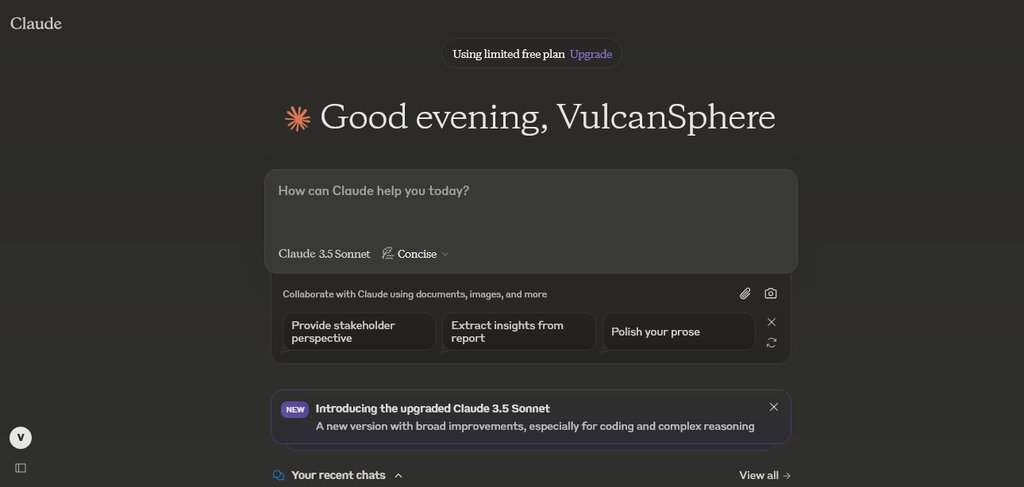
Unlike a simple search engine, Claude can understand context, follow complex instructions, and generate new text that sounds remarkably human. It excels at conversation and writing, but one of its standout features is the ability to process large amounts of information at once.
You can upload documents, spreadsheets, or even entire books, and Claude can read, summarize, and analyze them for you. This makes it a powerful tool for anyone who works with a lot of text.
Imagine uploading a 200-page report and asking, "What are the top three risks mentioned in this document?" Claude can answer that in seconds.
What Can You Do With Claude?
You don't need to be a programmer to use Claude. Its power lies in its versatility for everyday tasks. For writers, it can help brainstorm ideas, draft emails, or rewrite a clunky paragraph to make it clearer. If you're a student, it can explain complex topics from a textbook or help you outline an essay.
In a business setting, you could upload customer feedback and ask Claude to identify the most common complaints. You could give it a product description and ask it to write marketing copy for a social media post. The possibilities are vast because its skills are based on understanding and generating language, which is part of almost any job.
| Task | How Claude Can Help |
|---|---|
| Draft a professional email | Give it the key points and desired tone, and it will write a full draft. |
| Analyze a document | Upload a PDF or text file and ask questions about its contents. |
| Brainstorm ideas | Describe your goal and ask it for creative suggestions or different angles. |
| Summarize a long article | Provide the text or a link and ask for the key takeaways in a few bullet points. |
The main benefit for non-coders is access. Powerful technology that once required technical expertise is now available through a simple chat window. It's like having a researcher, a writer, and an analyst on call, ready to help you make sense of information and create new things.
Think of Claude as a friendly, hard-working addition to your paid workspace - speak to it naturally and give it very specific instructions about exactly what you’d like it to do.
Getting started is as simple as opening a chat and typing a request. By giving clear, specific instructions, you can guide Claude to perform complex tasks that save you time and effort.