Server Management and Active Directory Essentials
Server Hardware
The Engine Room
A server is a powerful computer designed for a specific purpose, like hosting a website or managing a company's data. Just like a high-performance car, its power comes from the specialized components working together under the hood. Let's take a look at the essential hardware that makes a server tick: the processor, memory, storage, and power supply.
Hardware: This refers to the physical components of a computer system, including processors, memory, storage devices, and input/output devices.
The Brains of the Operation
The Central Processing Unit, or CPU, is the server's brain. It executes instructions and crunches the numbers that make software run. Two key specs tell you a lot about a CPU's performance: cores and clock speed.
Think of a CPU core as a single worker. A CPU with multiple cores is like having a team of workers who can handle different tasks simultaneously. A server running a busy e-commerce site needs many cores to manage thousands of customer requests at once. Clock speed, measured in gigahertz (GHz), is how fast each worker can complete a task. For jobs that require intense, single-threaded calculation, a higher clock speed is crucial.
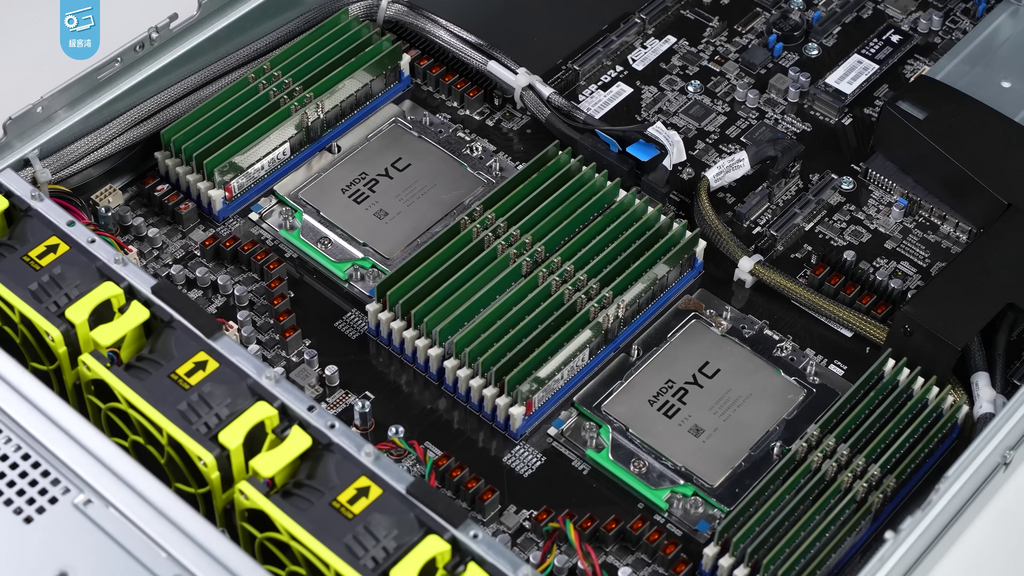
Unlike most desktop computers, servers often have motherboards with sockets for two or even four CPUs. This massive parallel processing capability is what allows a single machine to serve thousands of users without breaking a sweat. When choosing a processor, it's a balancing act. A server for virtualization might benefit more from a higher core count, while a database server could see better performance from faster clock speeds.
processor
noun
The electronic circuitry within a computer that executes instructions that make up a computer program.
Short-Term Memory
Random Access Memory, or RAM, is the server's short-term workspace. It holds the data and applications that the CPU is actively using. The more RAM a server has, the more tasks it can juggle at once without slowing down. When RAM fills up, the server has to pull data from its slower, long-term storage, which creates a bottleneck.
Servers use a special type of RAM called Error-Correcting Code (ECC) memory. As the name suggests, ECC RAM can automatically detect and fix the most common kinds of internal data corruption. For a desktop computer, a minor memory error might cause a program to crash. For a server managing critical financial data, that same error could be catastrophic. ECC provides an essential layer of reliability.
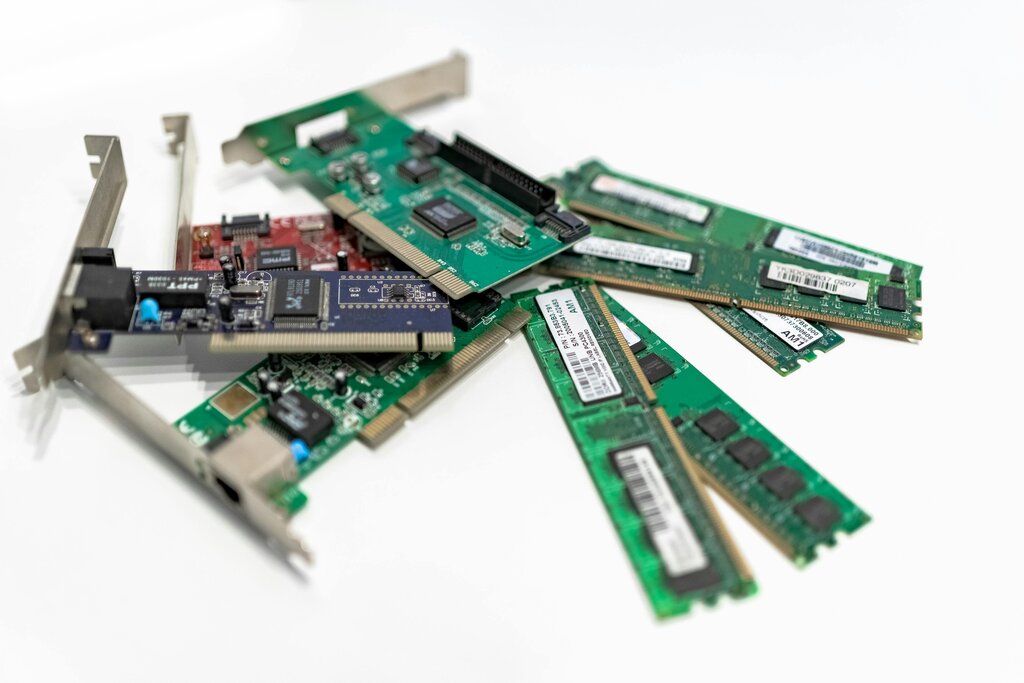
When configuring a server, it's not just about the amount of RAM, but also how it's arranged. Server motherboards have specific rules about how RAM sticks, called modules, must be installed to optimize performance. This often involves filling specific slots in a certain order to take advantage of multiple memory channels, which act like extra lanes on a highway between the RAM and the CPU.
Long-Term Storage
While RAM is for active data, storage is for data at rest, including the operating system, applications, and user files. There are two main types of server storage devices.
| Drive Type | Description | Best For |
|---|---|---|
| Hard Disk Drive (HDD) | Uses spinning magnetic platters to store data. They are inexpensive and offer large capacities. | Archiving, backups, storing large amounts of non-critical data. |
| Solid-State Drive (SSD) | Uses flash memory with no moving parts. They are much faster, more durable, and more power-efficient than HDDs. | Operating systems, applications, and databases that need fast access. |
Most servers don't rely on a single drive. Instead, they group multiple drives together using a system called a Redundant Array of Independent Disks, or RAID. RAID can be configured in different ways, known as levels, to achieve two main goals: performance and redundancy.
For example, a RAID 1 configuration mirrors data across two drives. If one drive fails, the other takes over instantly with an identical copy of the data, preventing any downtime. A RAID 5 configuration stripes data across multiple drives along with parity information. This setup provides a good balance of performance and protection, allowing one drive to fail without data loss.
Power and Upkeep
A server is useless without reliable power. Because uptime is critical, servers almost always have redundant Power Supply Units (PSUs). These are two or more PSUs installed in the same server, with each one capable of powering the entire machine on its own. They are connected to separate power circuits. If one PSU fails or its circuit goes down, the other one seamlessly takes over, ensuring the server stays online.
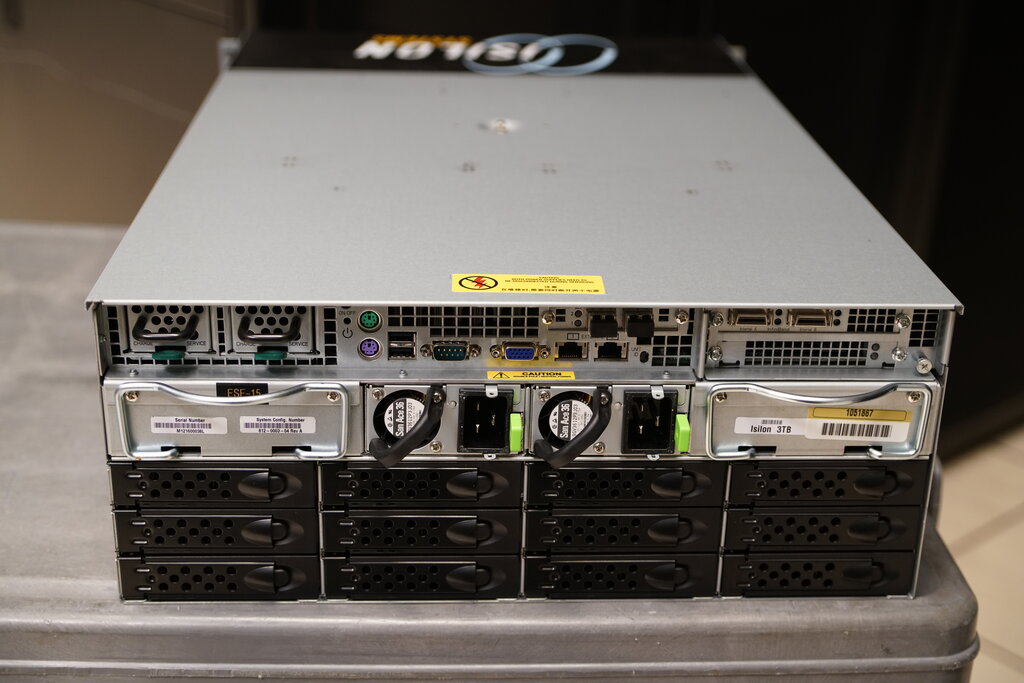
Finally, maintaining server hardware is key to its longevity and performance. This isn't just about fixing things when they break. Proactive maintenance involves a few best practices:
Monitor temperatures. Overheating is a primary cause of hardware failure. Ensure the server room has adequate cooling and that the server's internal fans are all working.
Keep it clean. Dust buildup can clog fans and insulate components, trapping heat. Regularly clean air vents and the inside of the server chassis.
Update firmware. Firmware is the low-level software that controls the hardware. Manufacturers release updates to improve performance, add features, and patch security vulnerabilities. Keeping firmware current is just as important as updating the operating system.
Time to see what you've learned about the physical parts of a server.
You are configuring a server that will run a single, calculation-heavy scientific simulation. Which CPU characteristic is most crucial for improving the performance of this specific task?
What is the primary advantage of using ECC (Error-Correcting Code) RAM in a server compared to standard desktop RAM?
Understanding these core components is the first step toward effectively managing any server environment.