Server Configuration Essentials
Server Hardware
The Anatomy of a Server
Think of a server as a specialized, high-performance computer. While it shares basic components with your desktop or laptop, every part is built for reliability, power, and running 24/7. Let's open one up and see what's inside.
The server is the atomic unit of a data center, hosting compute, memory, storage, and networking resources in a standardized chassis.
Understanding these core hardware pieces is the first step in knowing how to build, manage, and troubleshoot the systems that power our digital world.
The Brain and Short-Term Memory
CPU
noun
Central Processing Unit. The primary component of a computer that executes instructions and performs calculations.
The Central Processing Unit (CPU) is the server's brain. It does the thinking and executes commands. Server CPUs are workhorses, often featuring many more cores than a typical desktop processor. Each core is like an individual brain that can work on a task, so more cores means more tasks can be handled at once.
Different CPUs have different architectures, which are essentially the fundamental designs that dictate how they operate. You don't need to be an electrical engineer, but it's good to know that these different designs are optimized for different kinds of work, from running a simple web server to powering a massive AI model.
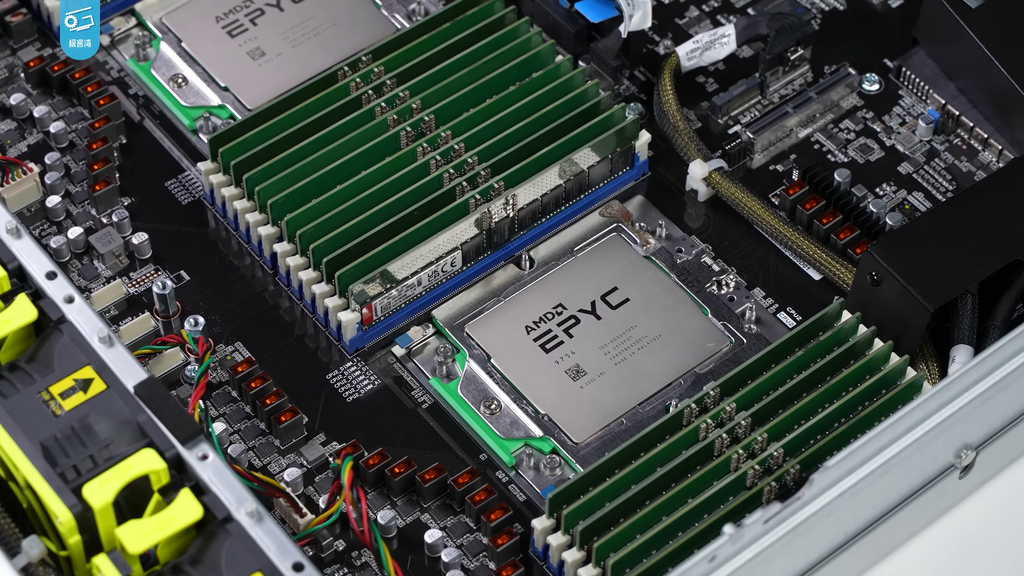
If the CPU is the brain, then Random Access Memory (RAM) is its short-term memory or workspace. When the server needs to work on something, like loading a webpage or querying a database, it pulls the necessary data from long-term storage and places it in RAM for quick access. The more RAM a server has, the larger its workspace and the more things it can juggle at once without slowing down.
Servers use a special type of memory called ECC (Error-Correcting Code) RAM. Unlike the RAM in your laptop, ECC RAM can detect and fix small data corruption errors on the fly. This is critical for servers, where even a tiny error could crash a vital application or corrupt important data.
Long-Term Storage and Safety Nets
For long-term data storage, servers use a few different technologies. The traditional choice is the Hard Disk Drive (HDD), which stores data on spinning magnetic platters. They're affordable and offer huge amounts of space.
The newer, faster option is the Solid-State Drive (SSD). SSDs use flash memory, like a giant USB stick, with no moving parts. This makes them significantly faster and more durable than HDDs, but they are typically more expensive per gigabyte.
Many modern servers use a mix: fast SSDs for the operating system and frequently accessed files, and larger HDDs for bulk storage and archives.
But what happens if a drive fails? Servers can't just lose data. That's where RAID comes in.
RAID stands for Redundant Array of Independent Disks. It's a way of combining multiple physical drives into one logical unit to improve performance, provide fault tolerance, or both. There are many types of RAID, but here are a few common ones:
Connections, Power, and Staying Cool
A server isn't much good if it can't talk to the network. The Network Interface Card (NIC) is the server's doorway to the internet and other computers. Server NICs are built for speed and reliability, often featuring multiple ports for redundancy. If one connection fails, the other can take over.
All these components need electricity. A Power Supply Unit (PSU) converts power from the wall outlet into the voltages the server's hardware needs. Critical servers almost always have redundant PSUs. If one power supply fails, the other seamlessly takes over, keeping the server online without any interruption.
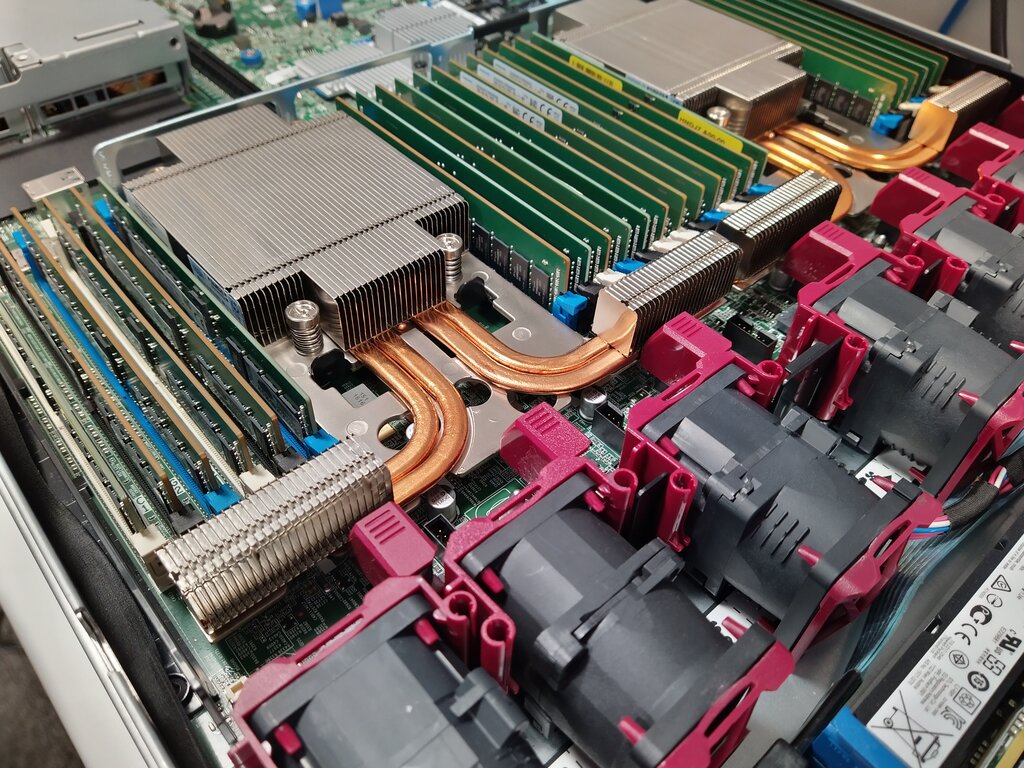
With all this power comes heat. A server running at full tilt generates a lot of it, and overheating can damage components and cause crashes. Server cooling systems are robust, involving multiple high-speed fans, large heatsinks to draw heat away from the CPU, and carefully designed airflow paths to push hot air out and pull cool air in.
Finally, if you need to add more capabilities to your server, you use expansion slots. These are physical connectors on the main circuit board (the motherboard) that let you plug in new hardware, such as a more powerful graphics card (GPU), a faster NIC, or a specialized RAID controller. The most common type is called PCIe (Peripheral Component Interconnect Express).
Why are server CPUs often equipped with a high number of cores?
What is the key advantage of using ECC (Error-Correcting Code) RAM in a server?
From the CPU to the cooling fans, each piece of server hardware plays a specific and vital role in delivering reliable, continuous service.