Self-Reflection with Obsidian
Introduction to Obsidian
Your Second Brain
Obsidian is a powerful tool for thinking and note-taking. Unlike many apps that lock your notes away in the cloud, Obsidian works with plain text files on your own computer. This gives you complete control over your data.
The core idea is to build a “second brain”—a personal knowledge base where you can connect ideas, track your thoughts, and see how different concepts relate to each other. It’s less like a word processor and more like a digital garden for your mind.
Setting Up Your Vault
Everything in Obsidian lives inside a vault. A vault is simply a folder on your computer. When you first open Obsidian, it will ask you to either open an existing folder as a vault or create a new one.
For now, just create a new vault and give it a name like “My Thoughts” or “Digital Garden.” Choose a location you’ll remember, like your Documents folder. That’s it. All your notes will be saved as Markdown (.md) files inside this folder.
Your notes are just files in a folder. You can access them, back them up, or move them with any file manager, even if you stop using Obsidian.
Linking Your Thoughts
Creating a note is as simple as clicking the “New note” button. But Obsidian's real power comes from connecting notes. You can create a link to another note by typing two square brackets around its title, like this: [[My Other Note]].
If “My Other Note” doesn’t exist yet, Obsidian will create it for you when you click the link. This makes it easy to build out ideas as you think of them, without breaking your flow.
Every time you link to a note, Obsidian automatically creates a backlink. If you are viewing “My Other Note,” you can see all the other notes that link to it in a special panel. This helps you discover hidden connections between your ideas over time.
The Graph View
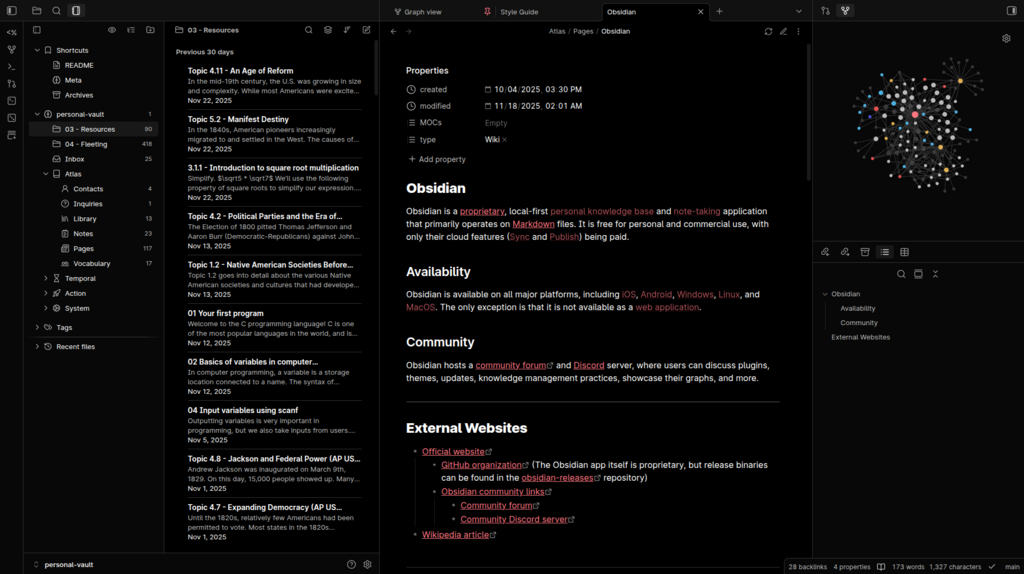
As you create more notes and links, your vault starts to look like a web of ideas. The Graph View is a feature that visualizes this web. Each note is a dot (or node), and each link is a line connecting the dots.
This isn't just a neat visual. It can help you see which ideas are central to your thinking, find clusters of related topics, and spot surprising connections you might have missed otherwise. It's a map of your knowledge, created automatically as you write.
Finally, Obsidian's functionality can be extended with plugins. While there are hundreds of community-made plugins, Obsidian comes with several powerful core plugins turned on by default.
- Command Palette: Press
Ctrl/Cmd + Pto open a search bar that lets you perform any action in Obsidian without needing to find it in the menus. - Daily Notes: Creates a new note for today's date, perfect for journaling or daily planning.
- Templates: Lets you create pre-formatted notes that you can insert with a single command, saving you time on repetitive tasks.