Secure Your Home Network
Network Security Basics
Locking Your Digital Doors
Think of your home network like your house. It has doors and windows that connect you to the outside world—in this case, the internet. Network security is simply the practice of making sure those digital doors and windows are locked, keeping your personal information safe from anyone who shouldn't have access to it.
Every device connected to your Wi-Fi, from your laptop to your smart TV, is part of this digital home. Without basic security, it’s like leaving the front door wide open for intruders to wander in, access your files, or use your internet connection for malicious activities.
Common Weak Spots
Most security breaches don't happen because of a super-genius hacker. They happen because a common, easy-to-fix vulnerability was overlooked. The most frequent weak spots in a home network are often the simplest ones.
It starts with your router, the gateway to your network. Many routers come from the factory with a default username and password, like “admin” and “password.” These are publicly known, making them incredibly easy for an attacker to guess.
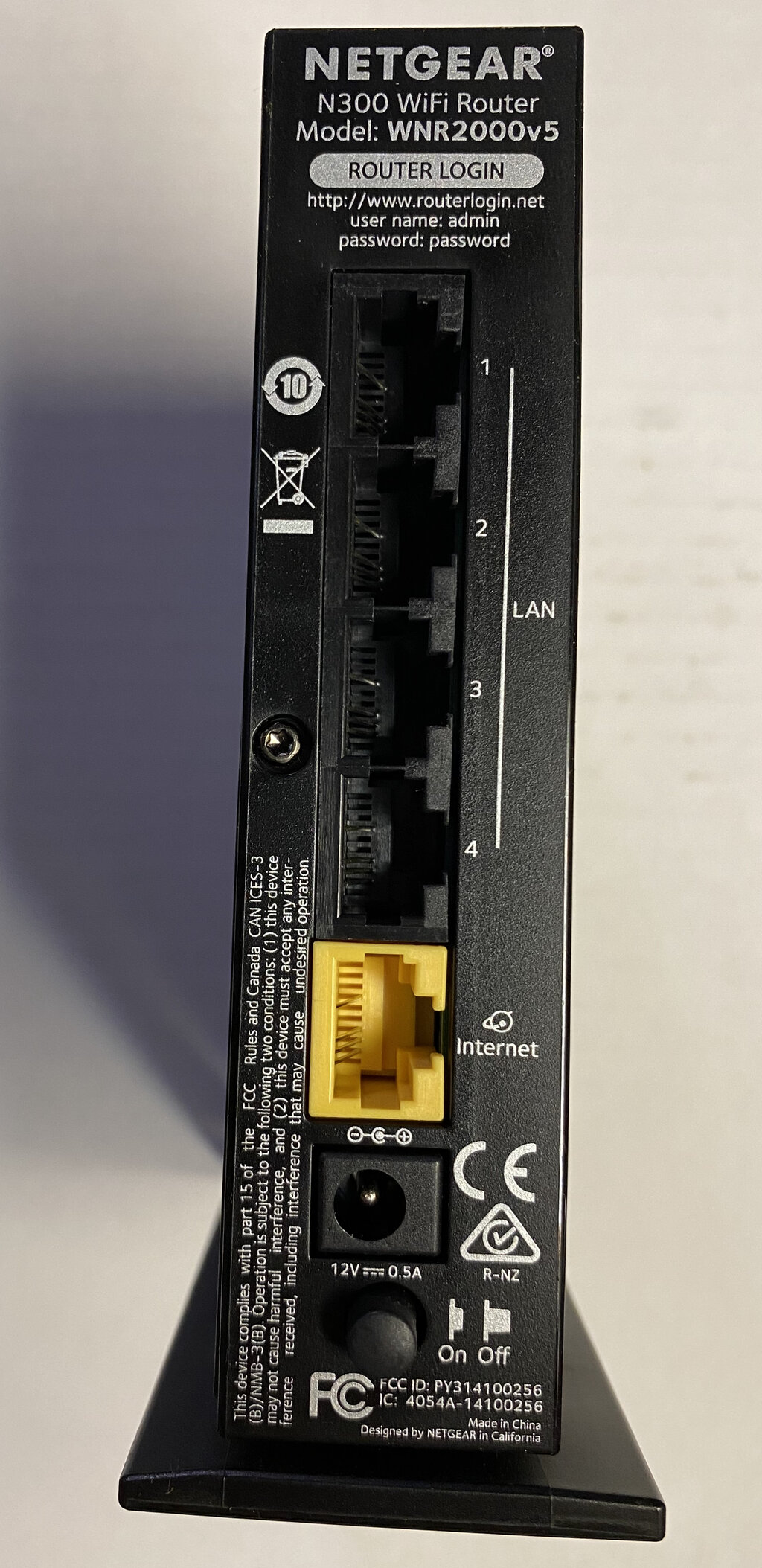
Even if you change the default credentials, using weak passwords like “123456” or “FluffyTheCat” is just as risky. A strong password is your first line of defense.
Another major vulnerability is outdated firmware. Firmware is the core software that runs on your router and other smart devices. Manufacturers release updates to patch security holes they discover. If you don't install these updates, you're leaving a known vulnerability unfixed.
Finally, every smart device you add to your network—a smart speaker, a security camera, even a smart lightbulb—is another potential entry point. Many of these Internet of Things (IoT) devices have minimal security features, making them attractive targets for attackers looking for an easy way in.
Building Your Defenses
Securing your network doesn't require a degree in computer science. It just takes a few key habits. The first is keeping your software and firmware updated. When your phone, computer, or router notifies you about an update, install it. These updates often contain critical security patches that protect you from the latest threats.
Regularly updating the firmware on your router and connected devices is vital to address security vulnerabilities.
The next step is strong authentication. This means creating passwords that are long, complex, and unique for each important account. A good password should be at least 12 characters and include a mix of uppercase letters, lowercase letters, numbers, and symbols.
For an even stronger defense, use multi-factor authentication (MFA) whenever it's offered. MFA requires a second piece of information to log in, like a code sent to your phone. This means that even if someone steals your password, they still can't get into your account without also having your phone.
Also, check your Wi-Fi's encryption settings. Modern routers use security protocols to scramble your wireless traffic, making it unreadable to anyone snooping on the network. Make sure your network is using WPA2 or, even better, WPA3 encryption. Avoid older, insecure protocols like WEP.
Ready to check your understanding?
What is the primary goal of home network security?
Which of the following represents the strongest password for a Wi-Fi network?
By taking these simple steps, you can significantly improve your network's security and protect your digital life.