Secure Your Home Network
Home Network Basics
Your Digital Household
Think of your home network like a digital version of your house. It has a front door to the outside world, a director managing internal traffic, and specific addresses for every room and person inside. Understanding these parts is the first step to keeping your digital home secure.
First, you have the modem. This device is your connection to the internet. It's like the main water pipe coming into your house. It takes the signal from your Internet Service Provider (ISP)—the company you pay for internet—and translates it into a format your network can use. Without a modem, you're cut off from the global web.
Next is the router. If the modem is the front door, the router is the brain of your home network. It takes that single internet connection from the modem and directs it to all the different devices in your home. It creates your private, local network and acts as a traffic cop, making sure a video streaming to your TV doesn't get sent to your printer by mistake. Most routers today also provide Wi-Fi, creating a wireless network for your phones, tablets, and laptops.
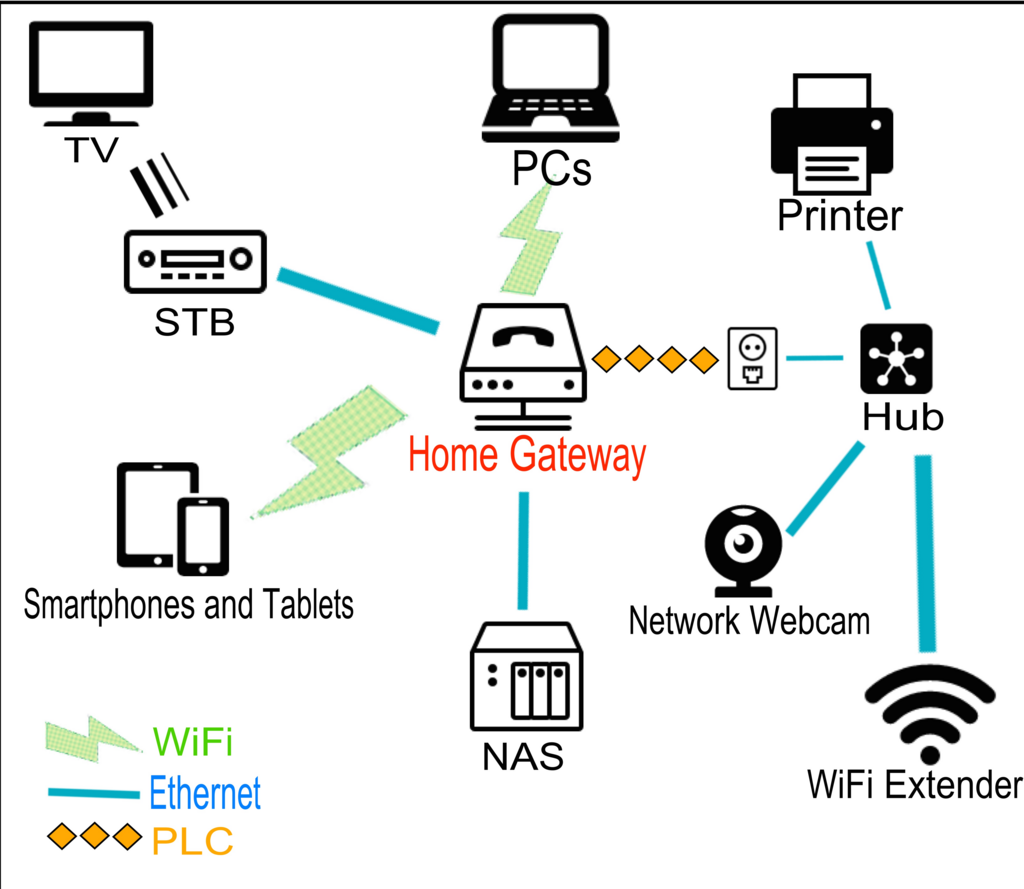
Many ISPs provide a single device that acts as both a modem and a router. This is often called a gateway. Even if they're in one box, they're still performing two distinct jobs.
Finally, there are switches. A switch is like a power strip for your network. A router usually has a few built-in ports for wired connections (called Ethernet ports), but if you need more, you can plug a switch into your router to expand the number of available ports. This is useful for connecting devices that don't move, like a desktop computer, a smart TV, or a gaming console, with a stable, wired connection.
Digital Addresses
How does your router know where to send information? Every device on your network gets a unique identifier called an IP address. "IP" stands for Internet Protocol.
Think of it like a street address for your house. Your router assigns a local IP address to every device that connects to it, whether it's your phone, your laptop, or your smart fridge. This address is private and only used within your home network. It usually looks something like 192.168.1.5.
Your modem also has an IP address, but this one is public. This is the address the rest of the internet sees. When you visit a website, your request goes from your device (with its private IP address), through your router, out your modem (with its public IP address), and onto the internet. The website sends its data back to your public IP address, and your router then knows exactly which device inside your home made the original request.
This separation between public and private addresses is a fundamental security feature. It makes it much harder for someone on the internet to directly access a specific device in your home. The router acts as a gatekeeper, only allowing traffic that was requested by one of your devices.
Now that you know the key players and how they communicate, you have a solid foundation for understanding how to protect your home network.