Secure Your Emails on iPad
Email Encryption Basics
Protecting Your Digital Postcards
Think of a standard email like a postcard. As it travels from you to your recipient, its message is open for anyone to read along the way, from your internet provider to servers across the globe. Anyone who can intercept the message can read it.
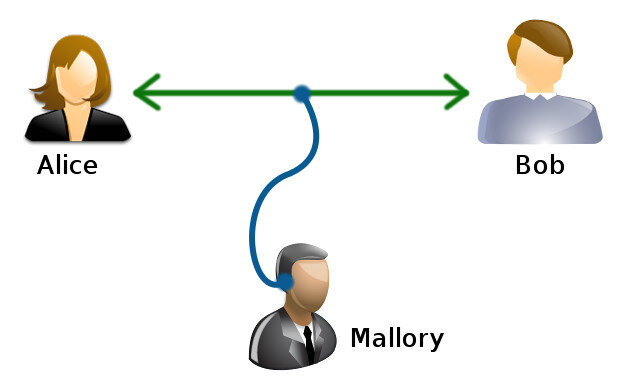
Email encryption is the process of turning that postcard into a securely sealed letter. It scrambles the content of your message into an unreadable format called ciphertext. Only the intended recipient has the special key to unscramble it and read the original message.
This process ensures that even if someone intercepts your email, all they'll see is a jumble of random characters. Your sensitive information, whether it's a private conversation or a business contract, remains confidential.

Sealed vs. Signed
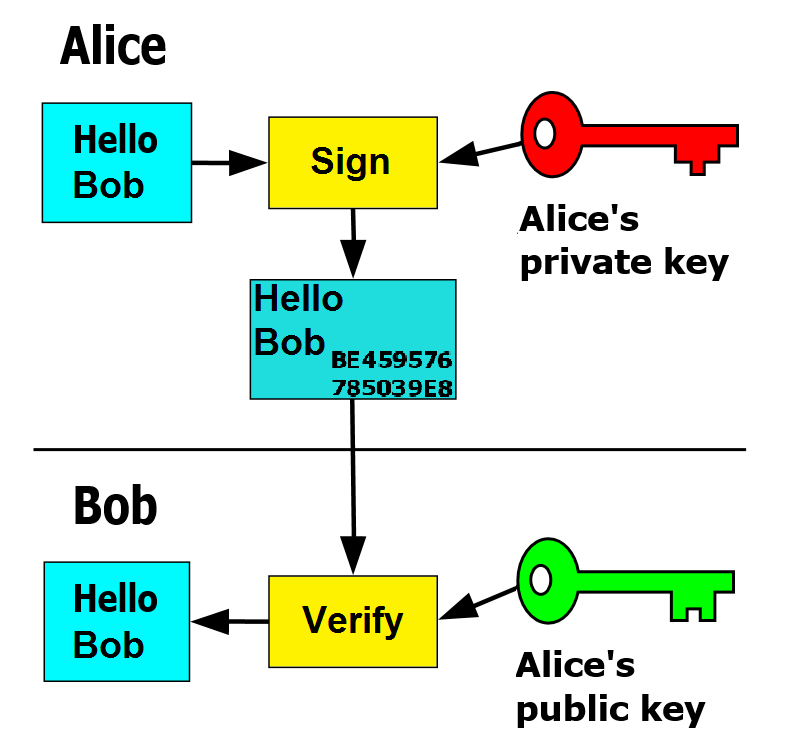
While encryption seals the letter, a digital signature is like adding your unique, verifiable signature to the outside. It doesn't hide the content, but it does prove two things: that the email really came from you, and that it hasn't been tampered with since you sent it.
You can use encryption and digital signatures together or separately. Encrypting an email protects its confidentiality. Signing an email confirms its authenticity and integrity.
| Feature | Encryption (Sealed Letter) | Digital Signature (Signed Letter) |
|---|---|---|
| Purpose | Hides the content (Confidentiality) | Proves sender's identity (Authenticity) |
| Protects Against | Eavesdropping | Forgery and tampering |
| How it Works | Scrambles the message | Attaches a verifiable digital mark |
So, an encrypted email is a secret message. A digitally signed email is a proven message. An email that is both encrypted and signed is a secret message that is also verifiably from the sender.
Why Bother Encrypting?
The benefits of using these tools go beyond just hiding your messages from prying eyes. They provide a foundation of trust for digital communication.
Privacy: Encryption ensures your personal and professional conversations remain private. It protects sensitive data like financial information, passwords, and personal details from being exposed.
Authenticity: Digital signatures confirm that the sender is who they claim to be. This helps prevent spoofing, where an attacker sends an email pretending to be someone else to trick you into revealing information.
Integrity: A digital signature also guarantees that the message hasn't been altered in transit. You can be sure that the email you receive is the exact one the sender wrote, with no additions or deletions.
Using encryption and digital signatures turns your email from an insecure postcard into a private, tamper-proof letter, building a more secure digital world one message at a time.
To get started, let's test your understanding of these core concepts.
According to the postcard analogy, what is the main purpose of email encryption?
A digital signature provides assurance of which two principles?
With these fundamentals covered, you're ready to see how these principles apply in practice.