Secure Your Accounts with Two-Factor Authentication
Understanding Two-Factor Authentication
More Than a Password
Your password is the first line of defense for your online accounts. But what if someone steals it? That's where two-factor authentication, or 2FA, comes in. It's a second layer of security that protects your accounts even if your password is compromised.
Think of it like a bank vault. You might have the key (your password), but you still need to enter a secret combination (the second factor) to open the door. This extra step makes it much harder for unauthorized people to get in.
Two-factor authentication (2FA) adds an essential second layer of security by requiring something you know (password) and something you have (typically your phone).
The Three Factors
Authentication relies on proving you are who you say you are. This proof comes in three basic forms, often called factors. True two-factor authentication requires you to provide evidence from two of these different categories.
| Factor Category | Description | Examples |
|---|---|---|
| Something You Know | Information that only you should know. | Password, PIN, answer to a security question. |
| Something You Have | A physical object in your possession. | Your smartphone, a hardware security key, a bank card. |
| Something You Are | A unique biological trait. | Fingerprint, facial scan, voice recognition. |
When you log in with a password and then enter a code sent to your phone, you're using "something you know" and "something you have." This is the most common form of 2FA.
Common 2FA Methods
Services implement 2FA in a few different ways, each with its own balance of convenience and security.
SMS Codes This is one of the most familiar methods. After you enter your password, the service texts a short, temporary code to your phone. You then enter that code to finish logging in. It's popular because it's simple and doesn't require any special apps.
However, SMS codes are the least secure 2FA option. A determined attacker could potentially hijack your phone number through a technique called a "SIM swap," allowing them to intercept your codes.
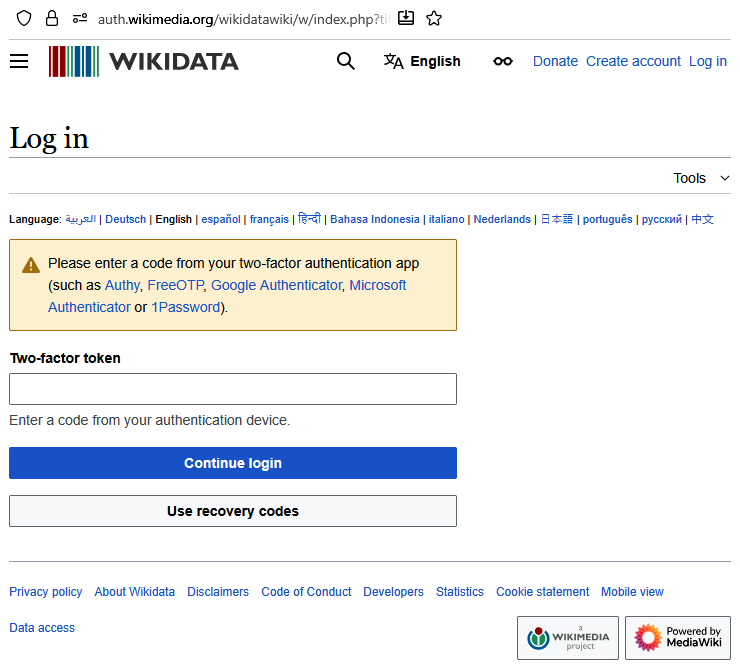
Authenticator Apps These are dedicated mobile apps that generate temporary codes on your device. Popular options include Google Authenticator, Microsoft Authenticator, and Authy. After scanning a QR code to link an account, the app will display a new six-digit code that refreshes every 30-60 seconds.
This method is more secure than SMS because the codes are generated directly on your device and are not transmitted over the phone network. The main downside is that it requires installing and managing another app.
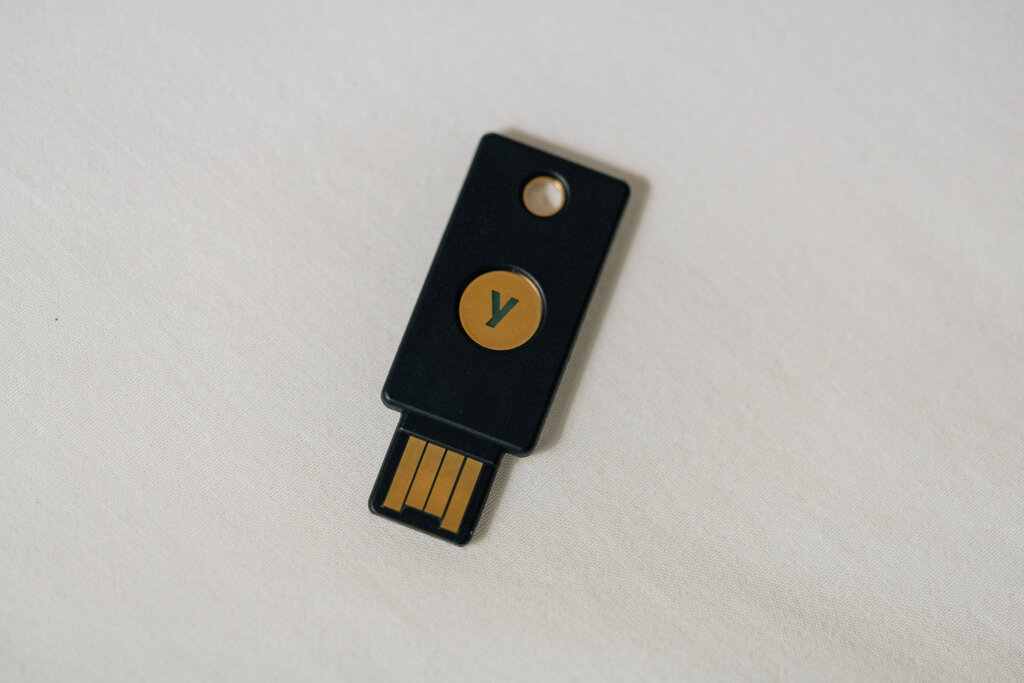
Hardware Security Keys A hardware security key is a small physical device, often resembling a USB drive, that you use to verify your identity. After entering your password, you insert the key into your computer's USB port or tap it to your phone (using NFC) to approve the login.
This is widely considered the most secure form of 2FA available to the public. The key cannot be easily duplicated, and it protects against phishing attacks. The main drawbacks are the cost of buying the key and the risk of losing it.
Here's a quick comparison of the common methods:
| Method | Advantages | Vulnerabilities |
|---|---|---|
| SMS Codes | Easy to use, no extra app needed. | Vulnerable to SIM swapping, relies on cell service. |
| Authenticator Apps | More secure than SMS, works offline. | Requires a smartphone and a dedicated app. |
| Hardware Keys | Highest level of security, phishing-resistant. | Must be purchased, can be lost or stolen. |
Now, let's review some of the key concepts we've covered.
Ready to test your knowledge?
What is the primary purpose of two-factor authentication (2FA)?
Which of the following is generally considered the most secure method of 2FA for the public?
Choosing any form of two-factor authentication significantly boosts your online security. While some methods are stronger than others, using 2FA makes you a much harder target for attackers.