Secure Your Accounts with Two-Factor Authentication
Understanding Two-Factor Authentication
Beyond the Password
Think of your online accounts like your home. A password is the key to your front door. For a long time, that was enough. But what if someone steals or copies your key? They can walk right in.
Two-factor authentication, or 2FA, is like adding a deadbolt that requires a second, unique key. It's an extra layer of security that proves it's really you trying to log in, not someone who just stole your password.
The core idea of 2FA is to combine something you know (your password) with something you have (like your phone or a physical key).
Even if a thief gets your password, they're stopped at the second step because they don't have your phone. This simple addition makes your accounts dramatically more secure.
Common 2FA Methods
Not all 2FA methods are created equal. They vary in convenience and security level. Let's look at the most common types.
SMS Codes: The most familiar method is a code sent to your phone via text message. When you try to log in, the service texts you a short, temporary code to enter. It's easy and doesn't require any special apps.
However, SMS is the least secure form of 2FA. Hackers can sometimes trick mobile carriers into transferring your phone number to a new SIM card they control, a technique called a "SIM swap." If they do this, they'll get your 2FA codes.
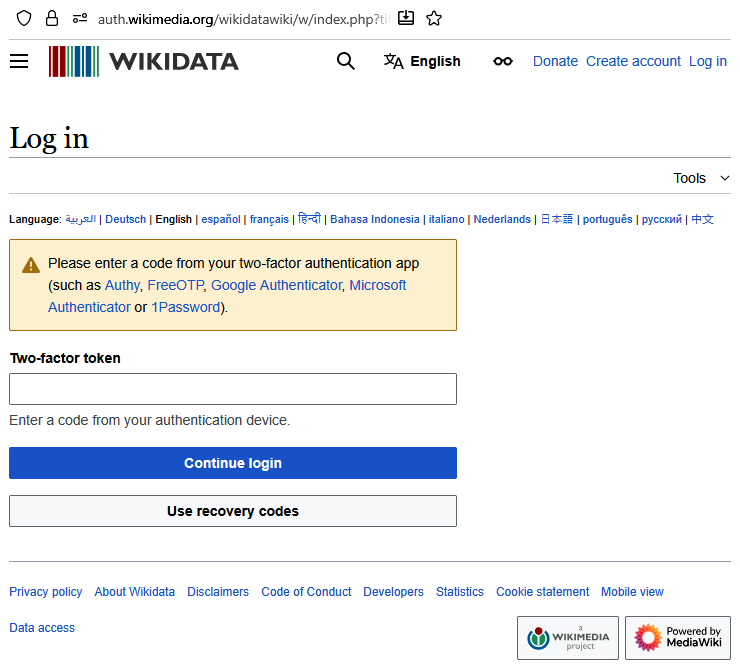
Authenticator Apps: These are apps on your phone (like Google Authenticator, Microsoft Authenticator, or Authy) that generate a new, temporary code every 30-60 seconds. You set it up by scanning a QR code on the website you want to protect.
This is more secure than SMS because the codes are generated directly on your device and are not sent over the phone network. The only downside is that you need to have your phone with the app handy to log in.
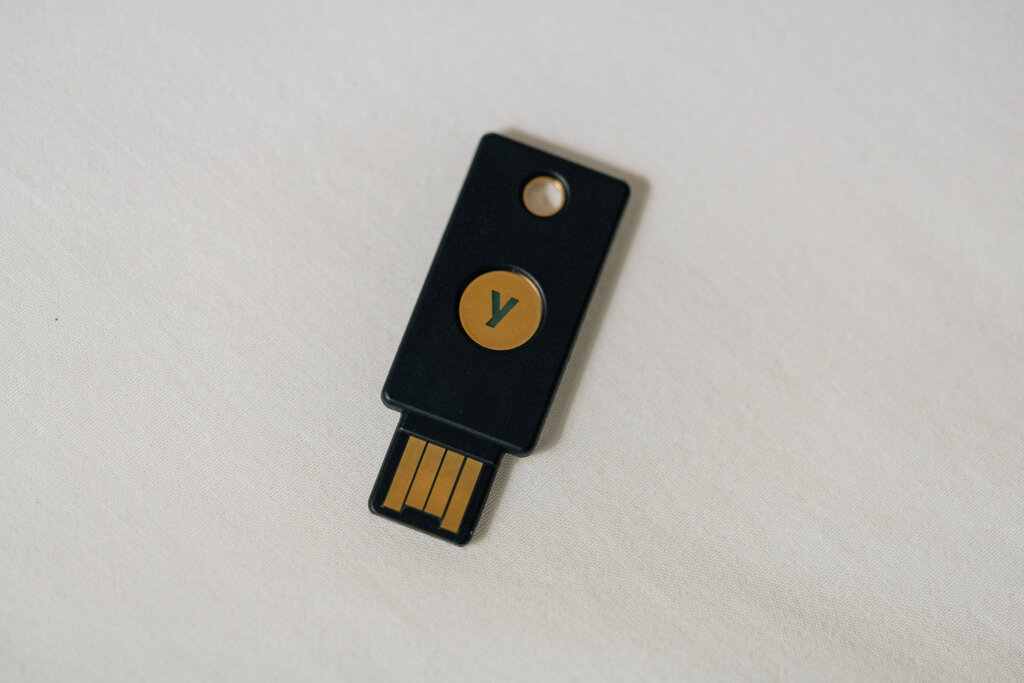
Hardware Tokens: For maximum security, you can use a physical device, often a small USB key. To log in, you plug the key into your computer and tap it. Some also work wirelessly with phones.
This is widely considered the strongest form of 2FA. Since it's a physical object, a hacker would need to steal it from you to access your account. The main drawbacks are the cost—you have to buy the token—and the risk of losing it.
| Method | How It Works | Pro | Con |
|---|---|---|---|
| SMS Code | Code sent via text message | Very easy to use | Vulnerable to SIM swapping |
| Authenticator App | App generates a timed code | Secure and free | Requires your smartphone |
| Hardware Token | Physical key plugs into device | Highest level of security | Costs money, can be lost |
Why It Matters
Passwords are stolen all the time in large-scale data breaches. It's likely that one of your old passwords is floating around on the internet right now. If you reuse that password on other sites, all of those accounts are vulnerable.
2FA is your best defense against this. It stops attackers in their tracks, even when they have your password.
Two-factor authentication (2FA) adds a second layer of protection to your accounts, making it much harder for hackers to break in—even if they get your password.
Because it's so effective, nearly every major online service—from email providers and social media platforms to banks and online stores—now offers 2FA. Enabling it is one of the single most important things you can do to protect your digital life.
Using the analogy of a house, if a password is the key to your front door, what does two-factor authentication (2FA) represent?
Which of the following lists common 2FA methods from MOST secure to LEAST secure?