Secure Home Network with Bandwidth Management
Network Security Basics
Protecting Your Digital Home
Connecting to the internet is like opening a door to the world. It lets in all the good stuff, like movies, music, and information, but it can also let in unwanted guests. Just as you lock the doors and windows of your house, you need to secure your digital home—your network—to keep your personal information safe.
Think of network security as your digital alarm system. It’s a set of tools and practices designed to protect your devices and data from harm. Let’s look at some of the common threats you might face and the simple, powerful ways you can defend against them.
Common Intruders
Most network threats aren't complex operations run by super spies. They're often simple tricks and automated programs looking for an easy target. Here are the three most common ones you'll encounter.
Malware
noun
Software intentionally designed to cause disruption to a computer, server, client, or computer network, leak private information, gain unauthorized access to information or systems, deprive users access to information or which unknowingly interferes with the user's computer security and privacy.
Malware is short for “malicious software.” It’s a catch-all term for any program designed to damage or disrupt your devices. Viruses can corrupt your files, spyware can secretly record what you do, and ransomware can lock up your data and demand money for its return. Malware often spreads through suspicious downloads or infected websites.
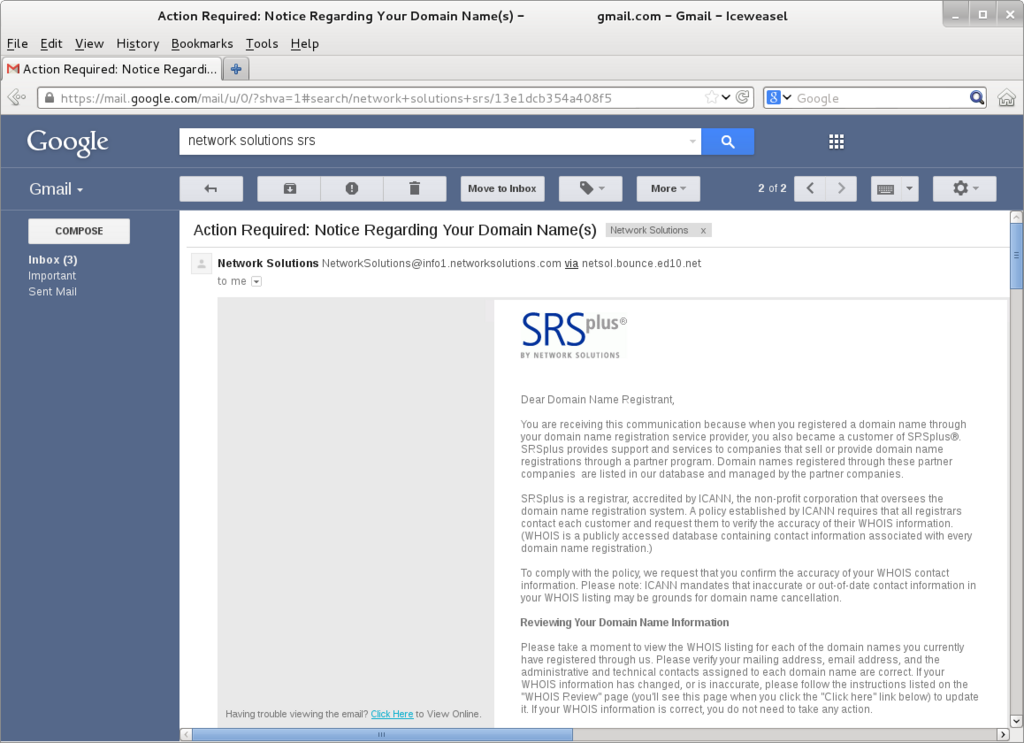
Phishing is a type of scam where an attacker tries to trick you into giving them your personal information, like passwords or credit card numbers. They often do this by sending emails or messages that look like they're from a legitimate company, such as your bank or a popular social media site.
Imagine getting an email that says your account has been compromised and you need to click a link to reset your password immediately. That link might lead to a fake website designed to steal your credentials. Always be skeptical of urgent, unexpected requests for your information.
Finally, unauthorized access is exactly what it sounds like: someone getting into your network without your permission. This can happen if you have a weak Wi-Fi password. Once inside, an intruder could steal your data, use your internet for illegal activities, or install malware on your devices.
Your Digital Security System
Fortunately, you don't need to be a security expert to protect your network. Basic security measures can block the vast majority of threats. Think of them as the locks, alarms, and curtains of your digital home.
A firewall is a security guard for your network. It monitors incoming and outgoing traffic and decides whether to allow or block it based on a set of security rules. A firewall acts as a barrier between your trusted internal network and untrusted outside networks, like the internet.
Your computer’s operating system and your home router both have built-in firewalls. For most people, these are enough to provide a solid first line of defense, filtering out malicious traffic before it can ever reach your devices.
Encryption is the process of scrambling your data into a secret code to prevent unauthorized access. Only someone with the correct key can unscramble it. It's like writing a letter in a language that only you and the recipient can understand. Even if someone intercepts the letter, they won't be able to read it.
When you visit a secure website (one that starts with https://), your connection is encrypted. This protects sensitive information like your passwords and credit card details from being snooped on. Your Wi-Fi network should also use encryption—specifically WPA2 or WPA3—to prevent neighbors or passersby from accessing your network.
Last but not least, secure passwords are one of the simplest and most effective security measures you can take. A weak password is like leaving your front door unlocked. Many unauthorized access incidents happen simply because an attacker guessed a common password.
| Good Password Practices | Bad Password Practices |
|---|---|
| Use a long combination of letters, numbers, and symbols. | Using common words like password or 123456. |
| Create a unique password for every account. | Reusing the same password across multiple sites. |
| Use a password manager to store them securely. | Writing passwords on a sticky note. |
| Enable two-factor authentication (2FA) when possible. | Using personal information like your birthday or pet's name. |
A strong password is your personal key to your digital life. Keeping it safe and unique for each service you use is crucial.
Time to check your understanding.
What is the primary purpose of malware?
You receive an urgent email from your bank asking you to click a link and confirm your password immediately. What type of threat is this most likely to be?
By understanding these common threats and implementing these basic security measures, you can create a strong defense for your home network and keep your digital life safe.