SAP Forms and Print Programs
Introduction to WRICEF Framework
Making SAP Your Own
Standard SAP software is powerful, but it's built to serve thousands of different businesses. Think of it like a brand-new, high-quality suit off the rack. It's well-made, but it probably doesn't fit you perfectly. To make it look sharp, you need a tailor to adjust the sleeves, take in the waist, and hem the pants. In the world of SAP, this tailoring process is managed using a framework called WRICEF.
WRICEF is an acronym that stands for Workflows, Reports, Interfaces, Conversions, Enhancements, and Forms. It’s a way to categorize all the custom objects and developments needed to make a standard SAP system fit a company's unique business processes.
Using this framework is crucial for any SAP implementation project. It provides a structured approach, ensuring that every customization is identified, planned, and developed correctly. It acts as a checklist, helping project managers estimate the effort required and track progress. Without it, tailoring SAP would be a chaotic process, likely leading to budget overruns and a system that doesn't meet the business's needs.
The WRICEF Components
Let's break down each part of the acronym.
Workflows
noun
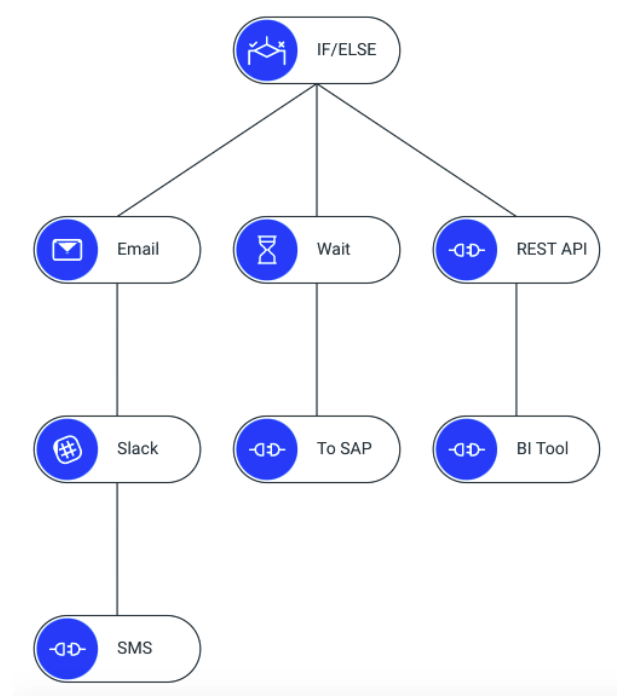
Automate a business process by sending tasks to the right people in the right sequence. They ensure that processes like approvals for purchase orders or vacation requests happen smoothly and without manual intervention.
Imagine an employee submits a request for a new laptop. A workflow can automatically route that request to their manager for approval. If approved, it then goes to the IT department for purchasing, and finally to finance for payment. The employee is notified at each step. This entire sequence is a workflow.
Reports are used to display data. While SAP comes with hundreds of standard reports, most companies need custom ones. They might want to see sales data organized by a specific region not available in a standard report, or view inventory levels in a unique graphical format. Custom reports pull data from the SAP database and present it exactly how the business wants to see it.
Interfaces are bridges that connect SAP to other systems. A company might use a separate, specialized application for customer relationship management (CRM) or human resources. An interface allows SAP and the external application to exchange data automatically. For example, when a new employee is added to the HR system, an interface can create that employee's user account in SAP without anyone having to enter the data twice.
Interfaces ensure that different software systems can talk to each other, keeping data consistent across the entire company.
Conversions are about moving data from an old system into SAP. This is typically a one-time task that happens when a company first implements SAP. It involves extracting data from legacy systems, transforming it into an SAP-compatible format, and loading it into the new system. This process, often called data migration, is critical for ensuring business continuity.
Enhancements involve adding new functionality to SAP or modifying existing features. Instead of changing SAP's core programming (which is a bad practice), developers use specific tools to add custom fields to a screen, create a new button, or alter a program's logic. This allows the system to be tailored while remaining stable and easy to upgrade in the future.
Forms are the business documents that companies send to customers, vendors, or employees. These include invoices, purchase orders, account statements, and packing slips. Each company has its own branding and specific layout requirements for these documents. The 'Forms' component of WRICEF covers the development of these custom-designed outputs.
| Category | Purpose | Example |
|---|---|---|
| Workflows | Automate and streamline business processes. | An automated approval process for time-off requests. |
| Reports | Display data in a custom format. | A monthly sales report for a specific product line. |
| Interfaces | Connect SAP with non-SAP systems. | Sending sales data from SAP to a Salesforce CRM. |
| Conversions | Load data from a legacy system into SAP. | Migrating customer master data from an old system. |
| Enhancements | Add or modify SAP functionality. | Adding a custom field to the customer creation screen. |
| Forms | Create custom-designed business documents. | A branded invoice with the company logo. |
Understanding the WRICEF framework provides a clear map for navigating the complexities of an SAP project. Each element represents a distinct type of development work required to adapt the standard software to the specific pulse of a business.