SAP Fiori Mastery
Introduction to SAP Fiori
A New Face for Business Software
For a long time, enterprise software—the tools businesses use for things like finance, logistics, and human resources—was known for being powerful but complicated. It often felt like you needed a special manual just to figure out how to do a simple task. SAP, a major provider of this software, decided to change that. The result is SAP Fiori.
Think of SAP Fiori not as a single product, but as a design system. It's a set of rules and guidelines for how applications should look, feel, and work. The goal is to make using SAP software as intuitive as using your favorite smartphone app. It shifts the focus from complex features to what the user actually needs to accomplish.
User-centric design in SAP Fiori disrupts this paradigm, shifting the focus from technology to humans, prioritizing user needs and motivations while delivering:
This user-first approach is built on five core principles that guide the design of every Fiori application.
The Five Core Principles
To ensure a consistent and high-quality user experience, SAP Fiori follows five key design principles.
1. Role-Based: Instead of offering a one-size-fits-all tool with hundreds of options, Fiori apps are designed for specific roles. A sales manager sees apps for tracking team performance and approving quotes. A warehouse clerk gets apps for managing inventory. You only see what’s relevant to your job.
This declutters the experience and helps you focus on your specific tasks without distraction.
2. Adaptive: Whether you're at your desk on a large monitor, on a tablet in a meeting, or on your phone in the field, the experience should be seamless. Fiori apps automatically adjust to fit the screen of any device, ensuring you can work effectively anywhere.
3. Simple: Fiori apps are designed to be intuitive. They break down complex processes into simple, manageable steps. The focus is on one primary action per screen, guiding the user to complete their task quickly and easily.
4. Coherent: All Fiori apps share a consistent visual design and interaction patterns. This means that once you learn how to use one Fiori app, you can easily figure out how to use others. The experience is predictable and familiar, reducing the learning curve.
5. Delightful: Work doesn't have to be a chore. By making the software visually appealing and easy to use, Fiori aims to create a positive emotional connection with the user. A good user experience can improve job satisfaction and productivity.
The Fiori Launchpad
The central entry point for all SAP Fiori apps is the Fiori Launchpad. Think of it as the home screen for your work applications. It provides a personalized, role-based, and simple-to-use environment.
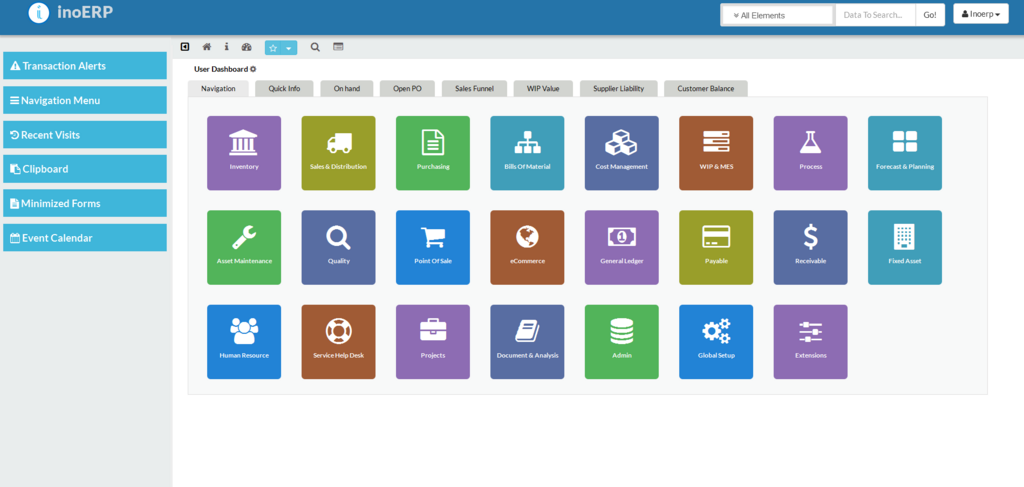
Instead of navigating through complex menus, you see a collection of tiles. Each tile represents an application or a quick access point to key information, like the number of pending approvals or the latest sales figures. You can organize this launchpad to fit your workflow, moving tiles around, grouping them, or adding new ones from a catalog of available apps for your role.
This approach puts the most important information and tasks right at your fingertips. By modernizing the user experience, SAP Fiori helps companies improve employee productivity, increase user adoption of new tools, and reduce training costs. It makes powerful enterprise software accessible and even enjoyable to use.
What is the primary goal of the SAP Fiori design system?
A user notices that all their Fiori apps have a similar visual layout and that buttons and menus behave predictably across different applications. Which design principle does this reflect?