Sales Channel Integration Patterns
Introduction to Integration Patterns
Connecting the Dots
Most businesses today don't have just one system for making sales. You might have an e-commerce website, a physical store with a point-of-sale terminal, and maybe even a mobile app. Each one is a separate stream of valuable data about what you're selling, to whom, and when.
The challenge is that these systems often don't talk to each other. Your website's database is different from your store's cash register. This creates data silos, where important information is trapped. To get a complete picture of your business, you need to connect these systems. This process is called integration.
But how do you build these connections? You could invent a new way every time, but that's inefficient and risky. Instead, developers rely on integration patterns. Think of them as time-tested recipes or blueprints for connecting software. They provide a common language and a set of reliable solutions for recurring problems.
Choosing the right integration pattern is the most important technical decision you make for successful Salesforce integration.
Using a pattern means you're not starting from scratch. You're building on the collective experience of others who have solved a similar problem before.
Common Integration Recipes
While there are many specific patterns, most fall into a few broad categories. Let's look at four foundational approaches, each with its own strengths and weaknesses.
File Transfer
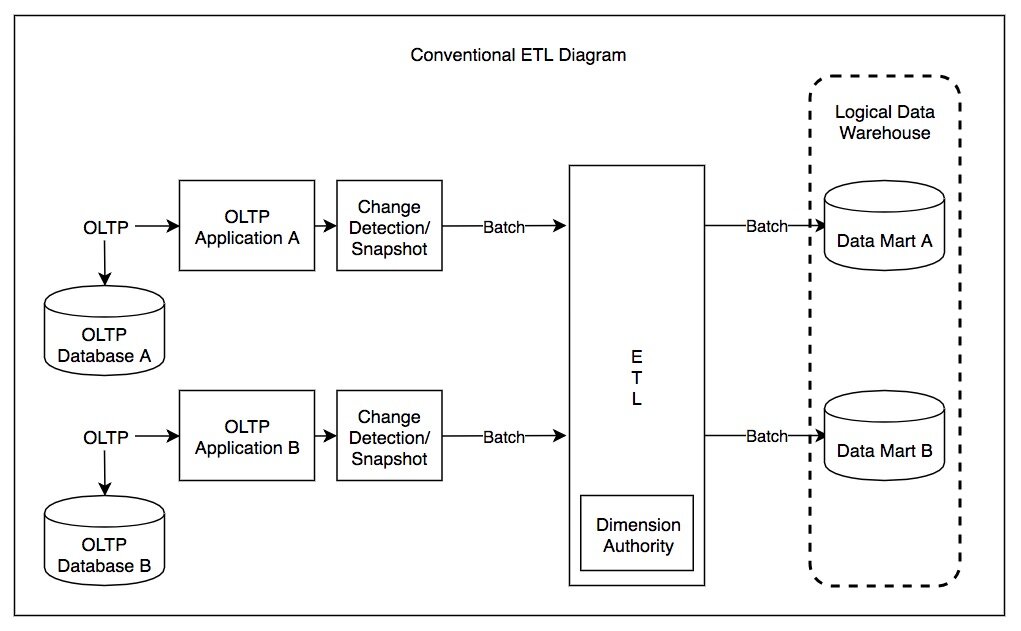
This is one of the oldest and simplest patterns. One system periodically exports its data into a file (like a CSV or XML). Another system then picks up that file and imports the data. It's like your e-commerce platform creating a spreadsheet of the day's sales every night and sending it to your accounting software.
It’s straightforward and reliable, but it’s not instant. The data is only as fresh as the last file transfer, making it unsuitable for processes that need real-time information.
Shared Database
In this pattern, multiple systems all read from and write to the same, single database. Imagine your website, mobile app, and in-store terminal all recording sales directly into one central ledger. When a customer buys a product on the app, the new inventory count is immediately visible to the website.
The main benefit is data consistency and real-time access. The big risk is that the systems are tightly coupled. A change to the database for one system could accidentally break another. It requires careful coordination.
Remote Procedure Invocation (RPI)
This is like one system making a direct phone call to another. When your website needs to check the inventory for a product, it doesn't look in a database. Instead, it directly calls a function on your inventory management system and asks, "How many of these do we have?" The inventory system answers immediately, and the website waits for that answer before showing the result to the customer.
This is the principle behind most modern APIs (Application Programming Interfaces). It's great for real-time, request-response interactions. The downside is that if the system being called is slow or unavailable, the calling system is stuck waiting.
Messaging
Instead of a direct call, messaging is like leaving a note in a shared mailbox. When an order is placed on your website, the site's system simply writes an "order placed" message and drops it into a message queue. It doesn't wait for a response; it just moves on to the next task.
Other systems, like your shipping and inventory software, subscribe to this queue. When they see a new message, they pick it up and process it at their own pace. This approach is highly reliable and flexible. If the shipping system is temporarily down, the messages just wait safely in the queue until it comes back online. The systems are decoupled, meaning they don't depend on each other being available at the same exact moment.
Choosing the Right Pattern
These four patterns represent different ways to solve the integration puzzle. There is no single "best" pattern; the right choice depends entirely on the business need. Do you need data in real-time, or is a nightly update acceptable? How closely tied should the systems be? Understanding these foundational patterns is the first step toward designing robust systems that can share data effectively.
| Pattern | Analogy | Best For | Key Consideration |
|---|---|---|---|
| File Transfer | Sending a daily report via email | Batch processing, non-urgent data | Data is not real-time |
| Shared Database | A team sharing one whiteboard | High consistency, real-time needs | Systems are tightly coupled |
| Remote Procedure Invocation | Making a direct phone call | Immediate request-response actions | Dependent on system availability |
| Messaging | Leaving notes in a shared inbox | Reliable, flexible communication | More complex to set up |
By selecting the appropriate blueprint, businesses can ensure that data flows smoothly between their various sales channels and back-end systems, creating a single, unified view of their operations.
What is the primary purpose of using integration patterns in software development?
A retail company's website needs to show customers the real-time stock level of a product before they can add it to their cart. To do this, the website directly 'calls' the inventory management system and waits for an immediate answer. Which integration pattern is being used?