Revive Your Slow Computer
Understanding Computer Performance
The Brain of the Operation
At the heart of every computer is the Central Processing Unit, or CPU. Think of it as the computer's brain. It's responsible for executing instructions and performing the calculations needed to run everything from your operating system to your favorite video game. Every time you click, type, or launch an application, the CPU is what carries out the command.
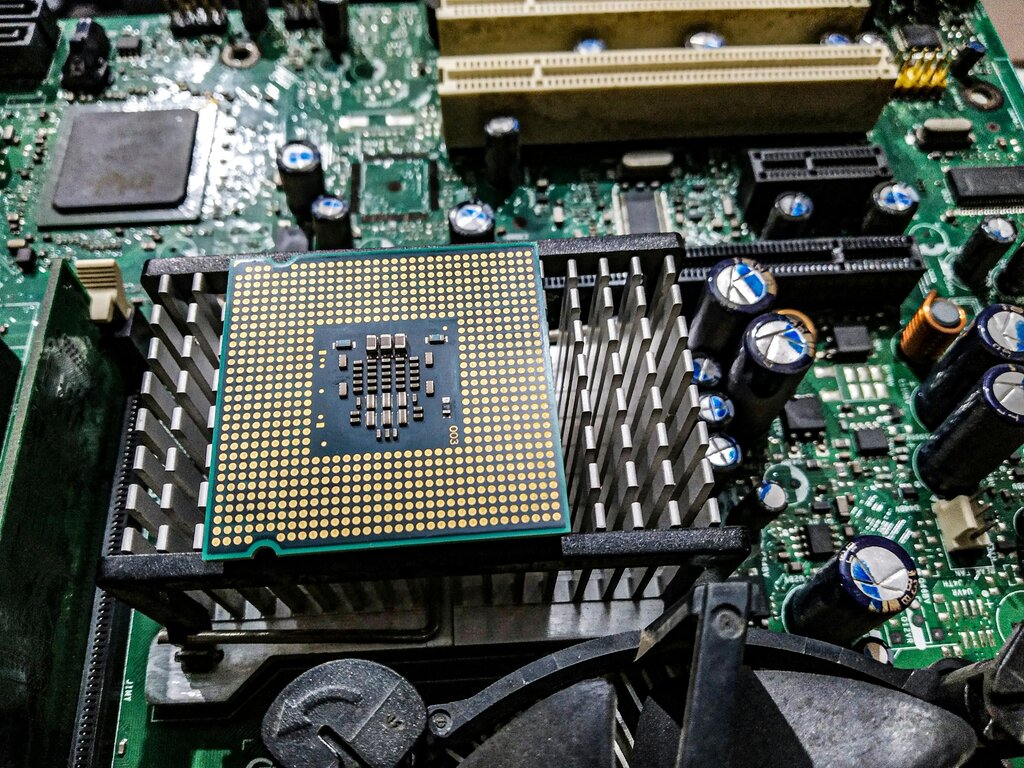
The performance of a CPU is often measured by its clock speed (in gigahertz, or GHz) and the number of cores it has. A higher clock speed means the CPU can perform more calculations per second. Multiple cores allow it to work on several tasks simultaneously. It's like having multiple brains working together on different problems at once.
A faster, more powerful CPU means your computer can think and act more quickly, leading to a smoother, more responsive experience.
A Desk for Active Work
If the CPU is the brain, then Random Access Memory (RAM) is its short-term memory, or its workspace. When you open a program, the necessary data is loaded from your storage drive into the RAM, where the CPU can access it almost instantly. The more RAM you have, the more applications you can run smoothly at the same time.
RAM
noun
A form of computer memory that can be read and changed in any order, typically used to store working data and machine code.
Imagine your desk. A small desk can only hold a few books and papers. If you try to put too much on it, things get cluttered and slow to find. A larger desk (more RAM) gives you more room to spread out your work, letting you switch between tasks effortlessly. When you run out of RAM, your computer has to shuffle data back and forth from the slower storage drive, which drastically slows things down.

The Filing Cabinet
While RAM is for short-term work, your storage drive is the long-term filing cabinet. It holds your operating system, all your applications, documents, photos, and other files, even when the computer is turned off. The speed of your storage drive determines how quickly your computer can boot up, load applications, and open files.
There are two main types of storage drives: Hard Disk Drives (HDDs) and Solid-State Drives (SSDs). HDDs are older technology that use spinning magnetic platters to read and write data, like a tiny record player. SSDs are newer and use flash memory, with no moving parts. This makes them significantly faster, more durable, and quieter.
| Feature | Hard Disk Drive (HDD) | Solid-State Drive (SSD) |
|---|---|---|
| Speed | Slower | Much Faster |
| Technology | Mechanical, spinning disks | Electronic, flash memory |
| Durability | More fragile | More resistant to shock |
| Cost | Less expensive per gigabyte | More expensive per gigabyte |
Staying Cool Under Pressure
Components like the CPU generate a lot of heat when they're working hard. If they get too hot, they can be damaged. To prevent this, computers have cooling systems, which usually consist of fans and heat sinks (metal components that draw heat away). Some high-performance systems use liquid cooling for even better results.
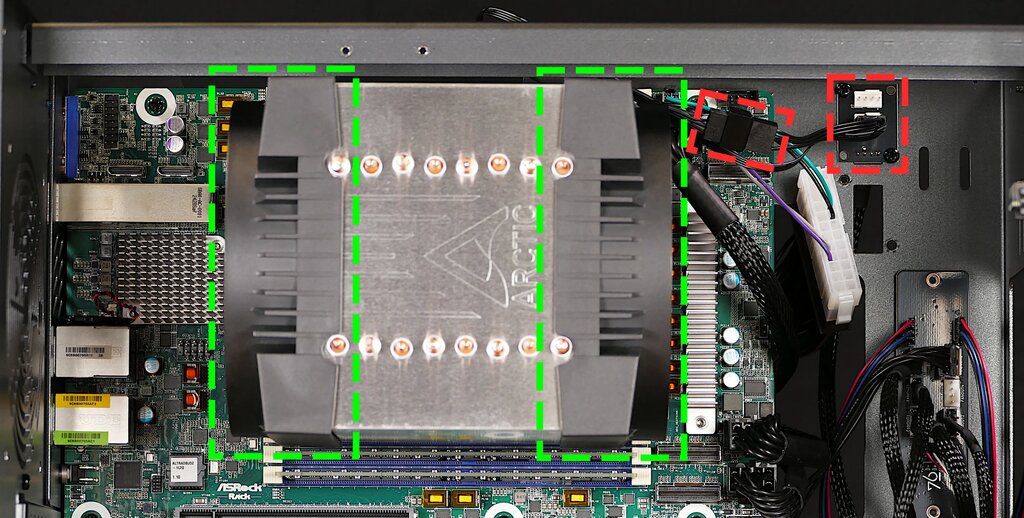
Proper cooling is crucial for performance. If a component like the CPU starts to overheat, it will automatically slow itself down to reduce heat and prevent damage. This is called "thermal throttling," and it can make your computer feel sluggish, especially during intensive tasks like gaming or video editing. A good cooling system ensures your components can run at their full speed without overheating.
The Conductor
The operating system (OS), like Windows, macOS, or Linux, acts as the conductor of your computer's orchestra. It manages all the hardware components and allocates resources to the various software applications that are running. It decides which process gets to use the CPU, how memory is divided up among open programs, and how data is read from and written to your storage drive.
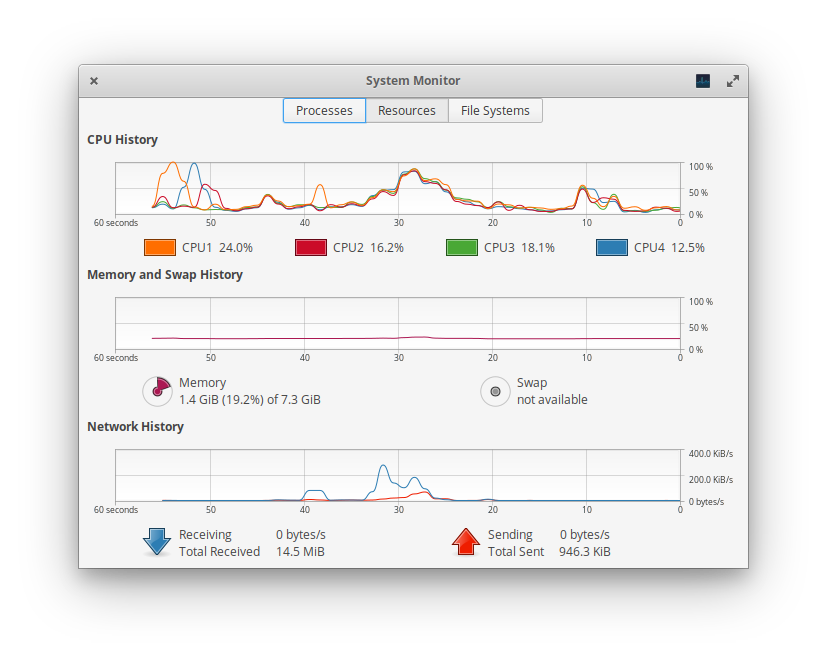
Every application you run consumes resources. A web browser with many tabs open uses a lot of RAM, while a video editing program will heavily tax the CPU. The OS keeps track of this, ensuring that one misbehaving application doesn't bring the entire system to a halt. Tools like the Task Manager in Windows or Activity Monitor in macOS let you see exactly how much CPU, memory, and disk resources each application is using.
Now that you know the key players, let's test your understanding.
What is the primary function of a computer's Central Processing Unit (CPU)?
If the CPU is the computer's brain, then Random Access Memory (RAM) is its __________.
Understanding how these core components work together is the first step in recognizing why a computer might be fast or slow. Each part plays a critical role in the overall performance of the system.