Revive Your Slow Computer
Understanding Computer Performance
The Engine Room of Your Computer
Ever wonder what actually makes your computer fast or slow? It’s not just one thing. A computer's performance is a team effort between several key hardware parts, all managed by its operating system. Think of it like a workshop: you need a skilled worker, a clear workbench, and an organized storage system to get things done efficiently.
CPU
noun
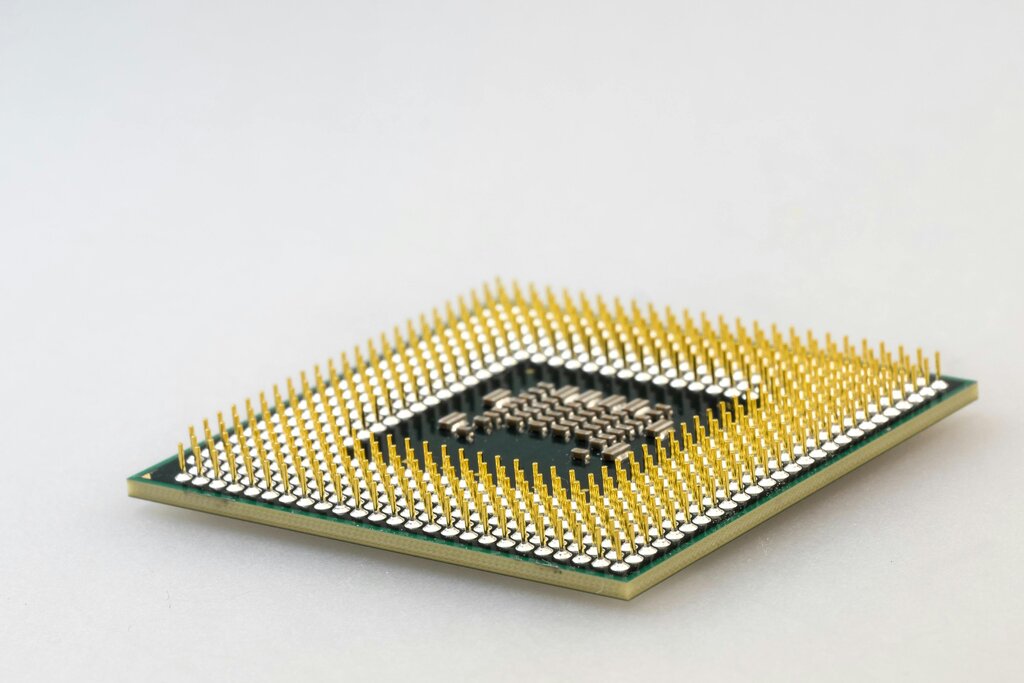
The Central Processing Unit, or CPU, is the primary component of a computer that executes instructions. It's often called the brain of the computer.
The CPU is the primary worker in our workshop analogy. It performs the calculations and executes the commands that allow you to browse the web, edit a photo, or play a game. Every time you click, type, or interact with your device, the CPU processes those requests. A faster, more powerful CPU can handle more instructions per second, making your computer feel snappier and more responsive, especially when dealing with demanding tasks like video editing or complex scientific simulations.
A Workspace for Your Tasks
Random Access Memory, or RAM, is your computer's short-term memory. In our workshop, RAM is the workbench. It’s where the CPU places the tools and materials (your open applications and files) it needs to work on right now. The more RAM you have, the bigger your workbench is.
Having plenty of RAM allows you to multitask smoothly. You can have a web browser with many tabs, a music player, and a word processor all open at once without the system slowing down. If you run out of RAM, your computer has to shuffle data back and forth to the much slower long-term storage, which is like constantly having to fetch tools from a warehouse. This is what causes that frustrating lag when you switch between programs.
The Filing Cabinet
Your storage drive is the computer's long-term memory, like the workshop's filing cabinet. It holds all your files, applications, and the operating system itself, even when the computer is turned off. The speed of this storage has a huge impact on performance, from how quickly your computer boots up to how fast applications launch.
There are two main types of storage drives.
| Type | Technology | Key Feature |
|---|---|---|
| HDD (Hard Disk Drive) | Uses spinning magnetic platters | Larger capacity for less money |
| SSD (Solid-State Drive) | Uses flash-memory chips, no moving parts | Significantly faster performance |
An SSD is much faster than an HDD because it doesn't have to physically seek out data on a spinning disk. Upgrading from an HDD to an SSD is one of the most noticeable performance boosts you can make to a computer. Everything from starting the computer to opening large files happens in a fraction of the time.
The Orchestra Conductor
The operating system (OS), like Windows, macOS, or Linux, is the master conductor. It manages all the hardware components (CPU, RAM, storage) and ensures they work together. The OS allocates resources, deciding which programs get to use the CPU and how much RAM they need.
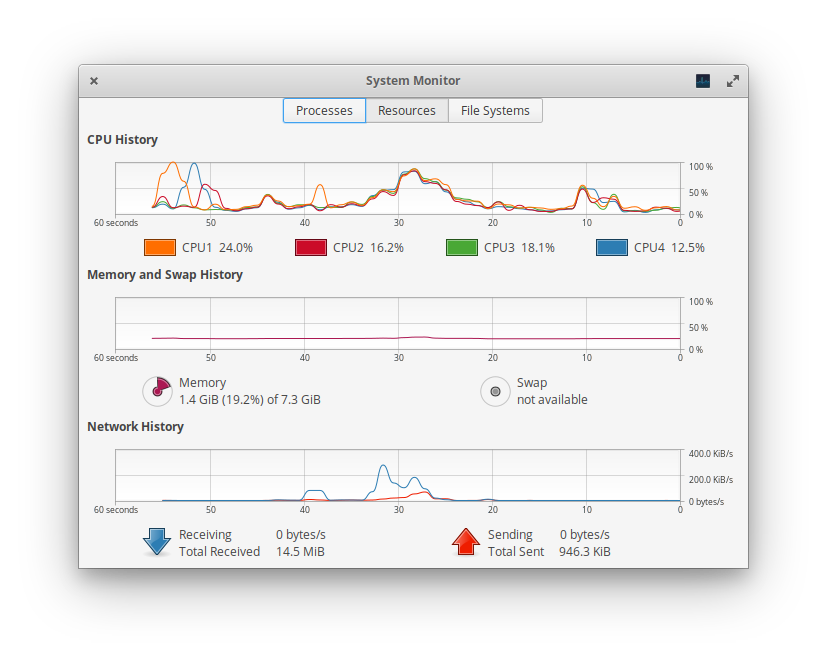
Your OS also runs many processes in the background to keep things running, like checking for updates or syncing files to the cloud. The more applications and background processes you have running, the more work your CPU and RAM have to do. An efficient OS manages these tasks well, but too many active programs can still overwhelm the system, leading to slowdowns.
Programs that run in the background will take up valuable processing power and slow your computer down.
Ultimately, a computer's performance is a balance. A powerful CPU is useless without enough RAM to feed it data, and fast RAM won't help if your storage drive is a bottleneck. The operating system ties it all together, but even the best hardware can be slowed down by too many competing software demands.
Ready to test your knowledge?
In the workshop analogy for computer hardware, what does the Random Access Memory (RAM) represent?
If your computer becomes very slow specifically when you have many applications and browser tabs open at once, which component is most likely the bottleneck?