Revive Your Slow Computer
Understanding Computer Performance
The Core Trio
When your computer feels sluggish, it's usually because one or more key components can't keep up with the demands you're placing on it. Think of computer performance as a team effort between three star players: the Central Processing Unit (CPU), Random Access Memory (RAM), and the storage drive.
CPU
noun
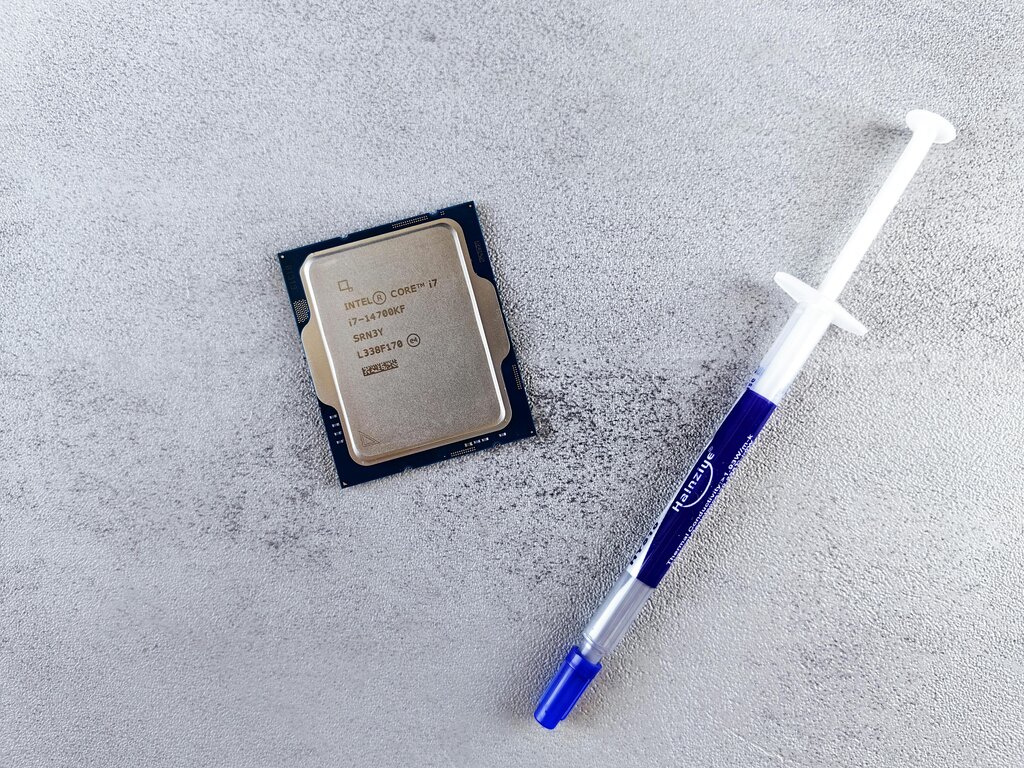
The Central Processing Unit, or CPU, is the primary component of a computer that executes instructions. It performs most of the processing inside the computer.
The CPU is the brain of the operation. It's constantly running calculations and carrying out commands. Every click, every keystroke, and every running program is a list of instructions for the CPU to follow. A faster CPU can process more instructions per second, which makes the entire system feel snappier. If the CPU gets overwhelmed with too many tasks, you'll experience slowdowns and lag.
Next up is RAM. Think of RAM as your computer's workspace or short-term memory. When you open a program, the necessary data is loaded from your storage drive into RAM, where the CPU can access it almost instantly. The more RAM you have, the larger your workspace is. This means you can run more applications at the same time without the system slowing down.
If you run out of RAM, your computer has to start swapping data back and forth with the much slower storage drive to make room. This is a major cause of performance bottlenecks.

Finally, there's the storage drive. This is your computer's filing cabinet, or long-term memory. It's where your operating system, applications, and personal files are permanently stored. Unlike RAM, which is cleared when the power is off, storage drives hold onto data indefinitely.
There are two main types: Hard Disk Drives (HDDs), which use spinning magnetic platters, and Solid-State Drives (SSDs), which use flash memory. SSDs are significantly faster than HDDs, so a computer with an SSD will boot up, launch applications, and open files much more quickly.
| Feature | RAM (Workspace) | Storage (Filing Cabinet) |
|---|---|---|
| Speed | Extremely fast | Slower (SSDs are much faster than HDDs) |
| Purpose | Holds active programs and data | Stores all files and programs permanently |
| Volatility | Volatile (data is lost on power off) | Non-volatile (data is retained) |
| Capacity | Smaller (e.g., 8GB - 64GB) | Larger (e.g., 256GB - 4TB+) |
How They Work Together
These three components are in constant communication. Understanding their workflow is key to understanding performance. Let's say you want to open a web browser.
- You double-click the browser icon.
- The CPU receives this command.
- The computer finds the browser's program files on your storage drive (the SSD or HDD).
- The necessary parts of the program are loaded from the storage drive into RAM.
- The CPU then executes the program's instructions directly from the super-fast RAM.
This flow from slow storage to fast RAM allows the CPU to work efficiently. A bottleneck in any part of this chain—a slow storage drive, not enough RAM, or an overworked CPU—will slow down the entire process.
The Software Side
Hardware is only half the story. The software running on your computer is the other critical piece of the performance puzzle. Your operating system (OS), like Windows, macOS, or Linux, acts as the traffic cop. It manages how all your programs share the CPU, RAM, and storage.
A lean, efficient OS uses fewer resources for itself, leaving more available for your applications. Over time, an OS can become cluttered with unnecessary background processes and startup programs, consuming valuable resources and slowing the system down before you even open an application.
The applications you run also have a huge impact. Some programs are lightweight and optimized to use minimal resources. Others, like high-end video editors or complex games, are resource-hungry by nature. Even simple web browsers can become major resource hogs if you have dozens of tabs open.
Poorly coded software can also cause problems, consuming more CPU power or RAM than necessary, a condition known as a "memory leak."
Great hardware can be brought to its knees by bloated, inefficient software. A balanced system is a fast system.
Now that you know the key players, let's test your understanding.
Which component acts as your computer's short-term memory or 'workspace,' holding data for programs that are currently running?
If you have dozens of browser tabs and several applications open simultaneously and your computer starts to lag, which component is the most likely bottleneck?
Understanding how your computer's components and software work together is the first step toward keeping it running smoothly. When things slow down, you can now think about where the bottleneck might be: the brain (CPU), the workspace (RAM), the filing cabinet (storage), or the management (software).