Revive Your Slow Computer
Understanding Computer Performance
The Core Performance Trio
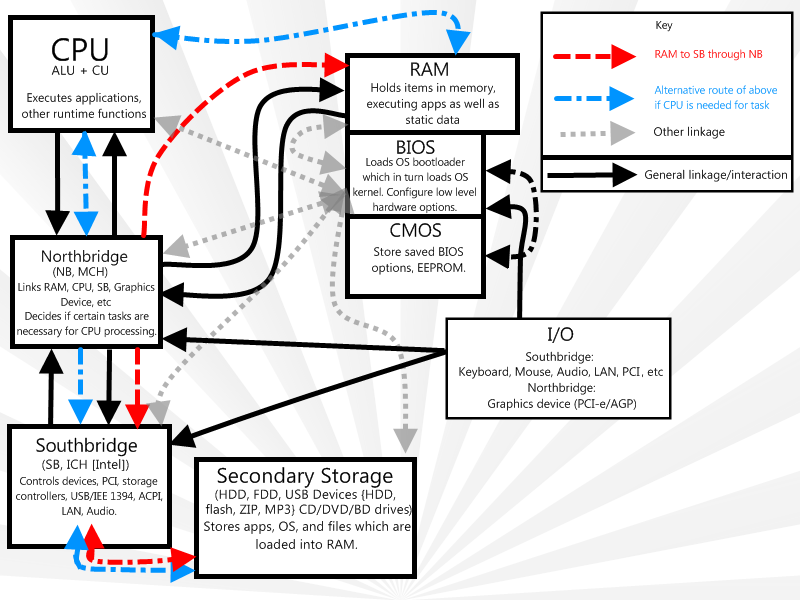
A computer's speed depends on a team of three core hardware components working together: the CPU, RAM, and storage. Think of it like a kitchen. The Central Processing Unit (CPU) is the chef, RAM is the countertop space, and the storage drive (like a hard drive or solid-state drive) is the pantry.
CPU
noun
The Central Processing Unit is the primary component of a computer that executes instructions. It acts as the 'brain' of the computer, performing all the calculations and data processing.
The chef (CPU) is incredibly fast, but can only work on ingredients that are on the countertop (RAM). The pantry (storage) holds all the ingredients (your files, applications, and operating system), but it's slower to access. To get anything done, the required ingredients must first be moved from the pantry to the countertop.
A Balancing Act
Your computer’s overall performance is a balancing act between these three parts. If you have a world-class chef (a fast CPU) but a tiny countertop (not much RAM), the chef will spend most of their time waiting for ingredients to be brought from the pantry. They can't work at full speed because there's no space.
When you open an application, its data is copied from your storage drive into RAM. The CPU then pulls the instructions it needs from RAM to run the program. The more RAM you have, the more applications and files you can have open and ready for the CPU to work on without delay. If you run out of RAM, the computer has to temporarily use a piece of your slower storage drive as 'virtual' memory, which is like the chef having to constantly run back to the pantry. This significantly slows things down.
The speed of your storage matters, too. A solid-state drive (SSD) is like a well-organized, brightly lit pantry. A traditional hard disk drive (HDD) is more like a cluttered, dark closet. Finding ingredients is much faster with an SSD.
Software's Role
Hardware is only half the story. The software—your operating system (OS) and applications—plays a huge part in performance. The OS is the kitchen manager, directing the chef's activities. A clean, efficient OS like a good manager keeps everything running smoothly. But an OS cluttered with unnecessary background processes is like a manager constantly interrupting the chef with trivial requests, slowing down the main meal preparation.
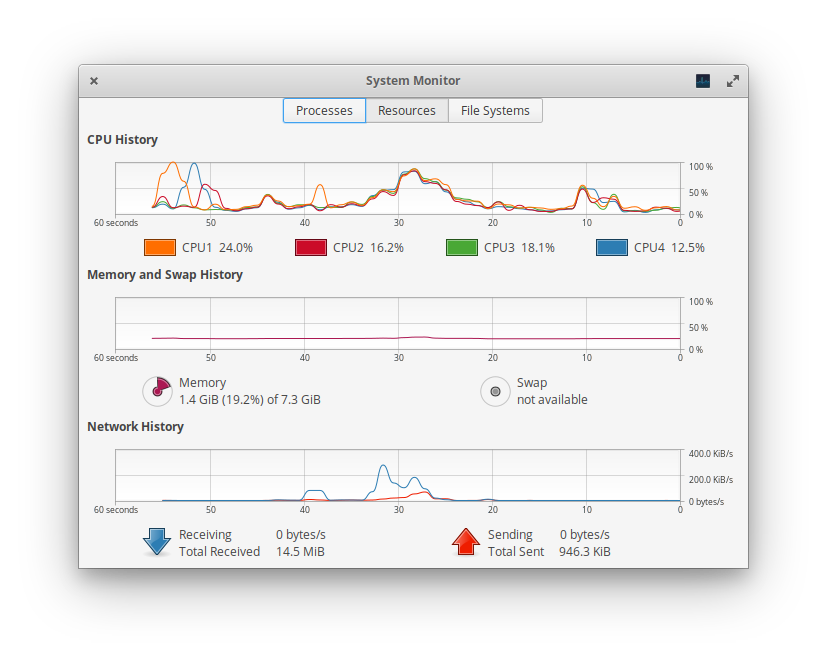
Each application you run is a recipe. Some are simple, like making toast. Others are complex, like a five-course meal. A demanding application like a video game or editing software uses a lot of CPU power and RAM, while a simple text editor uses very little. Running too many 'heavy' applications at once can overwhelm your hardware, leading to sluggish performance, no matter how good the components are.
Now that you understand the key players in computer performance, let's test your knowledge.
In the analogy where a computer is like a kitchen, what does the RAM represent?
What is the most likely consequence of having a powerful, fast CPU but a very small amount of RAM?
Understanding these relationships is the first step in figuring out why a computer might be slow. It’s not always about one component, but how they all work together under the load of your software.