Revive Your Slow Computer
Understanding Computer Performance
The Computer's Brain
The Central Processing Unit, or CPU, is the core of your computer. Think of it as the engine in a car or the chef in a kitchen. It takes instructions from a program or application and performs the calculations needed to execute them. Every time you click your mouse, type a sentence, or open a file, the CPU is processing those commands.
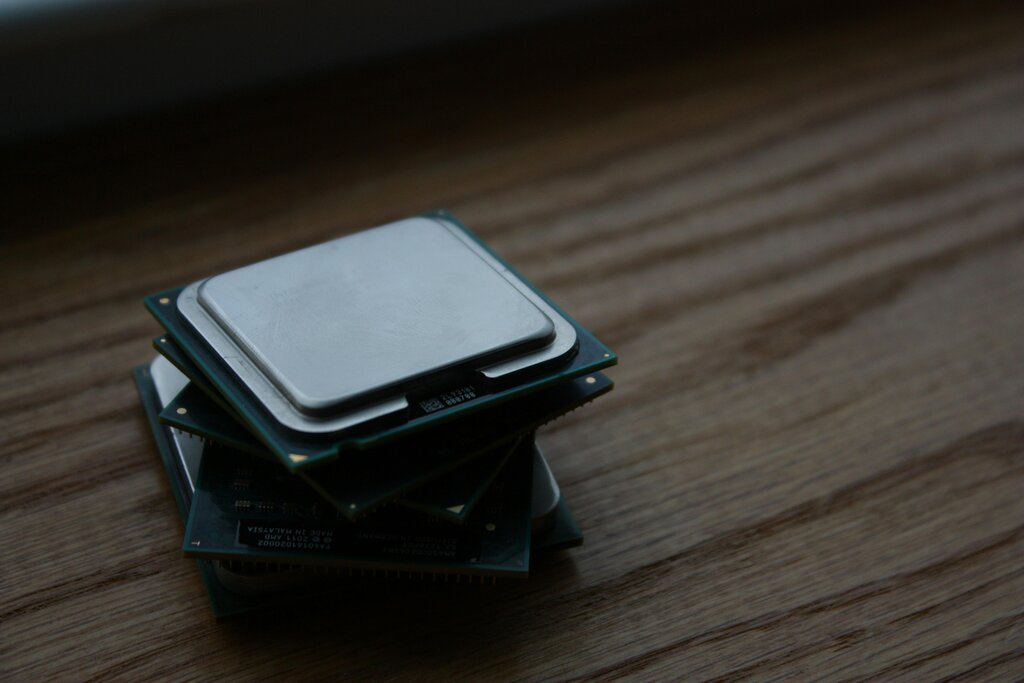
Two key factors determine a CPU's performance: clock speed and the number of cores.
- Clock speed, measured in gigahertz (GHz), tells you how many instructions the CPU can process per second. A higher clock speed means a faster chef who can chop vegetables more quickly.
- Cores are like individual processors within the CPU. A dual-core CPU has two chefs, a quad-core has four, and so on. More cores allow the computer to work on multiple tasks simultaneously, which is why modern computers can run a web browser, a music player, and a word processor all at once without slowing to a crawl.
A faster CPU with more cores can handle more complex tasks and run demanding software, like video editing programs or modern games, much more smoothly.
The Workspace
If the CPU is the chef, then Random Access Memory (RAM) is the kitchen countertop. It's the computer's short-term, high-speed workspace. When you open an application, it gets loaded from your long-term storage into RAM, where the CPU can access it almost instantly.
RAM
noun
A form of computer memory that can be read and changed in any order, typically used to store working data and machine code.
The more RAM you have, the larger your countertop is. This allows you to have more applications open at the same time without a performance drop. If you run out of RAM, your computer has to start shuffling data back and forth to the much slower long-term storage, a process called "swapping." This is like the chef having to constantly run to the pantry for every single ingredient, which dramatically slows down the cooking process.

The Filing Cabinet
Your storage device—whether it's a Hard Disk Drive (HDD) or a Solid State Drive (SSD)—is the computer's long-term memory. It's the filing cabinet or pantry where all your files, applications, and the operating system itself are kept when they're not in use.
The type of storage you have makes a huge difference. An HDD is a mechanical device with a spinning platter and a read/write head, like a tiny record player. An SSD, on the other hand, uses flash memory and has no moving parts. This makes SSDs significantly faster.
| Feature | Hard Disk Drive (HDD) | Solid State Drive (SSD) |
|---|---|---|
| Technology | Spinning magnetic platters | Flash memory chips |
| Speed | Slower | Much faster |
| Startup Time | Longer | Shorter |
| Durability | More fragile | More durable |
| Cost | Less expensive per gigabyte | More expensive per gigabyte |
A computer with an SSD will boot up, open applications, and load files much more quickly than one with an HDD. This is one of the most noticeable performance upgrades you can make.
The Conductor
The operating system (OS), like Windows, macOS, or Linux, acts as the conductor of an orchestra. It manages all the hardware components we've discussed—the CPU, RAM, and storage—and ensures they work together harmoniously. The OS allocates resources, telling the CPU what tasks to work on and managing what gets stored in RAM.

A well-maintained OS contributes to better performance. Over time, an OS can become cluttered with unnecessary files and background processes that consume valuable CPU time and RAM. Keeping the OS updated and clean helps it manage resources efficiently.
Finally, the application software itself plays a role. Some programs are lightweight and use very few resources, while others, like high-end games or professional video software, are resource-heavy. They demand a powerful CPU, ample RAM, and fast storage to run well. The overall performance of your computer is a balancing act between the capabilities of your hardware and the demands of your software, all coordinated by the operating system.
Time to check what you've learned.
In the analogy of a computer as a kitchen, which component acts as the 'chef' responsible for executing instructions?
What does a CPU's clock speed, measured in gigahertz (GHz), indicate?