Revive Your Slow Computer
Understanding Computer Performance
The Core Trio
Think of your computer as a kitchen. To get anything done, you need a chef, some counter space, and a pantry. In a computer, these three roles are filled by the Central Processing Unit (CPU), Random Access Memory (RAM), and storage drives.
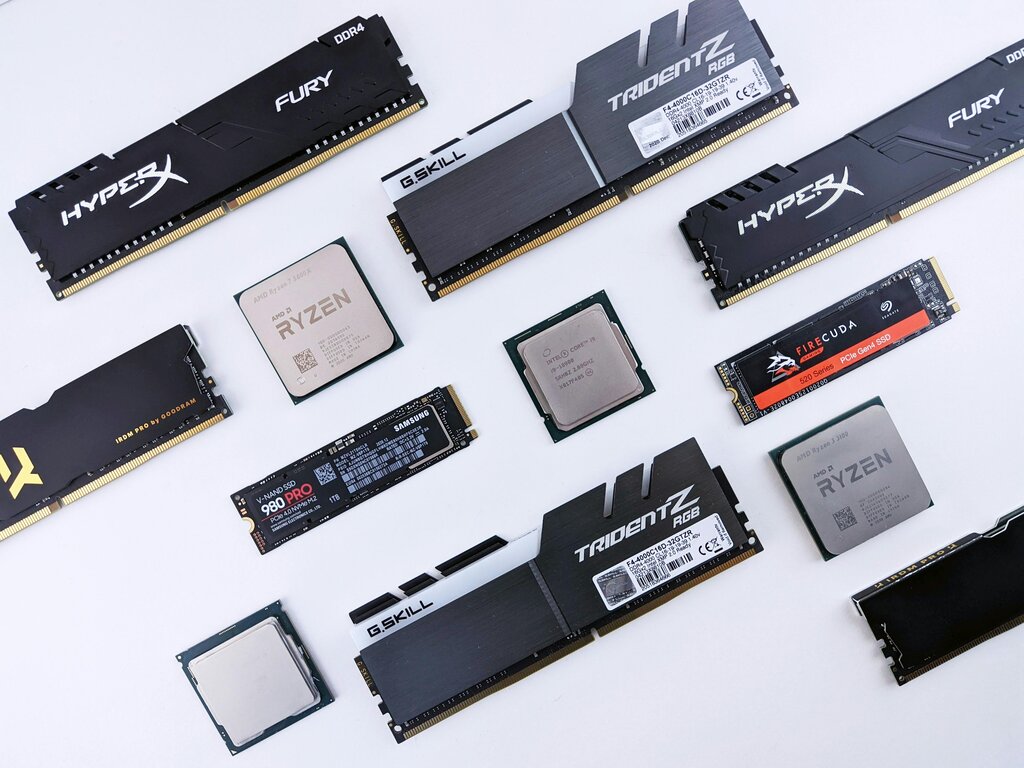
The CPU is the chef. It's the brain of the operation, executing instructions and performing calculations. A faster CPU is like a quicker, more efficient chef who can follow recipes (run programs) at lightning speed. Everything you do, from moving your mouse to streaming a video, is a task handled by the CPU.
The RAM is the countertop space. It’s temporary, high-speed memory where the CPU keeps the data and programs it's actively using. More RAM is like having a larger countertop. A chef with plenty of space can work on multiple dishes at once without getting cluttered. If you run out of RAM, your computer has to shuffle data back and forth to the pantry, which dramatically slows things down.
Storage drives (like a Hard Disk Drive or Solid-State Drive) are the pantry. This is where all your files, applications, and the operating system are permanently stored. When you open a program, the CPU fetches it from the pantry (storage) and puts it on the countertop (RAM) to work with. The speed of your storage determines how quickly you can access your ingredients.
The key takeaway is that these three components work as a team. A lightning-fast CPU won't feel snappy if it's constantly waiting for data from slow RAM or a sluggish storage drive. Balance is essential for good performance.
Software's Role
Hardware is only half the story. The software running on your computer plays an equally important role in its performance. The two main players are the operating system (OS) and the applications you use.
The Operating System (like Windows, macOS, or Linux) is the kitchen manager. It directs the CPU, manages what goes in and out of RAM, and ensures all the different hardware components and software programs work together. A well-designed, modern OS can manage resources efficiently, making the whole system feel responsive. However, the OS itself uses resources, and over time, updates and background processes can add to its overhead.
Applications are the recipes. Some are simple, like a text editor, requiring few resources. Others, like video editing software or complex games, are five-course meals that demand a lot from the CPU, RAM, and storage. Running many applications at once, especially resource-hungry ones, can overwhelm your system.
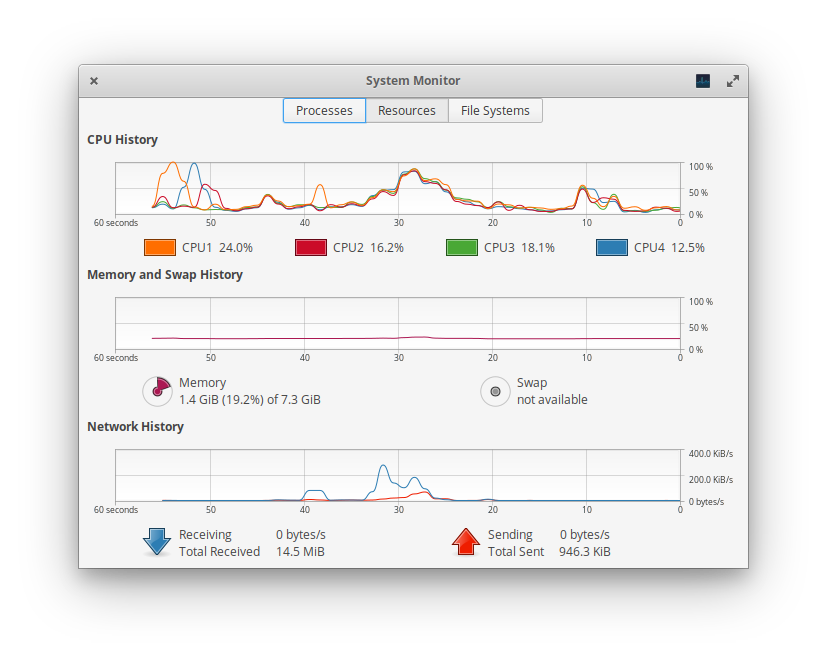
Don't forget about the tasks happening behind the scenes. Your computer runs many background processes for things like antivirus scans, system updates, and syncing files to the cloud. Each one of these nibbles away at your available resources, and too many can lead to a noticeable slowdown, even when you don't seem to be doing much.
Spotting a Slowdown
How do you know when your computer is underperforming? The signs are usually hard to miss, and they often point to a bottleneck in one of the core areas we've discussed. Performance issues aren't just about waiting; they disrupt your workflow and can be a source of constant frustration.
Common signs of a slow computer include long boot times, applications that freeze or take forever to open, lag when switching between programs, and files that are slow to open or save.
For example, if your computer takes ages to start up, it could mean your storage drive is slow at loading the operating system into RAM. If applications become unresponsive when you have many open, you might be running out of RAM. And if everything just feels generally sluggish, your CPU may be struggling to keep up with the demands of modern software. Recognizing these signs is the first step toward understanding what your computer is trying to tell you.
Using the 'computer as a kitchen' analogy, which component represents the temporary workspace or 'countertop' where active tasks are handled?
If your computer becomes very slow and unresponsive specifically when you have many applications and browser tabs open at the same time, what is the most likely bottleneck?
Understanding how your computer's hardware and software interact is key to recognizing why it might feel slow. It's all about the balance between the components and the demands placed on them.