Revive Your Slow Computer
Understanding Computer Performance
The Brains of the Operation
At the heart of your computer is the Central Processing Unit, or CPU. Think of it as the computer's brain. It performs the calculations and executes the instructions that make everything else happen. When you click an icon, type a sentence, or watch a video, the CPU is doing the heavy lifting behind the scenes.
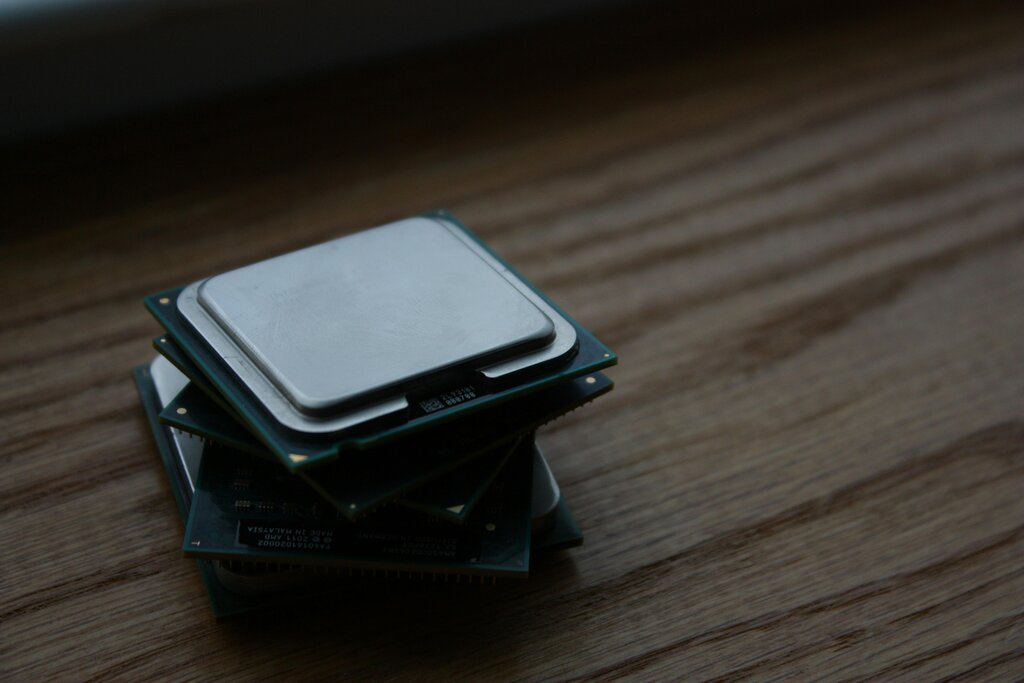
A CPU's performance is often measured in gigahertz (GHz), which tells you how many cycles, or operations, it can perform per second. A higher number generally means a faster CPU. Another key factor is the number of cores. A multi-core CPU is like having multiple brains working together on different tasks simultaneously. This is why a quad-core processor can handle running a web browser, a music player, and a word processor all at once without breaking a sweat.
More cores and a higher clock speed (GHz) usually mean a faster, more responsive computer, especially when you're doing several things at once.
The Computer's Workspace
If the CPU is the brain, then Random Access Memory, or RAM, is the computer's short-term memory or workspace. When you open a program, it gets loaded from your storage drive into RAM. The CPU can access data from RAM incredibly quickly, which is essential for smooth performance.
RAM
noun
Random Access Memory. A form of volatile computer memory that can be read and changed in any order, typically used to store working data and machine code.
The amount of RAM you have determines how many applications you can run smoothly at the same time. If you don't have enough RAM for everything you have open, your computer has to start shuffling data back and forth between the RAM and your much slower storage drive. This process, called "swapping," can bring your system to a crawl.
Imagine a chef (the CPU) working at a small kitchen counter (the RAM). If the counter is big enough, they can have all their ingredients and tools out and ready to go. If the counter is too small, they have to constantly walk back to the pantry (the storage drive) to get what they need, slowing down the whole cooking process.

Long-Term Storage
Your storage drive is where all your files, applications, and the operating system are kept permanently. Unlike RAM, which is volatile and forgets everything when the power is off, storage is non-volatile. There are two main types of storage drives: Hard Disk Drives (HDDs) and Solid-State Drives (SSDs).
| Feature | Hard Disk Drive (HDD) | Solid-State Drive (SSD) |
|---|---|---|
| Technology | Spinning magnetic platters | Flash memory chips |
| Speed | Slower | Much faster |
| Cost | Cheaper per gigabyte | More expensive per gigabyte |
| Durability | More fragile due to moving parts | More durable, no moving parts |
An HDD is an older technology that uses a physical spinning disk to read and write data, much like a tiny record player. An SSD, on the other hand, uses interconnected flash-memory chips and has no moving parts. This fundamental difference makes SSDs significantly faster. A computer with an SSD will boot up, launch applications, and open files much more quickly than one with an HDD.
The Conductor
The operating system (OS), like Windows, macOS, or Linux, acts as the conductor of an orchestra. It manages all the hardware components we've discussed—the CPU, RAM, and storage—and ensures they work together efficiently. The OS decides which tasks the CPU should work on, allocates memory in RAM to different applications, and manages how files are written to and read from your storage drive.
An efficient OS can make a huge difference in performance. It juggles multiple programs, prioritizing important tasks and making sure no single application hogs all the resources. When you see a spinning wheel or a frozen screen, it's often because the OS is struggling to manage the demands being placed on the hardware by the software you're running.
Slow computer performance affects productivity and user experience, but most issues can be resolved through simple maintenance tasks.
Understanding these core components is the first step. The interplay between your CPU, RAM, storage, and OS defines your computer's speed and responsiveness.
Which component is analogous to a computer's short-term memory or workspace, holding data for programs that are currently running?
What is the primary advantage of a multi-core processor compared to a single-core processor?