Python Repository Pattern for Backends
Introduction to Design Patterns
What Are Design Patterns?
When building a house, you don't reinvent the concept of a door or a window. You use established, effective solutions for common needs. Software development is similar. Over time, programmers have encountered the same problems again and again. Instead of starting from scratch each time, they've developed standard solutions to these recurring challenges.
These solutions are called design patterns. They aren't finished code you can copy and paste. Think of them more like a blueprint or a strategy. A design pattern describes a common problem and provides a well-tested, general approach to solving it within a particular context.
Design patterns are reusable solutions to common software design problems that help developers build cleaner and more maintainable systems.
They provide a shared vocabulary that allows developers to communicate more efficiently. Instead of describing a complex setup in detail, a programmer can simply say they're using a specific pattern, and the whole team understands the structure and intent.
Why Bother With Patterns?
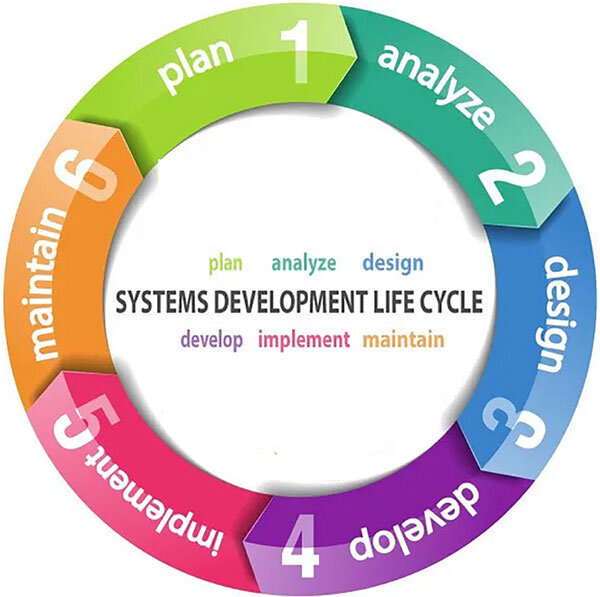
Using design patterns brings structure and efficiency to the development process. Just as a project manager follows a lifecycle to ensure a project is completed successfully, a developer uses patterns to ensure the code is robust and well-organized.
The primary benefits are maintainability and scalability. Code that follows a recognized pattern is easier for other developers to understand, debug, and extend. When a new person joins the team, they can get up to speed much faster if the codebase uses familiar structures.
Furthermore, these patterns are designed to create flexible systems. They help decouple different parts of your application, meaning a change in one area is less likely to break another. This makes it easier to grow and adapt the application over time without needing a complete rewrite.
The Three Main Categories
Design patterns are typically grouped into three main categories based on their purpose. This classification system helps developers choose the right pattern for the job.
Creational Patterns provide ways to create objects while hiding the creation logic. This makes a program more flexible in deciding which objects need to be created for a given use case. Think of it like a factory that can produce different types of toys without the customer needing to know how each toy is assembled.
Structural Patterns are about organizing different classes and objects to form larger structures and provide new functionality. They focus on how objects are composed and related to one another. An analogy would be how bricks, wood, and glass are put together in a specific way to build a house.
Behavioral Patterns focus on the communication between objects. They identify common communication patterns and realize these patterns in a way that increases flexibility in carrying out this communication. This is like the rules of the road for traffic; drivers follow established patterns (like stopping at red lights) to interact safely and efficiently.
| Category | Purpose | Common Examples |
|---|---|---|
| Creational | Object instantiation | Factory, Singleton, Builder |
| Structural | Composition of classes/objects | Adapter, Decorator, Facade |
| Behavioral | Object communication | Observer, Strategy, Command |
Now that you have a grasp of what design patterns are and why they're useful, let's test your knowledge.
What is the best description of a software design pattern?
What is a primary benefit of using design patterns in a team environment?
Understanding these fundamental concepts is the first step toward writing more professional, scalable, and maintainable code. They are a core part of a software developer's toolkit.