Python Programming Fundamentals
Python Basics
Getting Started with Python
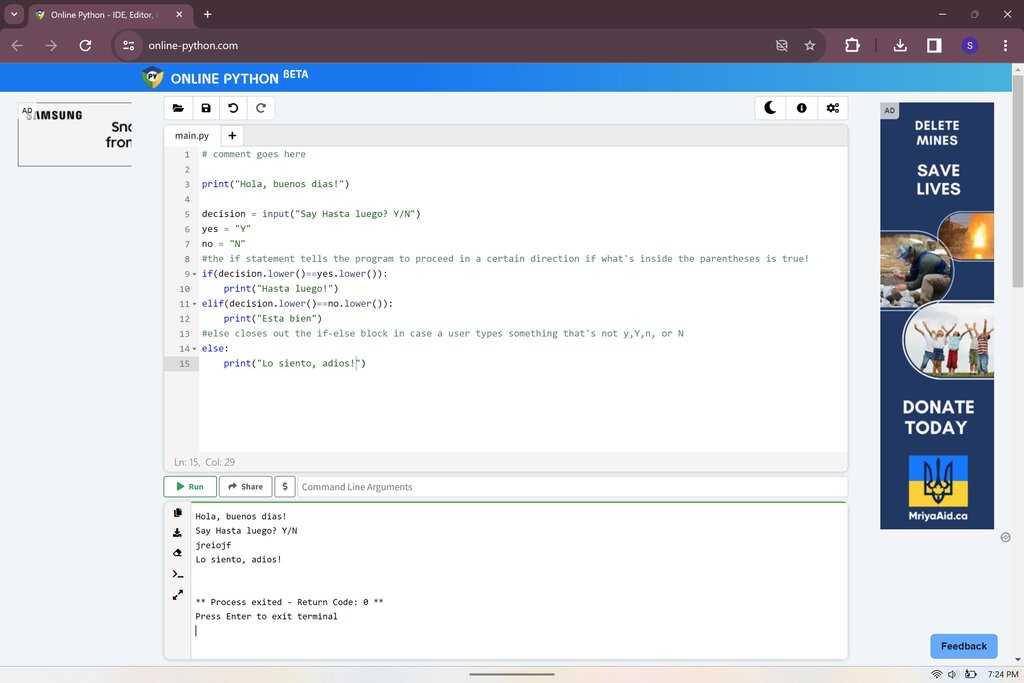
Before you can write Python code, you need a place to write and run it. This is your Python environment. You have two main options: install Python on your computer or use an online editor.
Installing Python directly from the official website, python.org, gives you the most control. Once installed, you can run Python from your computer's terminal or command line. However, for getting started quickly, an online editor is often easier. Websites like Replit or Programiz offer ready-to-use Python environments right in your browser, no setup required.
The Language of Python
Every language, whether spoken or for programming, has rules. In programming, these rules are called syntax. Python is famous for its clean and readable syntax, which often looks a lot like plain English. This makes it a great language for beginners.
A line of code that performs an action is called a statement. The most basic and useful statement for a beginner is one that displays information. In Python, we do this with the print() function.
A function is a named block of code that performs a specific task. We'll explore them in more detail later, but for now, think of
print()as a command that tells Python to show something on the screen.
Let's write our first program. It's a tradition for a programmer's first code to print the phrase "Hello, World!".
print("Hello, World!")
When you run this code, the text Hello, World! appears on the screen. The text inside the parentheses is called an argument, and in this case, it's a piece of text data called a string.
Storing Information
Programs need to remember things. To do this, we use variables. Think of a variable as a labeled box where you can store a piece of information. You give the box a name, and you can put something inside it. Later, you can look inside the box by using its name.
variable
noun
A named container for storing a value. The value can be changed during program execution.
Creating a variable and giving it a value is called assignment. In Python, we use the equals sign = for assignment. This isn't the same as the equals sign in math; it means "store the value on the right in the variable on the left."
# The variable is 'message'
# The value is the string "Hello, Python!"
message = "Hello, Python!"

# Now we can print the variable's value
print(message)
Running this code will display Hello, Python!. We stored the string in the message variable and then told print() to show what was inside message.
Types of Data
Variables can hold different kinds of information. These different kinds are called data types. Python has several basic data types, and it's smart enough to figure out the type on its own.
Strings are sequences of characters, like text. You create them by wrapping text in single (') or double (") quotes.
greeting = "Good morning!"
Integers are whole numbers, without any decimal points.
user_count = 100
Floats, or floating-point numbers, are numbers that have a decimal point.
price = 19.99
Booleans can only have one of two values: True or False. They are essential for logic and making decisions in code.
is_active = True
You can use the print() function to display the values of all these variable types.
So far, we've only been sending information out. To make programs interactive, we need to get information in. We can get input from a user with the input() function. This function pauses the program and waits for the user to type something and press Enter.
# The text inside input() is the prompt shown to the user
name = input("What is your name? ")

# Greet the user by name
print("Hello, " + name + "!")
If you run this code, it will ask for your name. If you type "Alex" and press Enter, it will print Hello, Alex!. The input() function always returns the user's entry as a string, even if they type numbers.
Now that you can store data and interact with a user, you're ready to test your knowledge.
What are the two main ways to set up a Python environment for writing and running code?
Which line of code will correctly display the text "Python is fun" on the screen?
You've just taken your first steps into the world of Python. You've learned how to set up your environment, write simple commands, store information, and handle basic data. These are the fundamental building blocks for everything that comes next.