Python Programming Fundamentals
Introduction to Python
What is Python?
Python is a versatile and powerful programming language, but its main claim to fame is simplicity. The code is designed to be readable and straightforward, almost like plain English. This makes it a fantastic language for beginners.
It was created in the late 1980s by Guido van Rossum, who wanted a language that was easy to learn but also capable of handling complex tasks. Today, Python is used everywhere: from web development and data analysis to artificial intelligence and scientific computing.
Key features of Python include its clean syntax, a large standard library (pre-written code you can use), and its support across all major operating systems.
Installing Python
First things first: you need to install Python on your computer. The good news is that it's completely free and the process is quite simple.
Head over to the official Python website at python.org. The site will automatically detect your operating system (like Windows, macOS, or Linux) and suggest the correct installer for you to download. Just download the file and run it, following the on-screen instructions.
During installation, make sure to check the box that says "Add Python to PATH" or something similar. This small step will make it much easier to run Python from your command line.
Your First Conversation with Python
Once installed, you can start talking to Python directly using its interactive shell. This is a tool that lets you type Python code one line at a time and see the results immediately. It's a great way to experiment and learn.
To open it, first open your computer's command line tool. This is often called Terminal on macOS and Linux, or Command Prompt/PowerShell on Windows. Once it's open, just type python (or sometimes python3) and press Enter.
You'll know it worked if you see a prompt that looks like three greater-than signs (>>>). This is Python telling you, "I'm ready for your command."
>>> 2 + 5
7
>>> 10 - 3
7
>>>
Try typing a few simple math problems. Python will calculate the answer and show it to you on the next line, then give you a new prompt, ready for the next command.
Writing Your First Program
While the interactive shell is great for quick tests, you'll usually write programs in files. A Python program is just a text file that ends with a .py extension.
The most basic and traditional first program is one that simply displays "Hello, World!" on the screen. In Python, this is incredibly simple. We use a built-in command, or function, called print().
# This is a comment. Python ignores anything after a #

# The print() function displays text on the screen.
print("Hello, World!")
In this example, print() is the function we're calling. The text inside the parentheses, "Hello, World!", is what we want the function to display. The quotation marks tell Python that this is a piece of text, also known as a string.
Notice the comment, which starts with a #. Python completely ignores these lines. Comments are for humans—they help you and others understand what your code is doing.
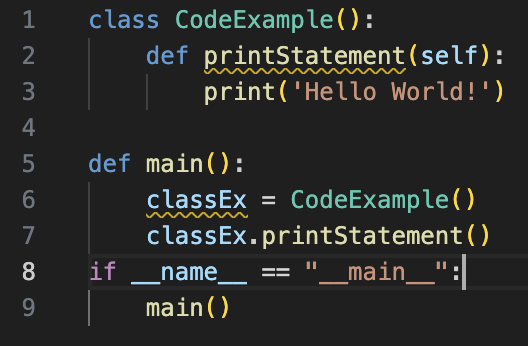
This simple structure—calling functions and providing them with information—is the fundamental building block of all Python programs.