Python Programming Fundamentals
Introduction to Python
What Is Python?
Python is a programming language, which is a way for humans to give instructions to computers. It was created in the late 1980s by Guido van Rossum. He named it after the British comedy troupe Monty Python, not the snake.
Van Rossum wanted to create a language that was easy to read and write. The goal was to let programmers write clear, logical code for projects of all sizes. This focus on simplicity and readability is a big reason why Python has become so popular.
The core philosophy is that code should be readable and simple. If you can write an idea in plain English, you can probably write it in Python without much trouble.
Because it's so versatile, Python is used almost everywhere. It powers parts of big websites like Instagram and Spotify. Scientists use it for data analysis and research. Artists use it to create special effects in movies. It's also a top choice for artificial intelligence and machine learning.

Getting Python on Your Computer
Before you can start writing Python code, you need to install it. The process is straightforward and only takes a few minutes. You'll be downloading the official installer from the Python website.
First, go to python.org and find the downloads section. The website usually detects your operating system (like Windows or macOS) and suggests the best version for you.
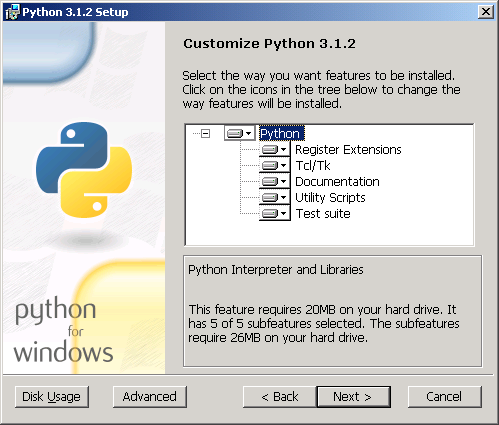
When you run the installer, make sure to check the box that says "Add Python to PATH" on Windows. This small step makes it much easier to run Python from your computer's command line, a tool we'll use later.
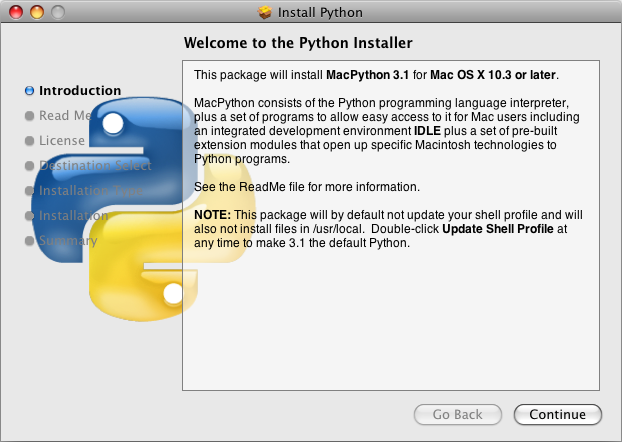
For macOS users, the installation process is very similar. Just download the installer package and follow the on-screen instructions.
Once the installation is complete, Python is ready to go. The installation also includes a simple program called IDLE (Integrated Development and Learning Environment). Think of IDLE as a basic text editor and a place to run your Python code, all in one.
Your First Program
It's a tradition in programming to make your first program display the message "Hello, World!" on the screen. This is a simple way to confirm that everything is set up correctly.
Let's write this program using Python. Open IDLE, which you can find by searching for it on your computer.
In IDLE, you'll see a window with a prompt that looks like
>>>. This is the Python shell, where you can type commands one at a time.
Type the following line of code at the prompt and press Enter:
print("Hello, World!")
The computer will immediately respond by printing the text on the next line:
Hello, World!
Congratulations, you've just written and run your first Python program!
Let's quickly break down what you wrote. print() is a built-in Python function that tells the computer to display something on the screen. The text inside the parentheses and quotation marks is the specific message you want to show. The rules for how to write commands like this are called the language's syntax.
syntax
noun
The set of rules that defines the combinations of symbols that are considered to be correctly structured programs in a specific programming language.
You can also write programs in a file and then run the whole file at once. In IDLE, you can go to File > New File to open a text editor. Type your print() command in this new window, save the file with a .py extension (like hello.py), and then press F5 to run it. The output will appear back in the Python shell window.
This is how most programs are written. You write the code in a file, save it, and then tell the computer to execute the instructions in that file.
Ready to check your understanding?
Who is the creator of the Python programming language?
What was a primary design goal for the Python language?
You've taken your first steps into the world of programming with Python. You know where it came from, how to get it running, and how to write a basic command.