Python Programming Fundamentals
Python Basics
Getting Started with Python
Python is a powerful and popular programming language known for its simple, readable syntax. It's used everywhere, from web development and data science to artificial intelligence. The first step to using it is setting up your programming environment.
To get started, you'll need to install Python on your computer. You can download the latest version for free from the official website, python.org. The installation is straightforward and includes a program called IDLE, which is a simple environment for writing and running Python code. It also gives you access to the Python interactive shell, a tool that lets you type commands one at a time and see the results immediately. It's a fantastic way to experiment and learn.
Let's try the classic first program: printing "Hello, World!" to the screen. In Python, you use the print() function to display output. Open your Python shell or a new file in IDLE and type the following:
print("Hello, World!")
When you run this line of code, the text Hello, World! will appear as output. Congratulations, you've just written your first Python program!
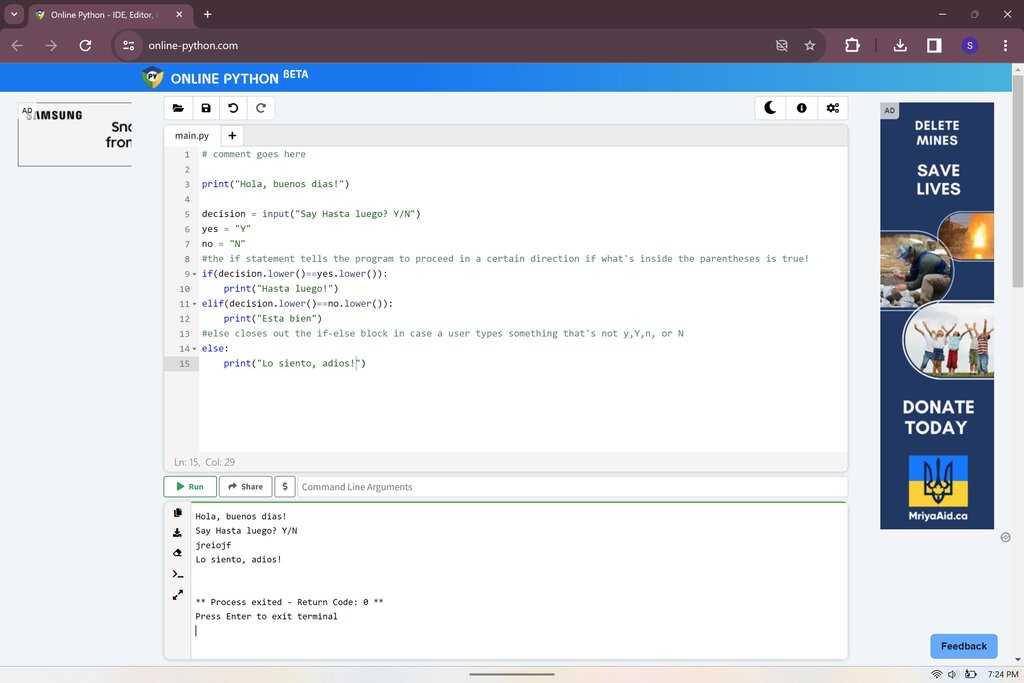
The Rules of the Road
One of Python's defining features is its clean and readable syntax. Unlike many other programming languages that use curly braces {} to group code, Python uses indentation. This means the whitespace at the beginning of a line is not just for looks—it's part of the program's structure.
In Python, indentation matters. It's how the interpreter understands which lines of code belong together.
You can use either tabs or spaces for indentation, but you must be consistent within a single file. The standard convention, and what's most recommended, is to use four spaces for each level of indentation.
Another important part of writing clean code is adding comments. Comments are notes for human readers that the Python interpreter ignores. In Python, you can create a comment by starting a line with a hash symbol (#).
# This is a comment. Python will ignore it.
print("This line will be executed.")

# Comments can also explain what a line of code does.
print("Hello again!")  # Display a friendly greeting.
Storing Information
Programming involves working with data. To keep track of data, we use variables. Think of a variable as a labeled box where you can store a piece of information. You give the box a name, and you can put things in it, take them out, or replace them with something new.
variable
noun
A name that refers to a value stored in the computer's memory.
Creating a variable in Python is simple. You just choose a name, use the equals sign (=), and provide the value you want to store.
message = "Hello, Python learner!"
user_age = 25
pi_approx = 3.14
The data we store in variables comes in different forms, or data types. Python has several built-in types. The most common ones are:
| Data Type | Description | Example |
|---|---|---|
int | Integer, for whole numbers. | 10, -5, 0 |
float | Floating-point number, for decimals. | 3.14, -0.001 |
str | String, for sequences of characters (text). | "Hello", 'Python' |
bool | Boolean, for truth values. | True, False |
Python is dynamically typed, which means you don't have to explicitly declare the data type of a variable. Python figures it out automatically based on the value you assign.
Basic Operations
Once you have variables, you can perform operations on them. Python supports standard mathematical operators for numbers.
You can combine these operators into expressions. Python follows the standard order of operations (PEMDAS/BODMAS): Parentheses, Exponents, Multiplication/Division, and Addition/Subtraction.
result = (4 + 6) * 2 - 5
print(result)  # Output: 15
The + operator can also be used to concatenate, or join, strings together.
first_name = "Ada"
last_name = "Lovelace"
full_name = first_name + " " + last_name
print(full_name)  # Output: Ada Lovelace
Besides sending output to the screen with print(), you can also get input from a user. The input() function prompts the user to type something and returns their entry as a string.
user_name = input("What is your name? ")
print("Hello, " + user_name + "!")
Watch out! The
input()function always returns a string. If you need a number, you'll have to convert it usingint()orfloat().
age_string = input("How old are you? ")
age_number = int(age_string)
year_of_birth = 2024 - age_number
print(year_of_birth)
Now it's time to check what you've learned.
Which line of code correctly prints the text 'Hello, Python!' to the screen?
What is the primary purpose of indentation in Python?
You've taken your first steps into Python. You know how to set up your environment, write simple statements, use variables to store different types of data, and perform basic operations. This foundation is the key to building more complex and interesting programs.