Python Programming for Analysts
Python Setup
Setting Up Your Workspace
Before you can start writing Python code, you need two things: the language itself and a place to write it. The language comes from the official Python interpreter, which is a program that understands and executes your commands. Think of it as a translator that converts your human-readable code into instructions the computer can follow.

You'll also want an (IDE). This is a specialized text editor with helpful features for programmers, like syntax highlighting and error checking. While you could use a basic text editor, an IDE makes the process much smoother. For this course, we'll focus on two popular options: Visual Studio Code (VS Code) and Jupyter Notebooks.
The Interactive Prompt
One of the most useful features for learning Python is its interactive prompt, also known as a REPL. This is a simple command-line interface where you can type Python code one line at a time and see the result immediately. It's a great way to experiment with code snippets without creating a full file.
```bash
# Open your terminal or command prompt and type 'python' or 'python3'
python3

# The Python REPL will start, indicated by '>>>'
Python 3.10.8 (main, Nov 24 2022, 14:13:03) [GCC 11.2.0] on linux
Type "help", "copyright", "credits" or "license" for more information.
>>>
Once you see the >>> prompt, you're inside the REPL. You can now type Python commands. For example, the print() function is the standard way to display output. Let's try it.
```python
>>> print("Hello, world!")
Hello, world!

>>> 2 + 2
4
Notice that when you just type 2 + 2, the REPL automatically prints the result, 4. This is part of its 'Print' step. The print() function gives you more explicit control over what gets displayed.
Running a Script File
While the REPL is great for quick tests, you'll write most of your code in files. These are typically saved with a .py extension. An IDE like VS Code is perfect for this. You write your instructions sequentially in the file, and the Python interpreter executes them from top to bottom.

Let's create a file named hello.py and put one line of code in it.
# hello.py

print("This is a Python script.")
To run this file, you open your terminal, navigate to the directory where you saved hello.py, and run the python3 command followed by the filename.
```bash
# In your terminal
python3 hello.py
The computer will execute the script, and you'll see the output:
This is a Python script.
Another powerful environment is Jupyter Notebooks. These allow you to mix runnable code cells with text, images, and plots in a single document. This format is especially popular in data science and research because it lets you explain your thought process right alongside the code that performs the analysis.
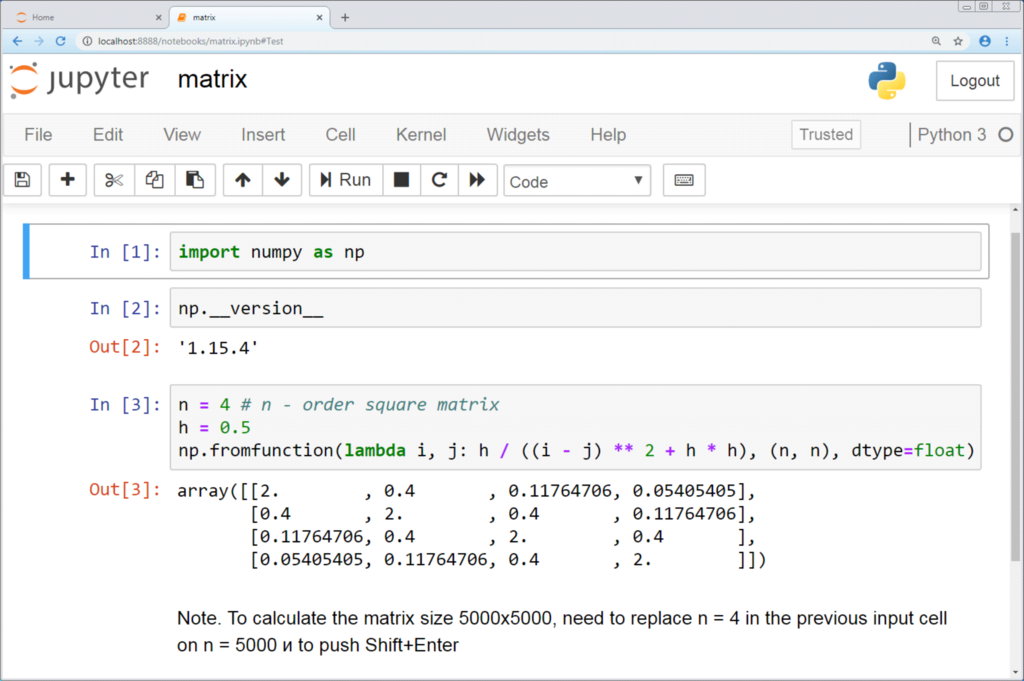
Whether you're using the REPL, a .py script, or a Jupyter Notebook, the core idea is the same. You write high-level instructions, and the Python interpreter executes them in order.