Python PDF OCR and Page Analysis
Introduction to OCR
Teaching Computers to Read
Think about an old, printed book. You can read the words, but to your computer, the pages are just images. You can't copy a sentence, search for a character's name, or translate a paragraph into another language. The text is locked inside the picture.
Optical Character Recognition, or OCR, is the technology that unlocks it. It converts images of text—from scanned documents, PDFs, or photos—into actual text data that a computer can understand, edit, and search. In short, OCR teaches computers how to read.
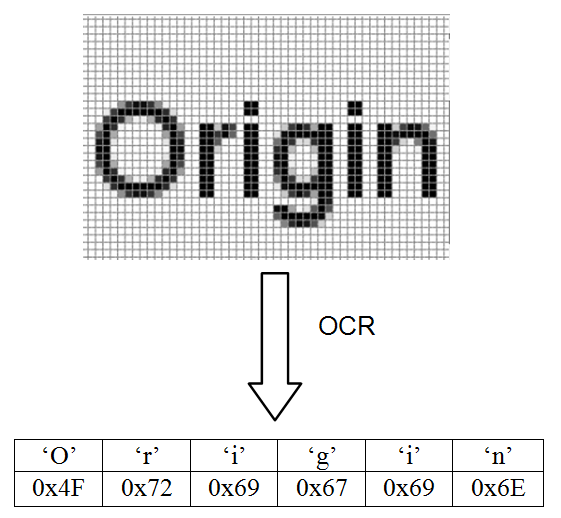
The idea isn't new. Early forms of OCR existed in the early 20th century to help visually impaired people read. But it was modern computing and artificial intelligence that made the technology powerful and accessible. Today, it’s a key part of how we digitize and manage information.
From Archives to Automation
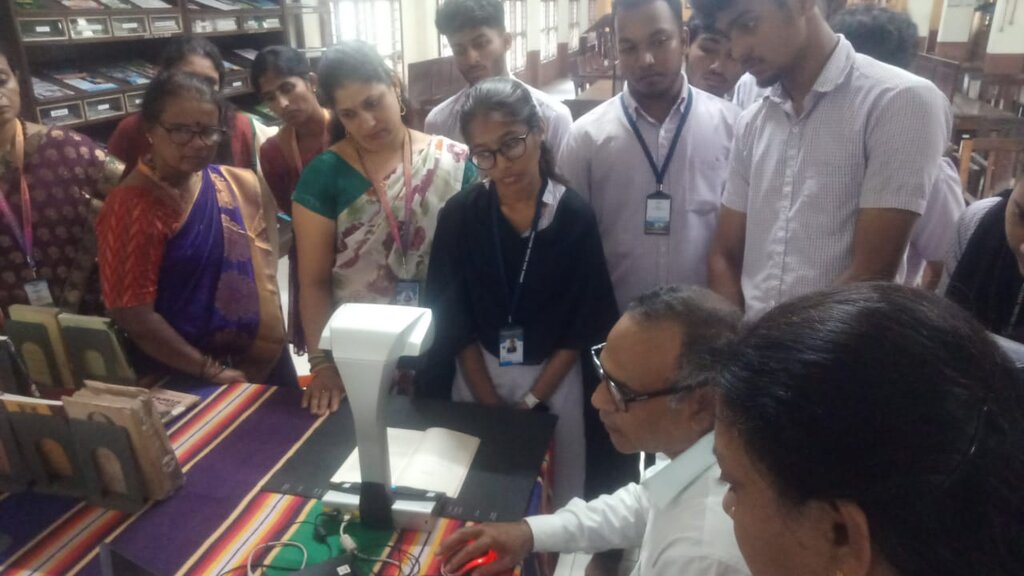
OCR works quietly in the background in many parts of our lives. Libraries and museums use it to digitize historical archives, making centuries-old manuscripts and newspapers searchable for researchers and the public. Without it, these documents would remain physical objects, accessible only to those who could visit in person.
In the business world, OCR is a workhorse for automation. It captures information from invoices, contracts, and receipts, eliminating the slow and error-prone process of manual data entry. Instead of a person typing numbers from a receipt into a spreadsheet, a simple photo is all that's needed.
Incorporating OCR into your workflow will save you time by automating document management, reducing manual data entry and increasing efficiency.
You've likely used OCR without even realizing it. Mobile banking apps use it to deposit checks from a photo. Mail services use it to sort millions of letters by reading handwritten addresses. Traffic systems identify cars by reading license plates. This technology is fundamental to turning visual information into useful, structured data.
The Challenges of Reading
Recognizing text seems easy for us, but for a machine, it's full of challenges. The world isn't filled with perfectly clean, standardized text.
One of the biggest hurdles is variety in type. An OCR system trained on a standard font like Times New Roman might struggle with a decorative script, an unusual font, or simply messy handwriting. Each person's handwriting is unique, making it one of the hardest tasks for OCR to perform accurately.
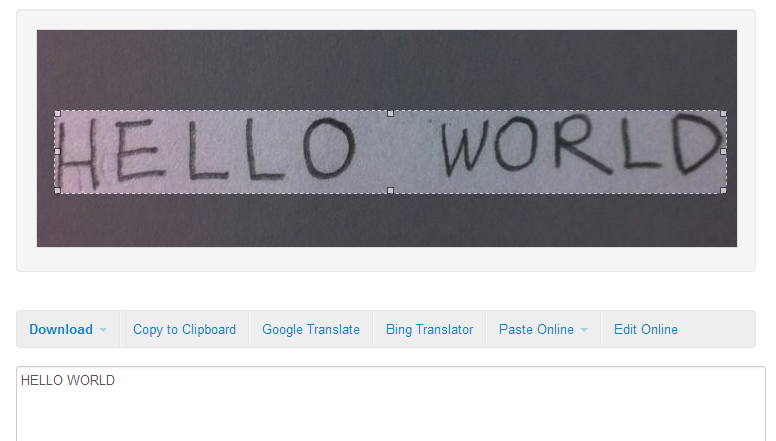
The quality of the image itself is also crucial. A blurry photo, a page with coffee stains, poor lighting, or a document scanned at a crooked angle can confuse the software. The system might misinterpret an 'e' as a 'c' or mistake a smudge for a period.
Finally, the layout of a document matters. A simple page of text is one thing, but a magazine article with columns, captions, and images requires the OCR to understand the reading order. It has to figure out which block of text comes first, a task that is intuitive for us but complex for an algorithm.
What is the primary function of Optical Character Recognition (OCR)?
Which of the following is a common challenge for OCR technology?
OCR is a powerful tool for bridging the gap between the physical and digital worlds, but its effectiveness depends heavily on the quality of the source material and the sophistication of the software.