Python Fundamentals for Beginners
Introduction to Python
Meet Python
Python is a high-level programming language known for its simplicity and readability. Created by Guido van Rossum and first released in 1991, its design philosophy emphasizes code that is easy to read and write. The name comes from Monty Python's Flying Circus, a British comedy series, which gives you a hint about its fun and accessible nature.

Unlike some other languages that use complex syntax, Python code often looks like plain English. This makes it an excellent choice for beginners who are just starting their coding journey. It's also an interpreted language, which means you can run your code line by line and see the results immediately, making it easier to learn and debug.
Python's simple, clean syntax makes it one of the most approachable programming languages for newcomers.
What Can You Do with Python?
Python is incredibly versatile. It's not just a language for one specific task; it's a general-purpose tool used across many different industries and fields. This wide range of applications is a major reason for its immense popularity.

Here are a few areas where Python shines:
- Web Development: Frameworks like Django and Flask allow developers to build powerful web applications quickly.
- Data Science & Machine Learning: Libraries such as pandas, NumPy, and TensorFlow have made Python the go-to language for analyzing data, creating visualizations, and building artificial intelligence models.
- Automation: Python is perfect for writing scripts to automate repetitive tasks, like organizing files, sending emails, or scraping data from websites.
- Software Development: It's used to build desktop applications, games, and other software.
Your First Steps
Ready to write some code? The first step is to get Python installed on your computer. It's a straightforward process. You'll also need a place to write and run your code, which is where a code editor or an Integrated Development Environment (IDE) comes in.
You can download the latest version of Python for your operating system directly from the official website, python.org. Just find the 'Downloads' section.

Once Python is installed, you'll need a good code editor. While you can use a simple text editor, an IDE provides helpful features like syntax highlighting and debugging tools. For beginners, an IDE called Thonny is a great choice. It was designed specifically for learning and teaching programming, and it comes with Python built-in, so you can start coding right away.

Now, let's write your first program. It's a tradition in programming to start by making the computer say "Hello, World!". In Python, this is incredibly simple. Open Thonny (or any Python editor) and type the following line of code:
print("Hello, World!")
That's it! The print() function is a built-in Python command that tells the computer to display whatever you put inside the parentheses. When you run this code, you should see the text Hello, World! appear in the output area or console.
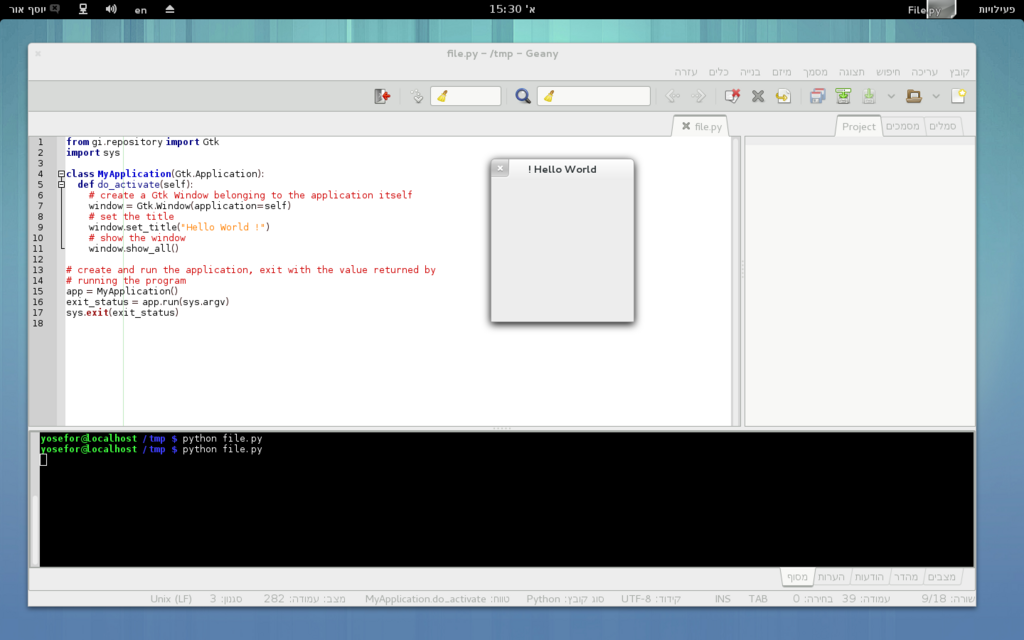
Congratulations, you've just written and executed your first Python program! This simple step is the foundation for everything else you'll learn. Let's review what we've covered.
Who is the creator of the Python programming language?
Python's design philosophy emphasizes code that is easy to read and write, often resembling plain English.
You've taken the first crucial step into the world of Python. You know what it is, why it's useful, and how to get your own coding environment set up. Next, we'll start exploring the fundamental building blocks of the language.