Python Fundamentals For Beginners
Introduction to Python
What is Python?
Python is a programming language known for its simple, readable syntax. Think of it less like a rigid set of commands and more like a way to give instructions to a computer using words that are close to English. This makes it a great language for beginners.
But its simplicity is deceptive. Python is incredibly powerful and versatile. It's used everywhere: to build websites and apps, to analyze huge amounts of data in science and finance, and to automate repetitive tasks. If you've ever used services like Instagram or Spotify, you've interacted with code written in Python.

Its strength comes from its large community and a massive collection of pre-written code, called libraries, that you can use to perform complex tasks without starting from scratch.
Getting Set Up
First, you need to install Python on your computer. You can download the latest version from the official website, python.org. The installation process is straightforward, much like installing any other application.
Once Python is installed, you need a place to write and run your code. This is called a development environment. While you can use a simple text editor, many programmers use tools designed specifically for coding. For learning and data analysis, one of the most popular tools is the Jupyter Notebook.
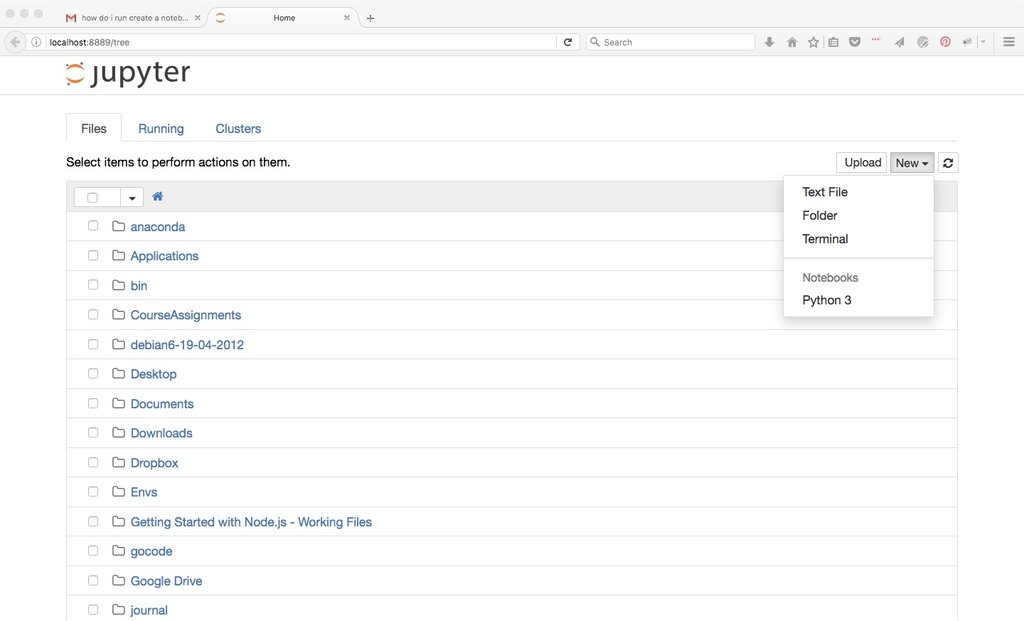
Jupyter Notebooks run in your web browser and let you write and execute code in small, manageable blocks called cells. This is great for experimenting because you can run a piece of code, see the output immediately, and make changes without having to rerun your entire program.
Your First Program
It's a tradition in programming to start by making the computer say "Hello, World!". This simple task confirms that your setup is working correctly and gives you a first taste of the language's syntax. In Python, this is incredibly simple. You just need one line of code.
print("Hello, World!")
Let's break this down:
print()is a function. A function is a named block of code that performs a specific task. Theprint()function's job is to display things on the screen.- The text inside the parentheses,
"Hello, World!", is what we want to print. This is called a string, which is just a sequence of characters. In Python, strings are always enclosed in quotes (either single or double).
To run this in a Jupyter Notebook, you would type it into a cell and press Shift+Enter. The output Hello, World! will appear directly below the cell.
Congratulations! You've just written and executed your first Python program.
Now you have a working setup where you can start to explore more.