Python Fundamentals Explained
Introduction to Python
What is Python?
Python is a powerful and versatile programming language, known for its clean and readable syntax. Think of it like a set of instructions you can give a computer. Unlike some languages that are strict and complex, Python is designed to be straightforward, almost like writing in English. This makes it a great choice for beginners.

Created in the late 1980s by Guido van Rossum, Python's main goal is readability. This focus on simplicity doesn't limit its power. Python is used everywhere: by Google for web services, by NASA for scientific programming, and by companies like Pixar for creating animated films. It's a go-to language for web development, data analysis, artificial intelligence, and automating simple tasks.
Setting Up Your Workspace
Before you can start writing Python code, you need two things: the Python interpreter and a place to write your code. The interpreter is a program that understands your Python code and executes the instructions you've written.
You can download the latest version of Python for your operating system from the official website, python.org. The installation is typically straightforward, just like installing any other application.

Next, you need a code editor or an Integrated Development Environment (IDE). While you could write Python in a basic text editor, an IDE provides helpful tools like syntax highlighting, error checking, and code completion. It’s like the difference between writing a novel in a simple notepad versus using a powerful word processor.
Popular choices for Python development include Visual Studio Code (VS Code), PyCharm, and Thonny. For this guide, we'll use examples that work in any editor, but setting one up is a great step. VS Code is a fantastic, free option to start with.

Your First Python Script
Let's write your first program. It’s a tradition in programming to start by making the computer say "Hello, World!". Open your chosen editor, create a new file, and type the following line of code.
print("Hello, World!")
Let's break this down:
print()is a function. A function is a named block of code that performs a specific task. In this case, theprint()function's job is to display text on the screen."Hello, World!"is the argument we're giving to the function. It's the specific piece of data we want the function to work with. The quotation marks tell Python that this is a piece of text, also known as a string.
Save the file with a descriptive name, like hello.py. The .py extension is important because it tells your computer that this is a Python file.
To run your script, open a terminal or command prompt, navigate to the directory where you saved your file, and type python hello.py. If everything is set up correctly, you'll see Hello, World! printed on your screen.
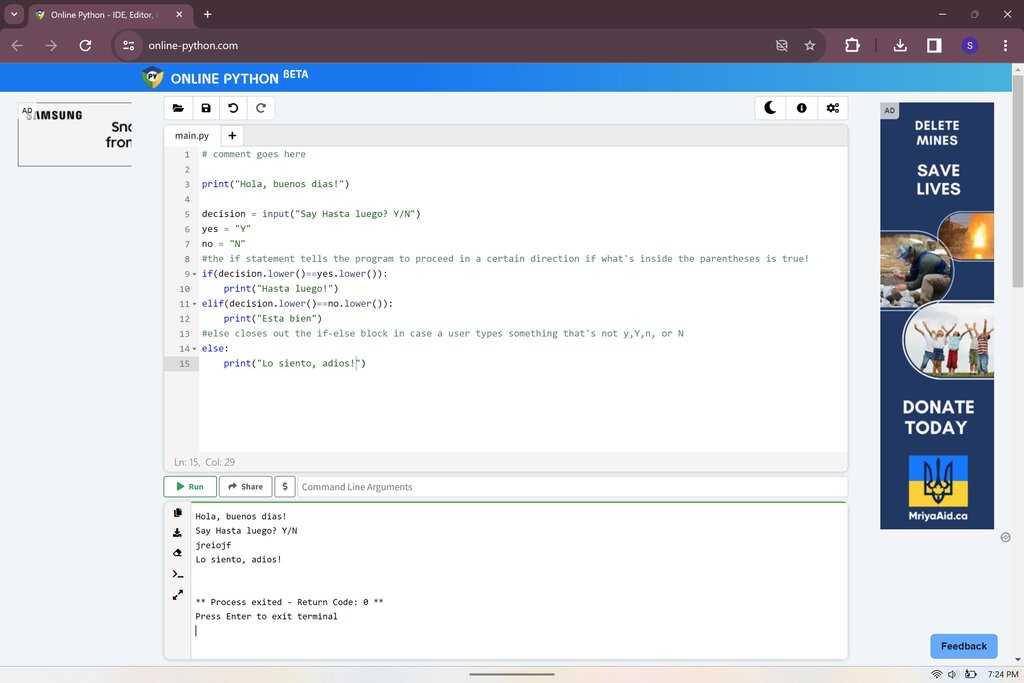
Congratulations! You’ve just written and executed your first Python program. This simple act of printing text is a fundamental building block for creating much more complex applications.
Who is the creator of the Python programming language?
What is the primary design philosophy of the Python language?