Python Fundamentals
Python Basics
Setting Up Your Workspace
Before you can write Python code, you need a place to write and run it. The first step is to install Python itself. You can download the latest version from the official Python website, python.org. While macOS and Linux often come with a version of Python pre-installed, it's a good practice to install the most recent one to have access to all the latest features.
Once Python is installed, you need a text editor or an Integrated Development Environment (IDE) to write your code. A simple text editor works, but an IDE offers helpful features like syntax highlighting and debugging tools. Popular choices for Python include Visual Studio Code, PyCharm, and Atom.
For quick tests and simple commands, you can use Python's interactive shell. Just type python or python3 into your computer's terminal or command prompt, and you can start typing code directly.
Python's Clean Syntax
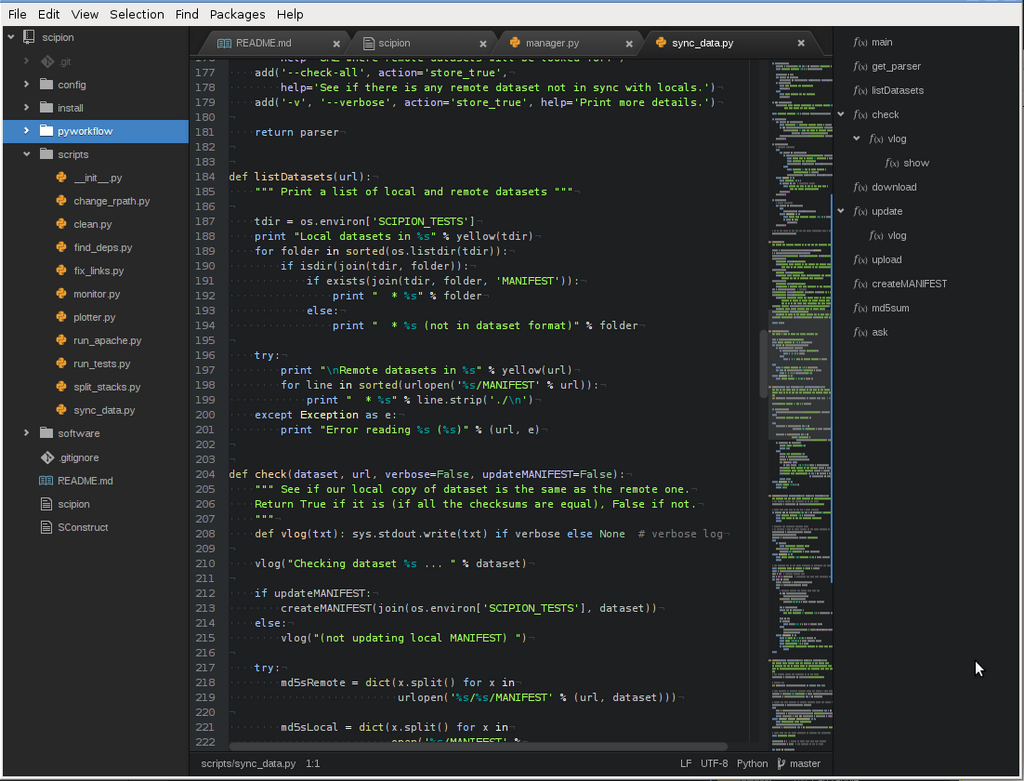
Python is known for its clean and readable syntax. It's designed to look a lot like plain English, which makes it easier for beginners to pick up.
One of the most unique and important rules in Python is its use of indentation. Unlike many other programming languages that use curly braces {} to define blocks of code, Python uses whitespace. This means the spacing at the beginning of a line is not just for looks—it's a part of the syntax that Python uses to understand the structure of your program. Consistent indentation is mandatory.
In Python, indentation is not a suggestion; it's a rule. You typically use four spaces per indentation level.
Storing Information
To work with data, you need a way to store it. In programming, we use variables for this. A variable is like a labeled box where you can keep a piece of information. You give the box a name and put a value inside it. You can change the value later if you need to.
Creating a variable in Python is simple. You just choose a name, use the equals sign (=), and provide a value. For example, name = "Alice" creates a variable called name and stores the text "Alice" in it.
Every value has a type, which tells Python what kind of data it is and what you can do with it. The most common basic data types are:
| Data Type | Description | Example |
|---|---|---|
String (str) | A sequence of characters, like text. | "Hello, Python!" |
Integer (int) | A whole number, without a fractional part. | 42 |
Float (float) | A number with a decimal point. | 3.14159 |
Boolean (bool) | Represents one of two values: True or False. | True |
Python is dynamically typed, which means you don't have to explicitly declare the data type of a variable. Python automatically figures it out based on the value you assign.
# Variable assignments

# A string
message = "Welcome to programming!"

# An integer
year = 2024

# A float
pi_approx = 3.14

# A boolean
is_learning = True
Talking to Your Program
A program isn't very useful if it can't communicate with the user. Python makes this easy with built-in functions for input and output.
To display information on the screen, you use the print() function. Whatever you put inside the parentheses will be shown to the user.
print("Hello, world!")

student_count = 30
print("Number of students in the class:", student_count)
To get information from the user, you use the input() function. This function displays a prompt to the user, waits for them to type something, and then returns what they typed as a string.
# Ask the user for their name
user_name = input("Please enter your name: ")

# Create and print a greeting
greeting = "Hello, " + user_name + "!"
print(greeting)
An important thing to remember is that input() always gives you a string. If you ask for a number and want to do math with it, you'll need to convert it first, for example, by using int() to turn the string into an integer.
What is the primary purpose of indentation in Python?
Which of the following creates a variable named score and assigns it the integer value 100?
With these building blocks—a working environment, an understanding of syntax, variables, and basic I/O—you have everything you need to start writing simple Python scripts.