Python for Data Analysis
Python Basics
Setting Up Your Workspace
Before writing any code, you need a place to write and run it. For data analysis in Python, the most common setup is Python itself plus Jupyter Notebook. Think of Python as the engine and Jupyter as the interactive dashboard that lets you drive it.
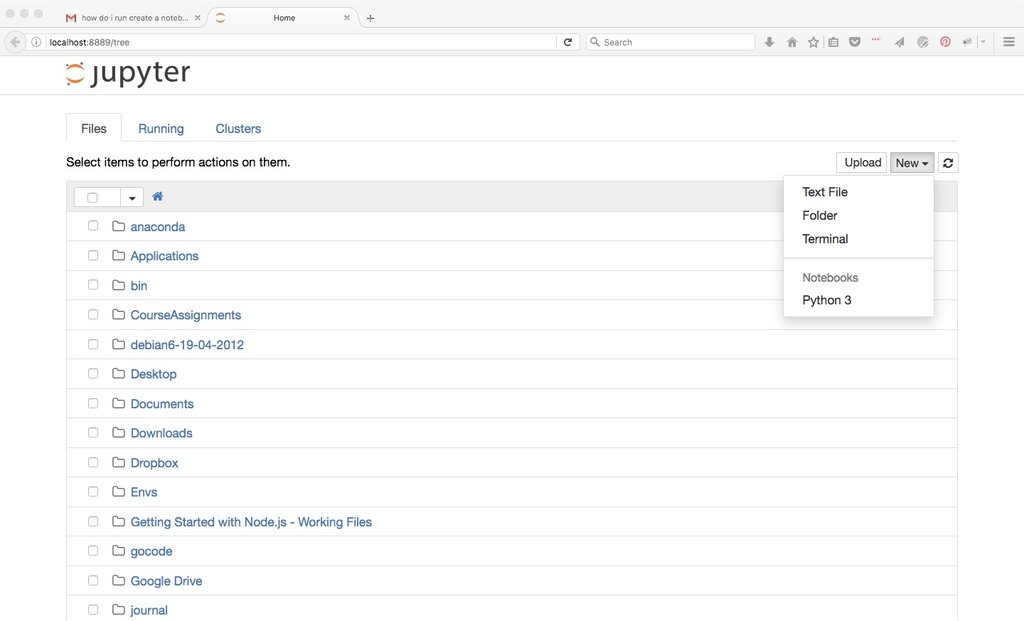
The easiest way to get both is by installing the Anaconda Distribution. It's a free package that includes Python, Jupyter, and many popular data analysis libraries you'll use later. Head to the Anaconda website, download the installer for your operating system, and follow the installation instructions. Once installed, you can launch a Jupyter Notebook from the Anaconda Navigator. This will open a new tab in your web browser, which is your workspace for writing and running Python code.
Python's Core Rules
Python code is meant to be readable. Its syntax is clean and straightforward. Unlike many other languages, it uses indentation (whitespace at the beginning of a line) to group statements. This isn't just for looks; it's a strict rule. A block of code that belongs together, like the steps inside a loop, must be indented at the same level.
The first thing you'll do in any program is work with data. We store data in variables. A variable is like a labeled box where you can put information. To create one, you just pick a name, use the equals sign (=), and provide the value.
# This is a comment. Python ignores lines starting with #

# Assigning the value 150 to a variable named 'weight'
weight = 150

# Assigning the text "apple" to a variable named 'fruit'
fruit = "apple"

# You can print the value of a variable to see what's inside
print(weight)
print(fruit)
Data comes in different flavors, or data types. Python automatically figures out the type when you assign a value. The most common types are:
| Data Type | Description | Example |
|---|---|---|
Integer (int) | Whole numbers, without decimals. | 42, -10 |
Float (float) | Numbers with decimals. | 3.14, -0.5 |
String (str) | Text, enclosed in single or double quotes. | "hello", 'world' |
Boolean (bool) | Represents truth values. Can only be True or False. | True, False |
Controlling the Flow
A program rarely runs straight from top to bottom. Often, you need it to make decisions or repeat actions. This is handled by control structures.
Conditionals let your code react differently based on whether a condition is true or false. You use if, elif (else if), and else statements.
temperature = 75

if temperature > 80:
    print("It's a hot day!")
elif temperature < 60:
    print("It's a bit chilly.")
else:
    print("The weather is pleasant.")
Notice the colon (
:) after the condition and the indentation for the code that runs if the condition is true. This structure is essential in Python.
Loops are for repeating a block of code. A for loop is great for iterating over a sequence, like a list of items.
# This loop will run three times, once for each fruit
fruits = ["apple", "banana", "cherry"]

for item in fruits:
    print("Current fruit:", item)
A while loop repeats as long as a certain condition is true. It's useful when you don't know exactly how many times you need to loop.
count = 0

while count < 3:
    print("Count is:", count)
    count = count + 1 # Increment the count to avoid an infinite loop!

print("Loop finished.")
With these building blocks—variables, data types, and control structures—you can start writing simple yet powerful scripts. Let's review what we've covered.
What is the recommended method for installing Python and Jupyter Notebook together for data analysis, as mentioned in the text?
In Python, indentation (whitespace at the beginning of a line) is used to group statements and is a strict syntax rule.
Mastering these fundamentals is the first step. Next, you'll learn how to apply them to manipulate and analyze data.