Python for Algorithmic Trading Setup
Python Installation
Getting Python on Your Machine
Before you can write any code, you need the Python interpreter installed on your computer. This program reads your Python code and translates it into instructions the computer can understand. The best place to get it is from the official source: python.org.
Head to the downloads page and grab the latest stable version of Python 3. You might see references to Python 2, but it's an older version that is no longer supported. Always go with Python 3.
Installation Steps
The process is slightly different depending on your operating system.
On Windows, the installer will guide you through the process. There's one crucial step: on the first screen, make sure you check the box that says "Add Python to PATH." This allows you to run Python from your computer's command line, which is a tool we'll use to verify the installation.

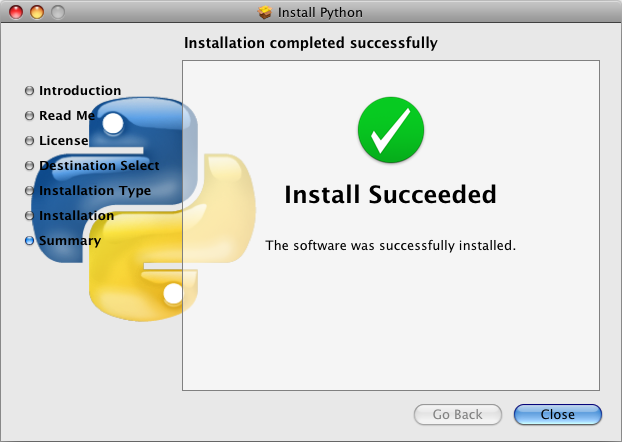
For macOS users, a version of Python might already be installed. However, it's often an older version. It's best practice to download the latest version from python.org to get all the new features and security updates. The macOS installer is straightforward; just click through the prompts until it's finished.
Verify Your Installation
Once the installation is complete, you need to make sure it worked. You can do this using your computer's command line interface. On Windows, this is the Command Prompt or PowerShell. On macOS, it's the Terminal app.
Open it and type the following command, then press Enter:
python3 --version
You might need to use python --version on some systems, particularly Windows. If the installation was successful, you'll see the version number you just installed printed back to you, like Python 3.12.3.
Choosing Your Coding Editor
Now that Python is installed, you need a place to write your code. While you could use a basic text editor like Notepad, it's much more efficient to use an Integrated Development Environment, or IDE. An IDE is software that combines a text editor with other helpful tools for programmers, like code completion suggestions, debugging tools, and a built-in terminal.
Work on gaining a better understanding of the basics, like what text editors and Integrated Development Environments, or IDEs, are, and how you use them to work with Python.
Think of it like the difference between a single kitchen knife and a fully equipped chef's kitchen. You can chop vegetables with just a knife, but the kitchen provides a stove, cutting boards, and everything else you need to cook a full meal, all in one place.
There are many IDEs to choose from, but three are especially popular for Python, particularly in the world of finance and data analysis.
| IDE | Best For | Key Feature |
|---|---|---|
| Visual Studio Code | General purpose programming | Huge library of extensions |
| PyCharm | Python-specific projects | Intelligent code completion |
| Jupyter Notebook | Data exploration & analysis | Interactive code cells |
Visual Studio Code (VS Code) is a free, lightweight, and highly popular editor from Microsoft. It's not just for Python; it supports hundreds of languages. Its power comes from its vast marketplace of extensions that let you customize it for any task, including Python development.
PyCharm, made by JetBrains, is an IDE built specifically for Python. It has deep knowledge of the language and provides excellent code analysis, debugging, and testing tools right out of the box. It has a free Community edition that's perfect for getting started.
Jupyter Notebooks are a bit different. They run in your web browser and allow you to write and execute code in individual cells. You can mix code, text, and even charts in a single document. This makes them fantastic for experimenting with data and prototyping trading ideas.

For starting out, VS Code is a great choice. It's versatile and widely used in the software industry. To set it up for Python, you'll need to install it and then add the official Python extension from its marketplace. Simply open VS Code, go to the Extensions view (the icon with four squares), search for "Python," and install the one published by Microsoft.
This extension enables features like syntax highlighting, code completion (IntelliSense), and debugging. Once installed, VS Code will automatically detect the Python version you installed earlier. You can create a new file, save it with a .py extension (like hello.py), and start coding.
What is the official and recommended source for downloading the Python interpreter?
When setting up a new project, you should always choose the latest stable version of Python 3.
With Python and your IDE set up, you now have a complete development environment ready for building your trading systems.