Python Dashboards with Dash and Plotly
Python Basics
Getting Started with Python
Before you can build amazing dashboards, you need a solid foundation in the language that powers them: Python. Python is a versatile and readable programming language, making it a favorite for everything from web development to data science. For our purposes, we'll focus on the essentials you'll need for data manipulation and visualization.
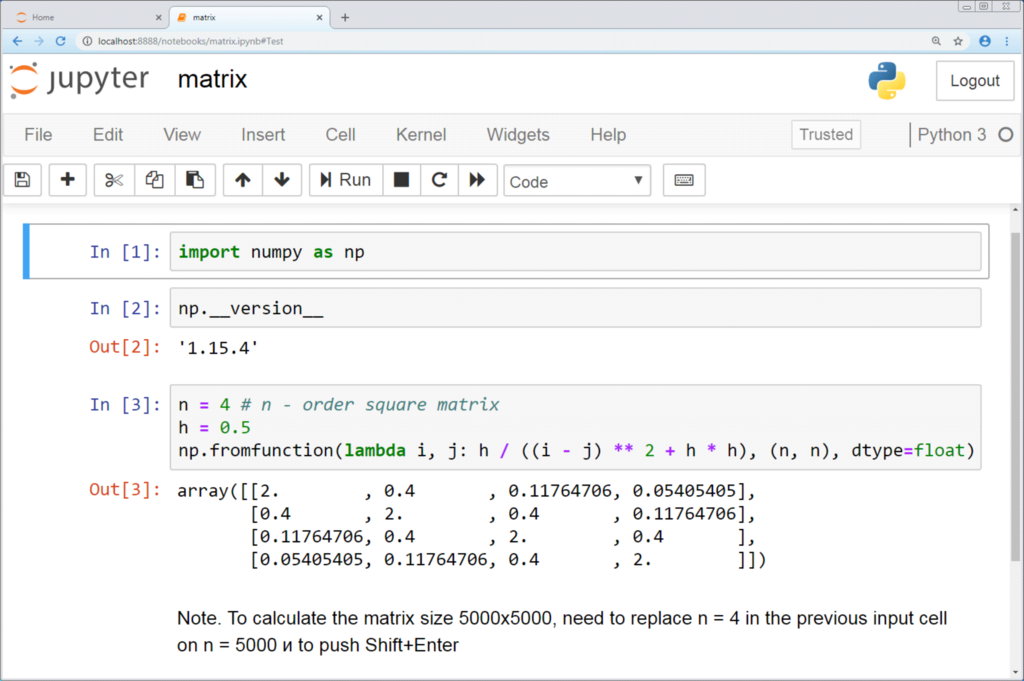
First, you'll need Python installed on your computer. You'll also want a good code editor, like Visual Studio Code, or an interactive environment like a Jupyter Notebook, which is fantastic for data exploration.
Variables and Data Types
Think of a variable as a labeled box where you can store information. You give it a name and put something inside. The 'something' you put inside has a specific data type.
Variable
noun
A symbolic name that is a reference or pointer to an object. Once an object is assigned to a variable, you can refer to the object by that name.
Python has several built-in data types. Let's look at the most common ones you'll encounter.
Strings are for text. You create them using single or double quotes.
greeting = "Hello, World!"
print(greeting)
Integers are whole numbers, and floats are numbers with decimals.
user_count = 100         # An integer
pi_approx = 3.14         # A float
Booleans represent one of two values: True or False. They are crucial for making decisions in your code.
is_active = True
has_permission = False
Controlling the Flow
Your code doesn't just run from top to bottom. Control structures let you execute certain blocks of code only when specific conditions are met, or repeat actions multiple times.
Control structures are the decision-makers of your program.
The if statement is the most common decision-maker. It runs a block of code only if a condition is True. You can add an else to run code if the condition is False.
temperature = 75

if temperature > 80:
    print("It's a hot day!")
else:
    print("It's not too hot.")
Loops are used to repeat a block of code. A for loop iterates over a sequence, like a list of items.
# This loop will print each fruit on a new line
fruits = ["apple", "banana", "cherry"]
for fruit in fruits:
    print(fruit)
Functions and Modules
As your programs get more complex, you'll want to organize your code into reusable pieces. That's where functions and modules come in.
A function is a named, reusable block of code that performs a specific action. You define it once and can call it whenever you need it.
# Define a function to greet a user
def greet_user(name):
    return f"Hello, {name}!"

# Call the function
message = greet_user("Alex")
print(message)
A module is a file containing Python definitions and statements. Think of it as a code library you can import to use in your own scripts. This is how you access powerful tools built by other developers.
The pandas library is an essential module for data analysis. You import it using the import keyword. It's conventional to give it a shorter alias, pd, to make your code cleaner.
import pandas as pd
Basic Data Manipulation
The core of data analysis in Python is the pandas library. Its primary data structure is the DataFrame, which is essentially a table with rows and columns, similar to a spreadsheet.
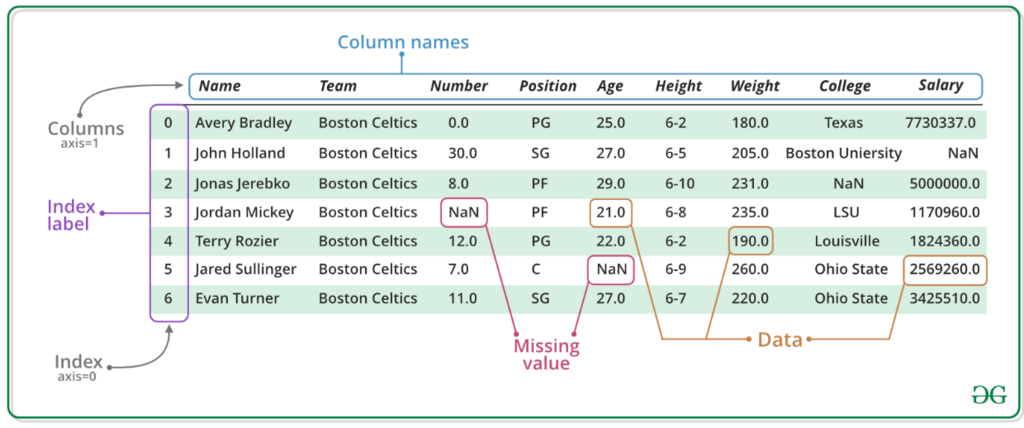
You can create a DataFrame from many sources, but a common way is from a Python dictionary.
import pandas as pd

# Data in a dictionary
data = {
    'Name': ['Alice', 'Bob', 'Charlie'],
    'Age': [25, 30, 35],
    'City': ['New York', 'Los Angeles', 'Chicago']
}

# Create DataFrame
df = pd.DataFrame(data)

print(df)
Once you have a DataFrame, you can easily perform operations like selecting a single column, which returns a pandas Series (a one-dimensional array).
# Select the 'Name' column
names = df['Name']

print(names)
This is just scratching the surface, but understanding these fundamental concepts of Python and pandas is the first crucial step toward building powerful data dashboards.