Python Automation for Network Engineers
Python Data Structures
Data Structures for Networks
In network automation, your script needs to work with data. A lot of it. You're not just dealing with single values, but with collections of devices, interfaces, and configuration settings. How you store this information in your code is critical. Python gives you two powerful tools for this job: lists and dictionaries.
Let's start with a simple inventory. A Python list is perfect for keeping a straightforward collection of items, like the hostnames of all the routers in your data center.
routers = ["core-rtr-01", "edge-rtr-01", "dist-rtr-21", "dist-rtr-22"]
This list, routers, is an ordered collection. The first item is at index 0, the second at index 1, and so on. You can easily add a new router to the end of the list or remove one that's been decommissioned. This flexibility is important for managing a dynamic network inventory.
Lists are great for ordered sequences: a list of IP addresses to ping, interfaces to configure, or devices to audit.
Modeling Device Configurations
A list of hostnames is useful, but it doesn't tell you much about each device. What's its IP address? Who is the vendor? What role does it play? For this kind of structured data, a dictionary is the ideal tool. Dictionaries store information as , connecting a specific attribute (the key) to its data (the value).
Think of a dictionary as a detailed file for a single device.
router = {
    "hostname": "core-rtr-01",
    "ip_address": "192.168.1.1",
    "vendor": "Cisco",
    "model": "ASR1001-X",
    "location": "DC-A, Rack 4, Unit 22"
}
Now, instead of relying on an item's position, you can access data by its descriptive key. To get the IP address, you simply ask for router["ip_address"]. This is far more intuitive than trying to remember if the IP was the second or third element in a list.
Combining Structures for a Full Picture
The real power comes from combining these structures. You can create a list where each item is a dictionary. This gives you a complete, structured inventory that's easy to work with programmatically. Each dictionary in the list represents a single device with all its attributes.
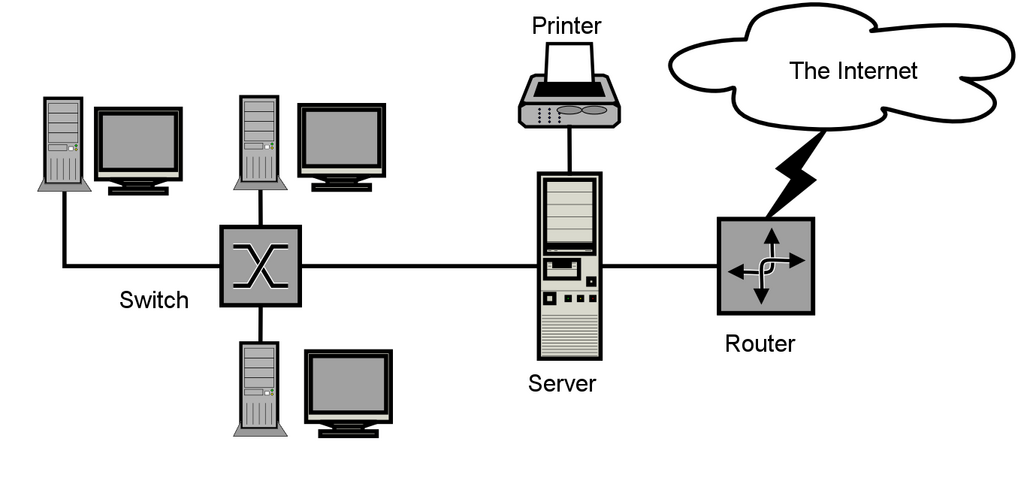
You can even nest dictionaries inside other dictionaries to represent more complex configurations. For example, a device's attributes might include a dictionary of its interfaces, where each interface has its own IP address and status.
device_config = {
    "hostname": "edge-rtr-01",
    "ip_address": "203.0.113.1",
    "vendor": "Juniper",
    "interfaces": {
        "ge-0/0/0": {
            "ip": "10.1.1.1",
            "status": "up"
        },
        "ge-0/0/1": {
            "ip": "10.1.2.1",
            "status": "down"
        }
    }
}
With this structure, accessing the status of interface ge-0/0/1 is straightforward and readable: device_config["interfaces"]["ge-0/0/1"]["status"]. You can also programmatically modify this data. For instance, if you bring an interface online, you can update its status in the dictionary.
# Update the status of an interface
device_config["interfaces"]["ge-0/0/1"]["status"] = "up"
This ability to store, access, and modify structured data is the foundation of network automation. It allows your scripts to read the current state of your network, make decisions, and apply changes in a predictable, repeatable way.
Let's test your understanding of these core concepts.
Which data structure is best suited for storing a simple, ordered collection of router hostnames that need to be accessed sequentially?
To store detailed attributes for a single network device, such as its IP address, vendor, and model, a dictionary is more intuitive than a list.
By mastering lists and dictionaries, you can represent any network configuration, no matter how complex, in a way that your Python scripts can easily understand and manage.