Pure Math with Python
Python Basics
The Building Blocks
Think of a variable as a labeled box where you can store information. You give the box a name, and you can put different things inside it. In Python, these "things" are called data, and they come in various types.
The most common data types you'll encounter are integers (whole numbers), floating-point numbers (decimals), strings (text), and booleans (True or False).
# An integer (int)
student_count = 30

# A floating-point number (float)
pi_approx = 3.14

# A string (str)
subject = "Mathematics"

# A boolean (bool)
is_learning = True
You can assign a value to a variable using the equals sign (=). The name of the variable goes on the left, and the value it stores goes on the right. Python is smart enough to figure out the data type on its own.
Making Decisions and Repeating Actions
Programs often need to make decisions. For this, Python uses if statements. You can check if a certain condition is true and execute a block of code only in that case. You can also provide alternative paths with elif (else if) and a catch-all with else.
score = 85

if score >= 90:
    print("Grade: A")
elif score >= 80:
    print("Grade: B")
else:
    print("Grade: C or below")

# This will print "Grade: B"
Sometimes you need to repeat an action multiple times. This is called looping. A for loop is great for when you want to iterate over a sequence, like a list of numbers.
# This loop will run 5 times
# The range(5) function generates numbers from 0 to 4
for i in range(5):
    print(f"This is repetition number {i + 1}")
A while loop is used when you want to repeat something as long as a condition remains true. It's useful when you don't know in advance how many times you need to loop.
countdown = 3

while countdown > 0:
    print(countdown)
    countdown = countdown - 1 # Decrease countdown by 1

print("Liftoff!")
Packaging Your Code
As your programs get more complex, you'll want to organize your code into reusable pieces. Functions are perfect for this. A function is a named block of code that performs a specific task. You define it once and can call it whenever you need it.
function
noun
A block of organized, reusable code that is used to perform a single, related action.
# Define a function to add two numbers
def add_numbers(x, y):
    result = x + y
    return result

# Call the function and store its output
sum_result = add_numbers(5, 3)
print(sum_result) # This will print 8
Python also allows you to use code written by others through modules. A module is simply a file containing Python definitions and statements. To use a module, you import it. For example, the math module gives you access to a wide range of mathematical functions.
import math # Import the entire math module

# Use the sqrt function from the math module
square_root = math.sqrt(16)

print(square_root) # This will print 4.0
Interacting with the User
A program isn't very useful if it can't communicate. We've already been using the print() function to display output to the screen. To get input from a user, you can use the input() function.
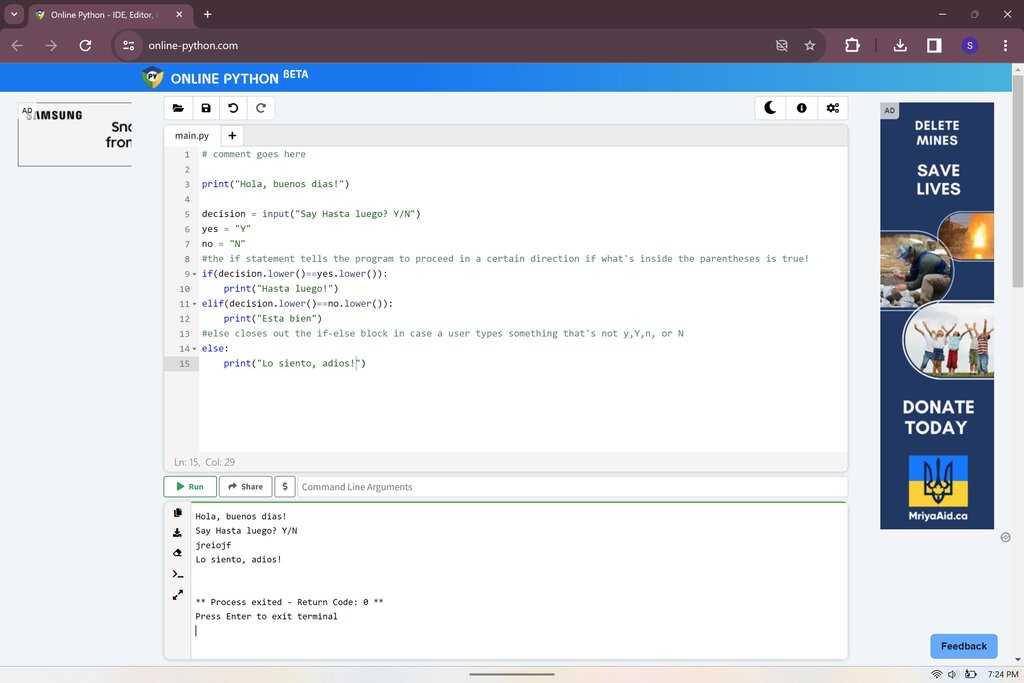
The input() function pauses your program and waits for the user to type something and press Enter. Whatever the user types is returned as a string.
# Ask the user for their name
user_name = input("What is your name? ")

# Greet the user
print(f"Hello, {user_name}!")
Important: The
input()function always returns text (a string). If you need a number, you must convert it using functions likeint()orfloat().
age_str = input("How old are you? ")
age_int = int(age_str) # Convert the string to an integer

years_to_100 = 100 - age_int
print(f"You will be 100 years old in {years_to_100} years.")
With these building blocks, you can start writing simple yet powerful programs to solve all sorts of problems.