Professional Etiquette Do's and Don'ts
Digital Communication Nuances
Choose Your Channel Wisely
In the modern workplace, how you say something is just as important as what you say. The channel you choose—email, instant message, or video call—sets the tone and expectation for the entire conversation. Each tool has its own unspoken rules, and mastering them is key to effective collaboration.
Think of it as choosing the right tool for a job. You wouldn't use a sledgehammer to hang a picture frame. Similarly, sending a frantic instant message for a non-urgent, detailed project update can create unnecessary stress. On the other hand, a lengthy email chain to decide on a lunch spot is just inefficient.
| Channel | Best For | Keep in Mind |
|---|---|---|
| Formal announcements, detailed project updates, and creating a paper trail. | Assumes the message is not time-sensitive. Slower back-and-forth. | |
| Slack / Teams | Quick questions, real-time collaboration, and informal team updates. | Can be disruptive. Urgency is often implied, even when not intended. |
| Video Call | Sensitive conversations, complex problem-solving, and team brainstorming sessions. | Requires scheduling and full attention. Video fatigue is real. |
The guiding principles are urgency and sensitivity. For a complex or delicate topic, a video call is best because you can read facial expressions and body language. For a formal record of a decision, email is your best friend. For a quick question that's blocking your work, an instant message gets the fastest response. Choosing correctly shows respect for your colleagues' time and attention.
The Art of Asynchronous Work
Not every message needs an immediate reply. The expectation of being 'always on' leads to burnout and fractured focus. This is where comes in. It’s a style of communication where you send a message without expecting an instant response. Think of email or a detailed comment in a project management tool. The recipient can engage with it when they have a natural break in their workflow.
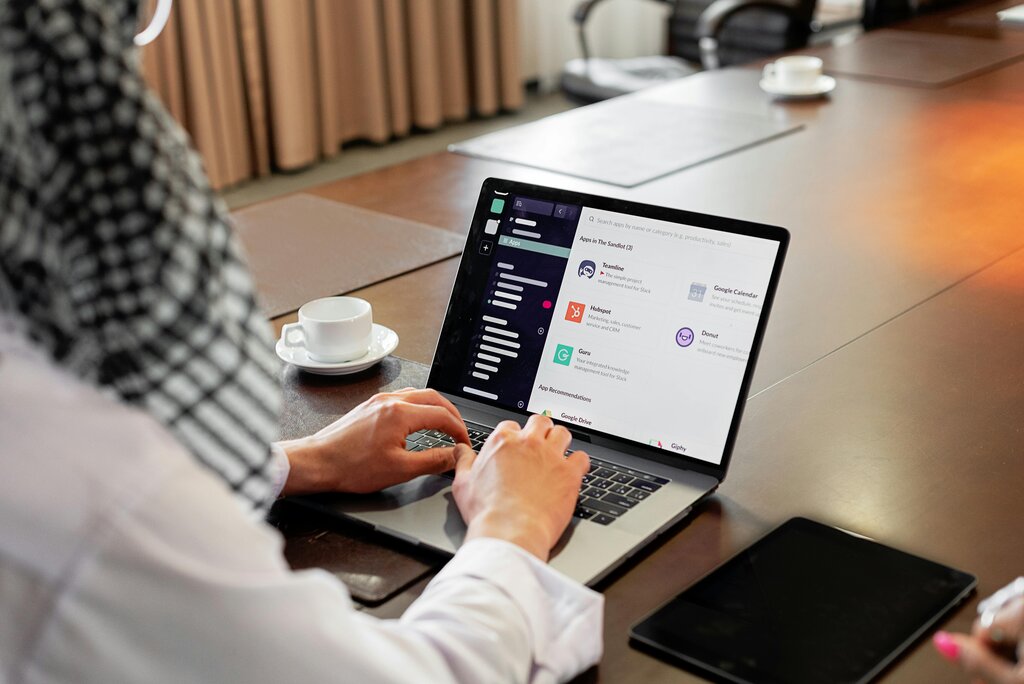
Mastering async etiquette means setting digital boundaries. You can’t control when others message you, but you can control when you respond. Use your status on Slack or Teams to signal when you're in 'deep work' or away from your desk. This manages expectations without you having to say a word.
Good async messages are self-contained. Instead of a quick 'Hey, got a sec?', provide all the necessary context in your initial message. Link to relevant documents, state the problem clearly, and define what you need. This turns a multi-message back-and-forth into a single, efficient interaction.
Create a living “how we communicate” playbook covering when to use which tools, response-time expectations, meeting norms, time zone etiquette, and how to handle communication issues.
Managing Tone in Text
Without the benefit of vocal tone or facial expressions, text-based messages are easily misinterpreted. A short, direct message intended to be efficient can come across as curt or dismissive. The key is to be intentional about the tone you project.
A simple trick is to read your message aloud before hitting send. Does it sound like something you'd say in person? If it sounds harsh or robotic, add a bit of warmth. In informal channels like Slack, a well-placed emoji can clarify intent. A smiley face after a direct request can soften the delivery.
It’s also helpful to be explicit. Phrases like 'No rush on this, but...' or 'Just a quick thought:' can frame your message and prevent the recipient from assuming a false sense of urgency or critique. Avoid using all caps (which reads as shouting) or excessive punctuation.
Virtual Meeting Rules
Video calls have their own set of rules. For multi-participant meetings, establishing clear protocols ensures things run smoothly.
Camera On or Off? The default should be camera on. It builds rapport and shows you're engaged. However, respect that people may have valid reasons for keeping it off, like a messy background or a spotty internet connection. If you're leading the meeting, it's good practice to state the camera expectation at the start.
Master the Mute Button Your microphone should be muted whenever you aren't speaking. Background noise is distracting for everyone. Get comfortable with the mute/unmute shortcut so you can chime in without fumbling.
Use the Strategically The chat is perfect for sharing links, asking clarifying questions without interrupting the speaker, or providing quick affirmations ('+1' or 'Great point'). Avoid starting side conversations that distract from the main discussion. The meeting host should periodically check the chat for questions that need to be addressed aloud.
By being mindful of these digital nuances, you build a reputation as a clear, respectful, and effective collaborator. You reduce friction, avoid misunderstandings, and help your team focus on what really matters.
You need to give a team member constructive feedback on a complex and sensitive part of a project they are struggling with. What is the most appropriate communication channel for this?
What is the primary benefit of asynchronous communication, like email or a detailed comment in a project management tool?