Professional ComfyUI Mastery
Custom Node Architecture
Beyond the Default Workflow
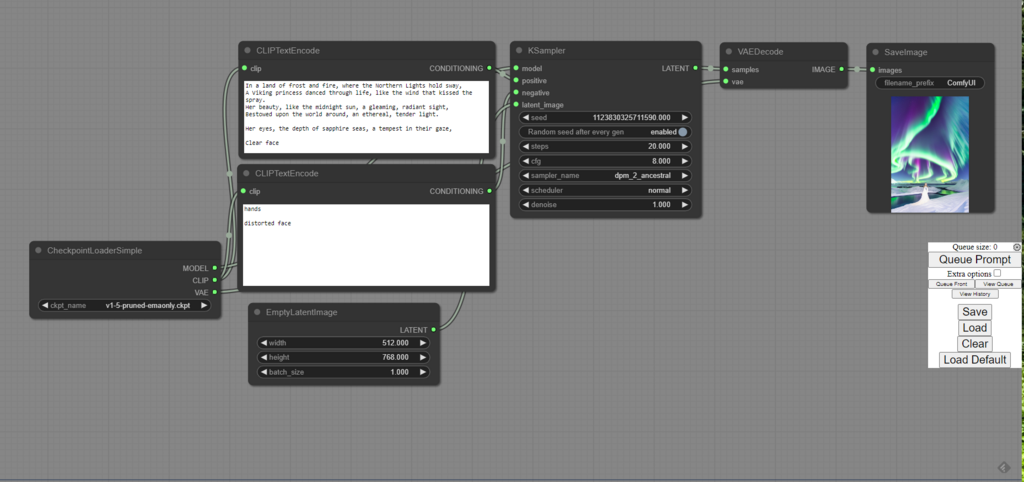
You've wired up KSamplers and loaded VAEs. You understand the basic flow of a Stable Diffusion pipeline in ComfyUI. But to move from simple image generation to complex, high-end art, the default set of nodes won't be enough. Professional workflows require more sophisticated logic, routing, and a cleaner user interface than the standard nodes can provide. This is where custom nodes come in, transforming ComfyUI from a basic tool into a powerful production environment.
Your Workflow's Best Friend
Managing custom nodes used to be a manual process of finding Git repositories, cloning them into the right folder, and hoping all the dependencies were met. Thankfully, this is now handled by one essential tool: the ComfyUI-Manager.
Think of the manager as an app store for your ComfyUI. It lets you browse, install, and update custom nodes from within the interface. More importantly, it automates dependency handling by scanning for missing Python packages or other required models and offering to install them for you. It's the first custom node you should install.
# Navigate to your custom_nodes directory
cd ComfyUI/custom_nodes/

# Clone the manager repository
git clone https://github.com/ltdrdata/ComfyUI-Manager.git
After running this command, simply restart ComfyUI. You'll see a new 'Manager' button in the sidebar, which opens up the interface for installing and managing your entire custom node collection.
Essential Custom Node Suites
With the manager installed, you have access to hundreds of custom nodes. Two suites are particularly crucial for building professional-grade pipelines: the Impact Pack and Efficiency Nodes.
The Impact Pack is all about advanced logic and control. It introduces nodes for complex masking, detailing, and, most importantly, powerful primitive routing through its Pipe and Bus nodes. These allow you to bundle multiple connections (like a model, CLIP, and VAE) into a single pipe, dramatically cleaning up your graph and making it easier to manage complex workflows.
Where the Impact Pack adds logical power, the Efficiency Nodes suite focuses on user experience. Created by Luciano Cirino, these nodes combine common multi-node operations into single, compact units. For instance, a standard loader requires separate nodes for the checkpoint, CLIP, and VAE. The Efficiency Nodes provide a single 'Efficient Loader' that handles all three, significantly reducing screen clutter. Using them is key to keeping large, complex graphs readable and maintainable.
Managing the Chaos
As you add more custom nodes, you'll inevitably run into conflicts. One node might require version 1.8 of a specific Python library, while another needs version 2.0. This can cause nodes to fail, often with red error messages, or prevent ComfyUI from starting at all. This is known as a dependency conflict.
Your first line of defense is the ComfyUI-Manager, which will flag many of these issues. For more stubborn problems, you may need to look at the console window that runs when you start ComfyUI. Error messages there can provide clues. In severe cases, creating a separate Python virtual environment for ComfyUI can isolate its dependencies from other Python tools on your system, preventing conflicts.
| Problem | Symptom in ComfyUI | Solution |
|---|---|---|
| Missing Python Package | Node appears in red with an ImportError. | Use Manager to "Install Missing Custom Nodes". |
| Conflicting Dependencies | Errors appear in the console during startup. | Check the Manager for updates. If unresolved, consider a Python virtual environment. |
| Missing Model File | Node appears in yellow, asking for a file. | Use Manager to find and install the required model via the "Install Models" menu. |
| Outdated Custom Node | A node's behaviour changes or fails after a ComfyUI update. | Use Manager to fetch updates for all installed custom nodes. |
By using a manager to install powerful, well-maintained node suites and understanding how to troubleshoot basic conflicts, you can prepare your environment for building truly advanced and professional generative art pipelines.