Pro AI Podcast Filmmaking
Character Consistency Techniques
Locking In Your Character
One of the biggest hurdles in AI image generation for projects like podcasts is consistency. You can generate a perfect image of your host, but the next one might look like their distant cousin. For a professional brand, this visual drift is a non-starter. Your audience needs to recognize the same person in every frame, from close-ups to wide shots.
This is where we move beyond basic prompting and into more precise control. The key is to give the AI a strong reference point—an anchor for your character's identity and style. Midjourney provides powerful tools specifically for this purpose.
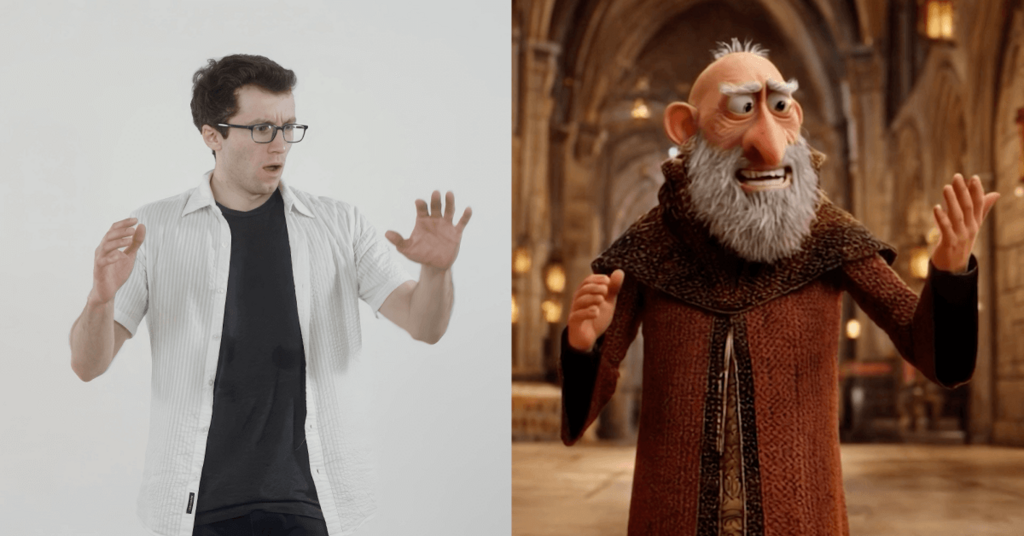
A common challenge in AI image generation is maintaining consistent character design across multiple scenes.
Two parameters are central to this process: --cref for character reference and --sref for style reference. Think of it this way: --cref locks in who the person is, focusing on facial features and physical traits. --sref locks in the vibe of the image, like the lighting, color palette, and clothing style.
Midjourney's Consistency Tools
The Character Reference parameter, --cref, is your most important tool. You provide it with a URL to a clear, well-lit image of your desired character. This becomes the 'seed' image that Midjourney will refer back to for every new generation, ensuring the face remains the same.
/imagine prompt: a podcast host speaking into a microphone, medium shot --cref [URL of your seed image]
You can also adjust how strongly Midjourney adheres to this reference using the --cw (character weight) parameter. It ranges from 0 to 100. A weight of 100 will attempt to copy the face, hair, and clothes very closely. A lower weight, like 20, will only borrow general facial features, giving you more flexibility.
While --cref handles the person, --sref handles the environment and aesthetic. If your podcast has a specific look—maybe it's warm and inviting, or sleek and modern—you can use an image that captures that mood as a style reference. This ensures all your generated shots feel like they belong to the same series.
/imagine prompt: a podcast host speaking into a microphone, wide shot, in a modern studio --cref [URL of your seed image] --sref [URL of a style reference image] --cw 100
By combining these, you can start building a character sheet. Generate a variety of shots needed for your podcast: a close-up, a medium shot, and a wide shot. Use the same --cref and --sref URLs for all of them, only changing the shot description in the prompt. This creates a library of consistent assets.
Advanced Control and Correction
Sometimes, even with these tools, an AI model can struggle with maintaining proportions, especially in complex poses or wide shots. This is where a platform like Leonardo.ai offers a different kind of control with its Image Guidance feature.
Instead of just referencing a face, Image Guidance allows you to upload an image and have the AI use its composition, pose, and depth as a structural blueprint for the new generation. This is perfect for ensuring your character's proportions and posture stay consistent across different outputs. You can pair this with a text prompt that describes your host, effectively layering compositional control with descriptive detail.
But what if a few generated frames are almost perfect, but the face is slightly off? You don't have to discard the entire image. This is the moment for post-generation correction using face-swapping tools.
Tools like InsightFaceSwap (a popular plugin for Discord) or dedicated features in AI video suites let you fix imperfections with precision. You simply provide a target image (the one with the flawed face) and a source image (a perfect shot of your host's face). The tool will intelligently replace the face in the target image, preserving the lighting, angle, and expression.
Think of face-swapping not as a primary generation method, but as a final touch-up tool to achieve pixel-perfect consistency across all your assets.
By mastering this workflow—using --cref and --sref for initial generation, Leonardo's Image Guidance for structural integrity, and face-swapping for final correction—you can build a library of completely consistent character assets for any project.
In Midjourney, what is the primary purpose of the --cref parameter?
You are generating images for a podcast with a very specific modern, sleek aesthetic. Which Midjourney parameter would be most effective for ensuring all your images share this 'vibe'?