Phone Repair Tools and Techniques
Introduction to Phone Repair
What's Inside Your Phone?
A smartphone feels like a single, solid object, but it's really a collection of specialized parts working together. Think of it like a tiny, high-tech city. Each component has a specific job, and they're all connected through a network of circuits and cables.
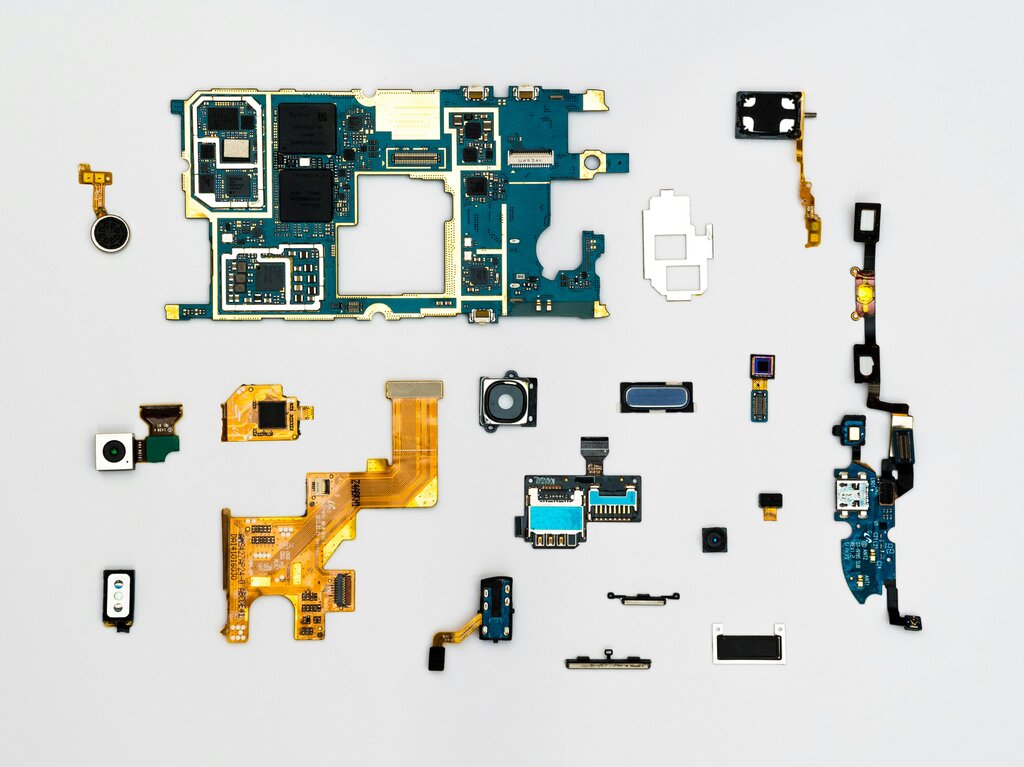
The main components you'll encounter in almost every phone are:
- Logic Board: This is the brain of the operation, holding the processor, memory, and storage. All other components connect to it.
- Battery: The power plant. It's almost always a large, rectangular lithium-ion cell.
- Display Assembly: This is the screen you touch and look at. It's often a single unit combining the glass, the touch sensor (digitizer), and the display panel (like an LCD or OLED).
- Modular Parts: Smaller pieces like cameras, charging ports, speakers, and vibration motors are often self-contained modules that can be unplugged and replaced.
Why Phones Break
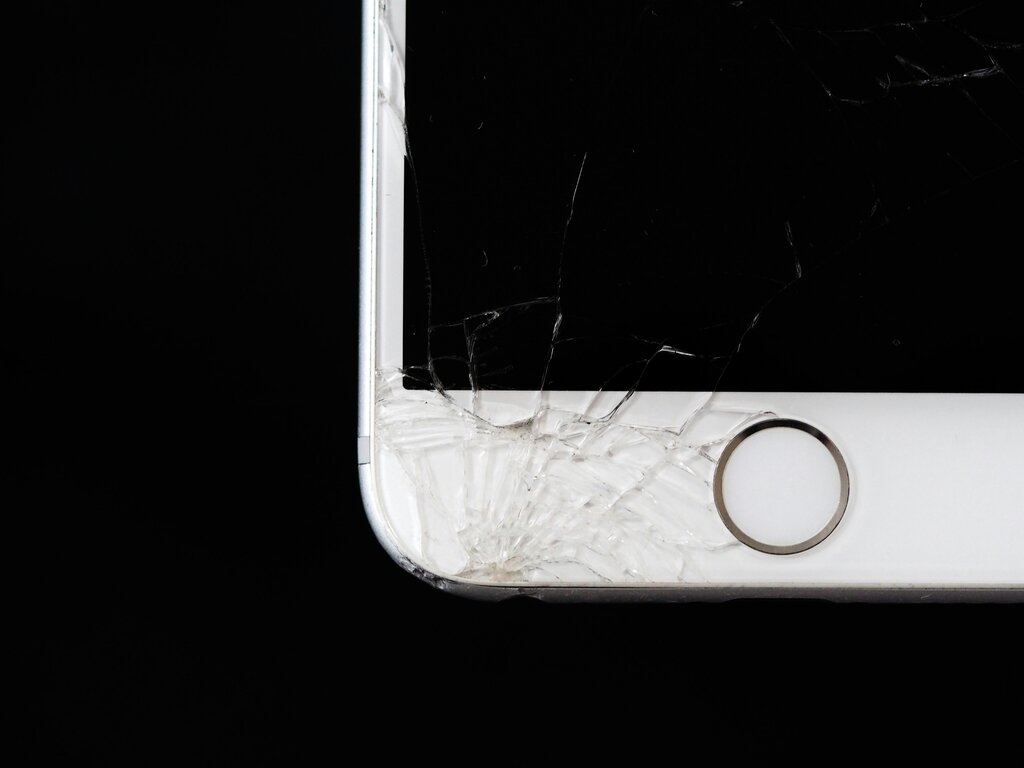
Most phone problems aren't mysterious. They usually come down to physical damage or parts simply wearing out over time. The most common culprit is a drop, leading to the classic cracked screen. But other issues are frequent, too.
Batteries, for instance, are consumables. They are only designed for a certain number of charge cycles. After a year or two, you'll notice your phone doesn't last as long as it used to. This is perfectly normal and a very common reason for a repair.
Charging ports are another weak point. They get jammed with pocket lint and debris, or the delicate internal connectors can bend from repeated use. Suddenly, your phone won't charge, but the fix might be as simple as carefully cleaning out the port with a non-metallic tool.
Before you assume a major failure, check for the simple things. Is the charging port clean? Is the battery just old?
Safety First
Before you open any device, you need to understand the risks. You can damage the phone, or worse, injure yourself. The two biggest dangers are static electricity and the battery.
Your body can build up a static charge that can instantly fry the delicate microchips on the logic board. To prevent this, professional technicians use an anti-static wrist strap, which safely grounds them. Always work on a clean, non-metallic surface.
The most critical rule: Disconnect the battery as soon as you can access its connector. Never work on a device while the battery is connected.
Lithium-ion batteries hold a lot of energy. If you accidentally puncture one with a sharp tool, it can short-circuit, swell up, and even catch fire. Always use plastic, not metal, tools when prying near the battery. If a battery starts to swell or get hot, stop immediately and move it to a fireproof location.
Your Basic Toolkit
You don't need a huge workshop to start with basic repairs, but you do need the right tools. Using the wrong tool, like a flathead screwdriver when you need a pentalobe, will strip the screw and turn an easy job into a nightmare.
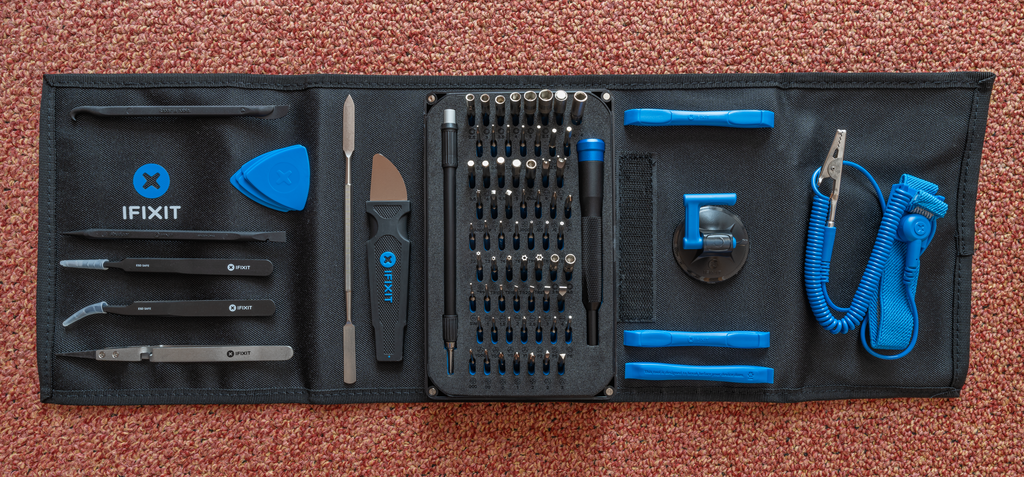
Here's a list of the absolute essentials for your starter kit:
- Precision Screwdriver Set: Phones use tiny, specialized screws like Pentalobe (for iPhones) and Phillips #000. A set with interchangeable bits is best.
- Spudger: A pointy, non-conductive tool made of plastic or nylon. It's used for disconnecting delicate cable connectors without causing a short circuit.
- Plastic Pry Tools: Think of them as guitar picks. They're essential for safely separating the plastic or glass casings of a phone without scratching or cracking them.
- Tweezers: For handling tiny screws and components that are too small for your fingers.
- Suction Cup: Provides a handle to lift the screen assembly off the phone's frame after you've loosened the adhesive.
From disassembling and cleaning intricate components to replacing damaged screens or faulty batteries, these guides will walk you through each process, ensuring that you remain confident and capable throughout the repair.
With these basics covered, you're ready to start thinking about your first repair. Let's review the key ideas.
Time to test your knowledge.
What is considered the "brain" of the smartphone, housing the processor, memory, and other critical microchips?
What is the primary danger of using a sharp metal tool near a lithium-ion battery during a repair?
Understanding the core components, common issues, and safety rules is the foundation of every successful repair. Always prioritize safety and use the correct tool for the job.