PDF Invoice to Excel Automation
Understanding PDF Invoices
The Anatomy of an Invoice
An invoice is a commercial document that itemizes a transaction between a buyer and a seller. If you've ever bought something online or hired a freelancer, you've received one. It’s essentially a bill, requesting payment for goods or services.
Invoices have always been a vital accounting tool in the business world, documenting and tracking transactions between buyers and sellers.
While the design can change from one business to another, the core information usually stays the same. Think of it like a recipe: the presentation might differ, but the key ingredients are always there. Let's look at a typical example.
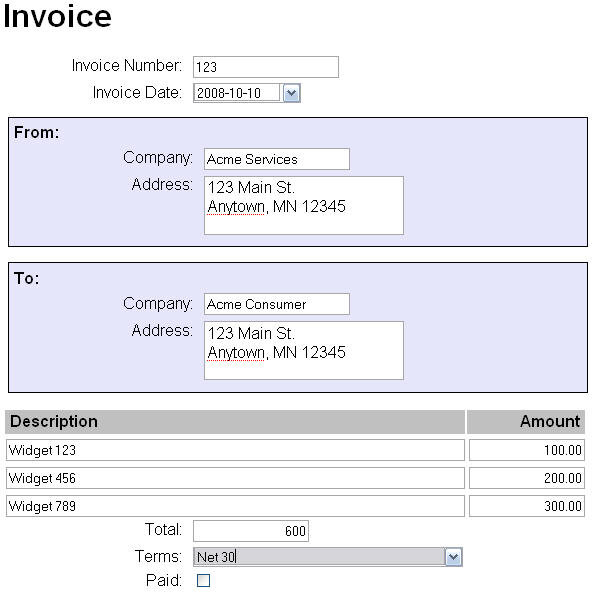
Most invoices are broken down into a few key sections:
-
Header: This is where you'll find the document's unique identifier, the Invoice Number. You'll also see the Invoice Date (when it was created) and the Due Date (when payment is expected).
-
Party Details: Every invoice lists who it's from (the seller or vendor) and who it's for (the buyer or client). This includes names, addresses, and sometimes contact information.
-
Line Items: This is the heart of the invoice. It's a table that lists each product or service provided. Each row typically includes a description, the quantity, the price per unit, and the total amount for that line.
-
Totals: At the bottom, you’ll find the final calculations. This includes the subtotal (the sum of all line items), any applicable taxes or discounts, and finally, the grand total—the full amount owed.
No Two Are Alike
There is no universal standard for what an invoice must look like. Companies use different software and templates, leading to a huge variety in layouts. Some are simple and clean, while others are packed with details, logos, and fine print.
This variation is a major hurdle. The invoice number might be in the top right corner on one document and in the middle on another. Dates can be formatted differently, like MM/DD/YYYY or DD-Mon-YY. Tables listing the services can have different column headers or be structured in unique ways.
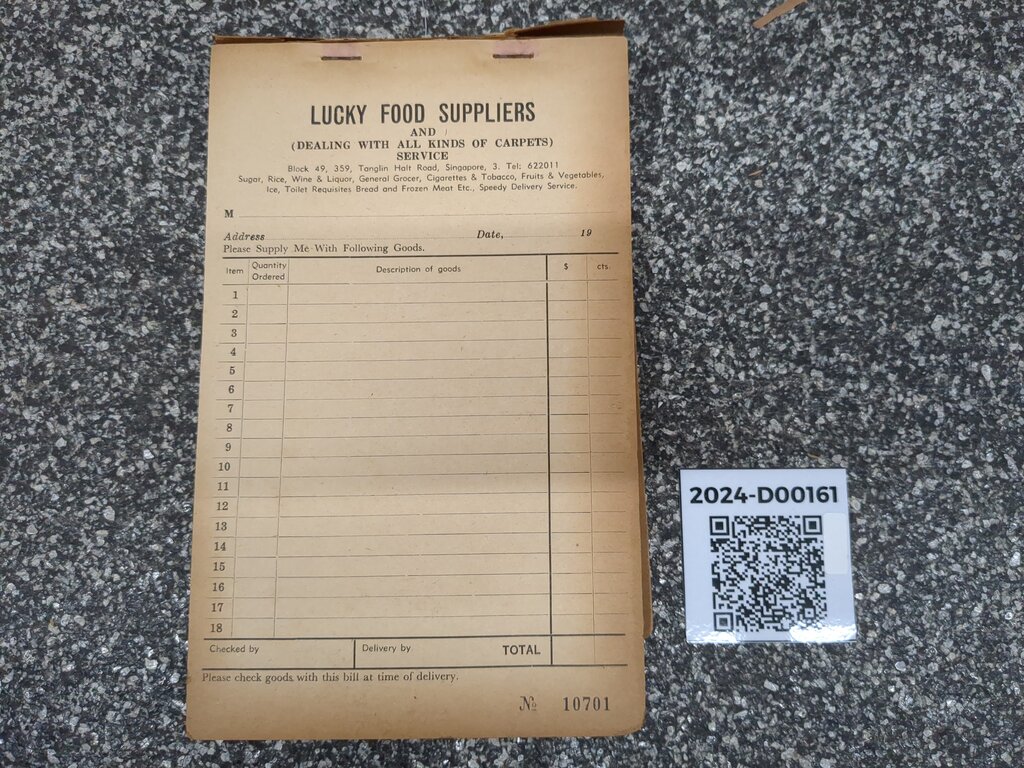
This lack of standardization means you can't just assume where a piece of information will be. You have to actually read and understand the layout of each individual document.
The PDF Problem
PDFs are the standard for sending invoices because they look the same on any device. But this reliability comes with a challenge: PDFs are designed for viewing, not for data extraction. They are like a digital snapshot of a document.
There are two main types of PDF invoices you'll encounter:
-
Digitally Native: These are created by software like an accounting program or word processor. The text in these documents is machine-readable, meaning you can select, copy, and paste it. The underlying data is preserved.
-
Scanned: These PDFs are created from a paper document using a scanner or a photo. To a computer, a scanned PDF is just a single image. The text isn't actually text; it's a collection of pixels that look like letters. You can't select a word because the computer doesn't know it's a word.
Extracting information from a scanned PDF is like trying to copy text from a photograph. You need special technology to recognize the characters first.
Even with digitally native PDFs, the layout variations mentioned earlier make automation difficult. A program designed to find the total amount at the bottom right will fail if an invoice places it on the left. This combination of inconsistent formats and the image-like nature of scanned documents is what makes pulling data from PDF invoices a genuinely tricky problem to solve.
The sheer volume of information exchanged in PDF files means that the ability to extract data from PDF files easily and automatically is so important.
Now, let's test what you've learned about the structure of invoices.
What is the primary purpose of an invoice?
Which of the following pieces of information is typically found in the "Totals" section of an invoice, not the "Header"?
Understanding the common components of an invoice and the challenges PDFs present is the first step in learning how to work with them effectively.